
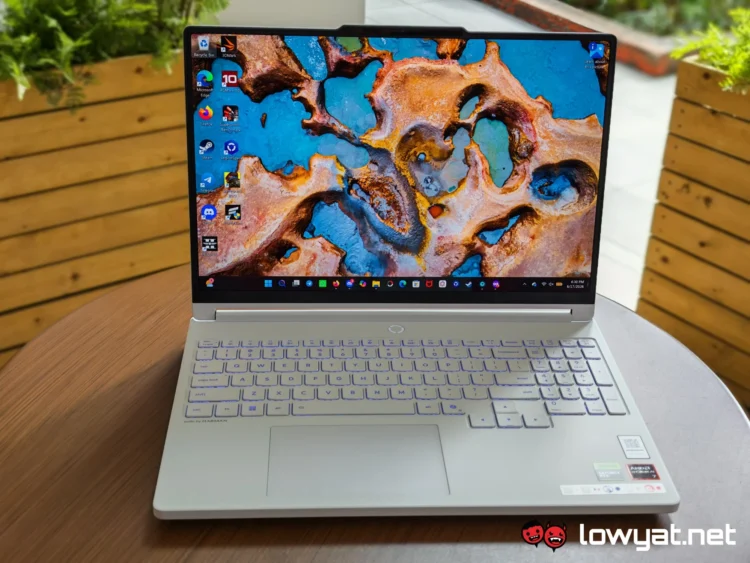
The Lenovo Legion 5 series slots neatly between the budget LOQ range and the top-of-the-line Legion Pro models. This year’s Legion 5a Gen 11 is no different, promising premium performance without pulling out all the stops.
Overall, it’s a highly capable machine with a subtle flair. Of course, it’s a gaming laptop first and foremost, so its features are focused on this purpose. But even so, it feels pretty well-rounded and practical, making it suitable for more than just play.
What Am I Looking At?
 If you’ve been acquainted with the Legion series (or even the entry-level LOQ models, for that matter), then this laptop will probably look and feel quite familiar. It retains the simple, minimalistic approach from the previous generations. This understated look is designed to help the device blend in with the more professional-oriented products. However, this only really works out if you pick the Eclipse Black version, which, as the name says, is the standard black.
On the other hand, our review unit is the Glacier White variant. The stark white chassis adds a bit of flair and makes the Legion branding on the lid stand out a bit more. It’s not quite as subtle, but it does feel a bit more stylish. That said, it does require more upkeep if you want to retain that pristine appearance, as any bit of dirt is readily visible.
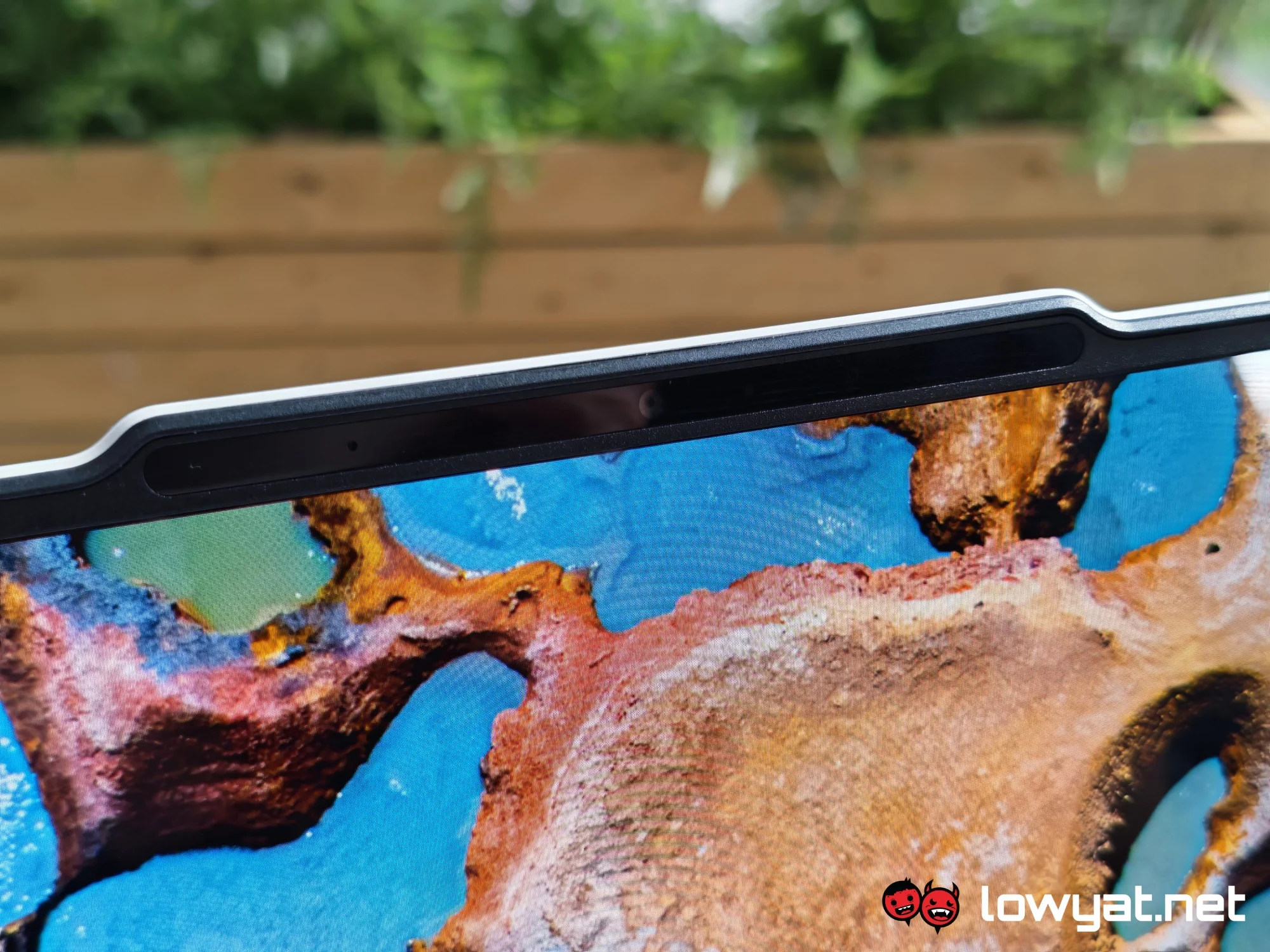
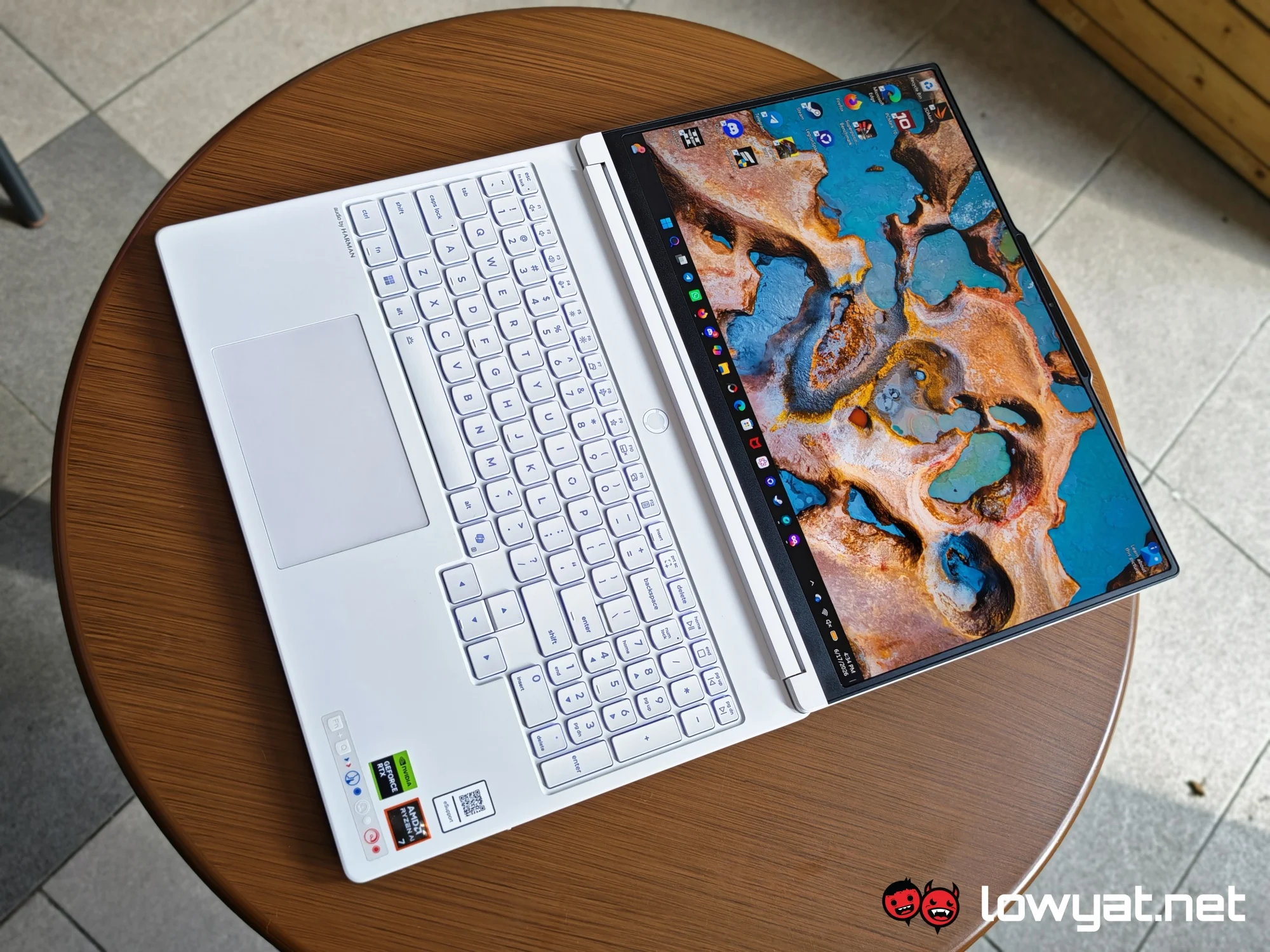
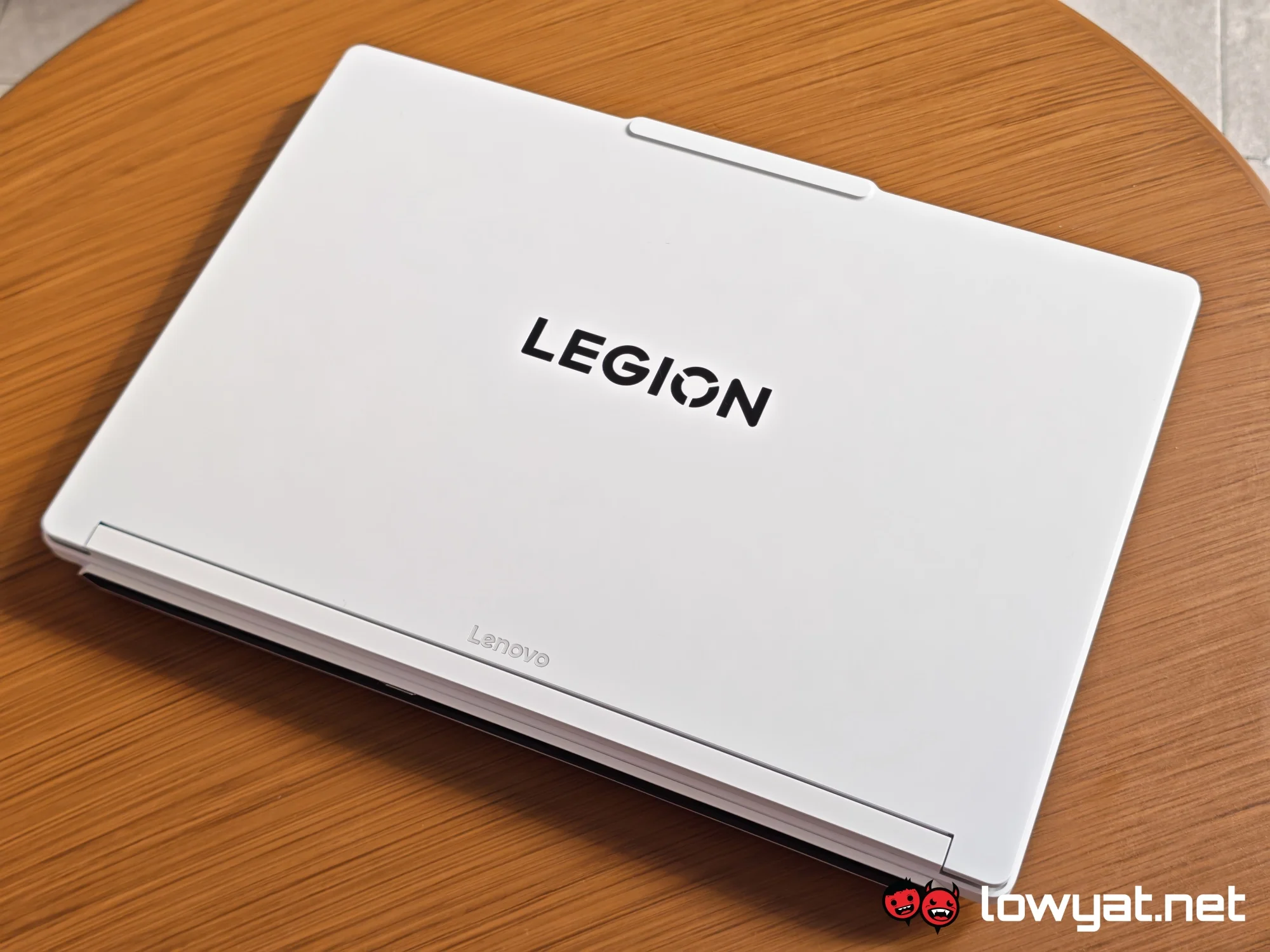 Regardless of colour, you get an aluminium lid that protrudes slightly at the centre. This protrusion is where the webcam lives. There’s also a bump, which makes it easier to flip the device open. I should mention that the hinge lets the screen lie completely flat, which is probably a superfluous feature to have on a device of this size.
Once you open the laptop, you’re faced with a glossy 15.3-inch OLED display and a full-sized keyboard, complete with a numeric keypad. Notably, a part of the keyboard sticks out slightly to accommodate a set of full-sized arrow keys. Of course, the RGB backlight completes the gaming aesthetic.
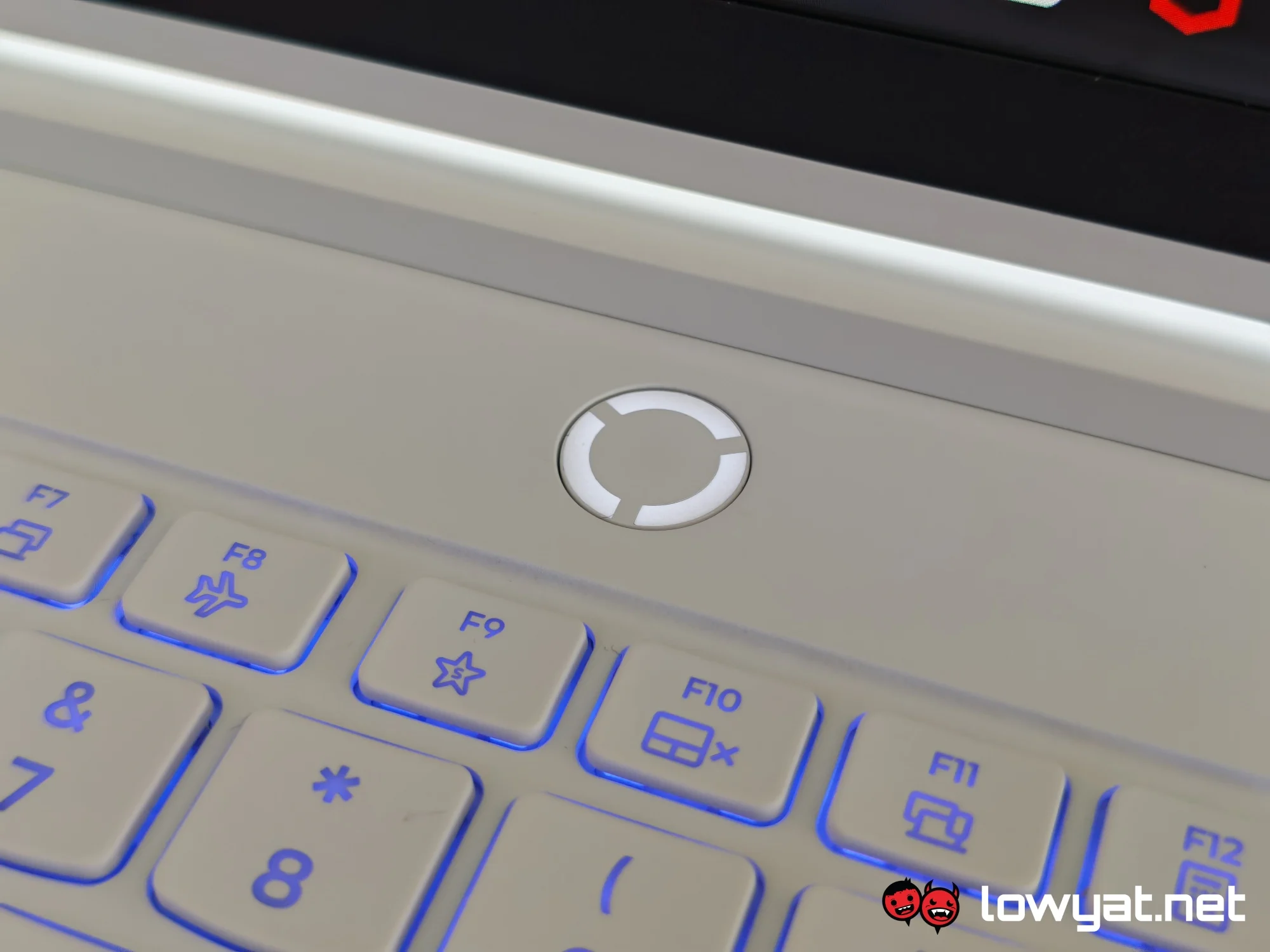 Meanwhile, the trackpad is shifted slightly to the left. This is plastic, much like the rest of the laptop’s body, which distinguishes this model from the brand’s most premium offerings. As for the power button, it sits above the keyboard, keeping it safe from any accidental presses.
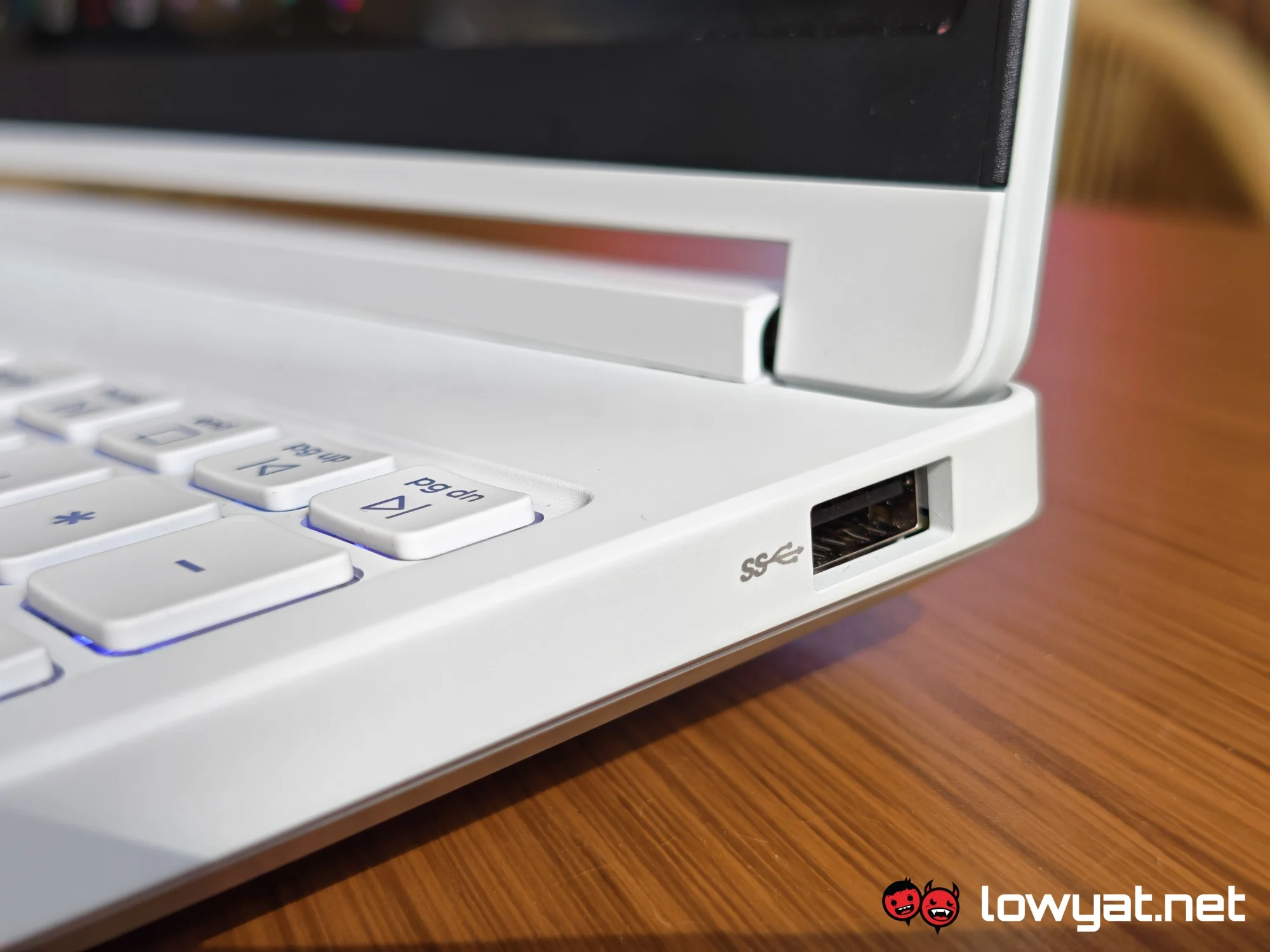
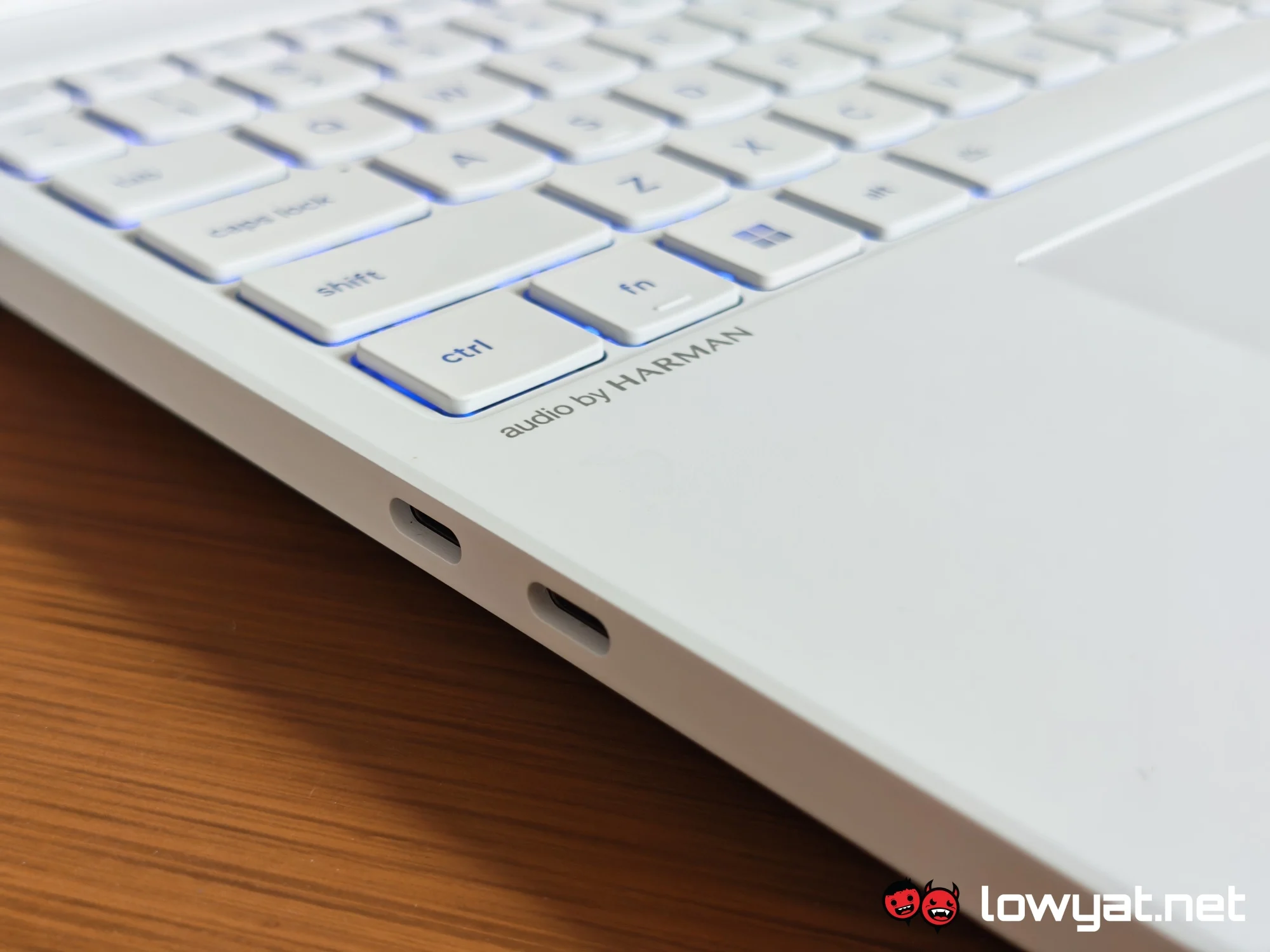
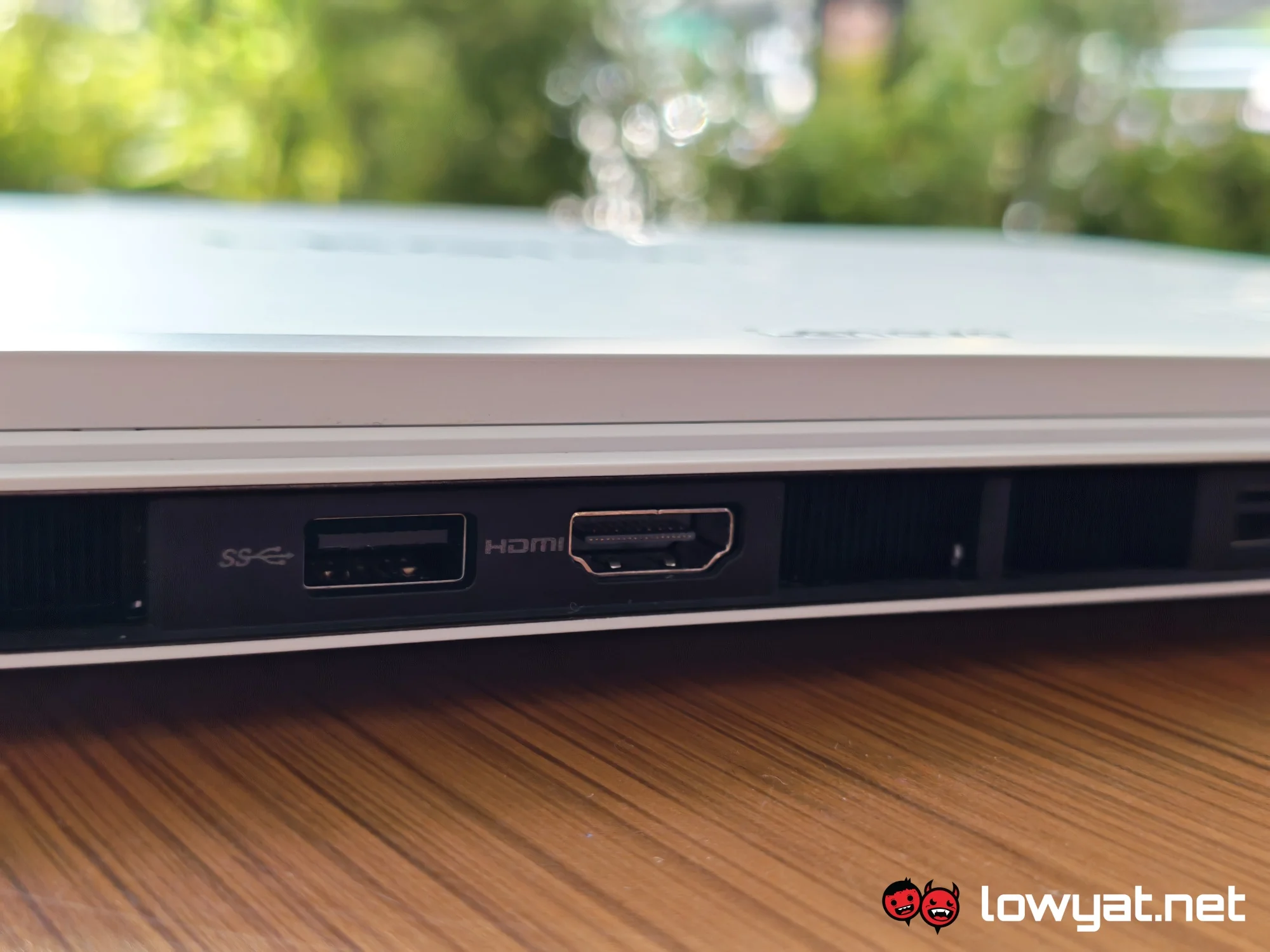
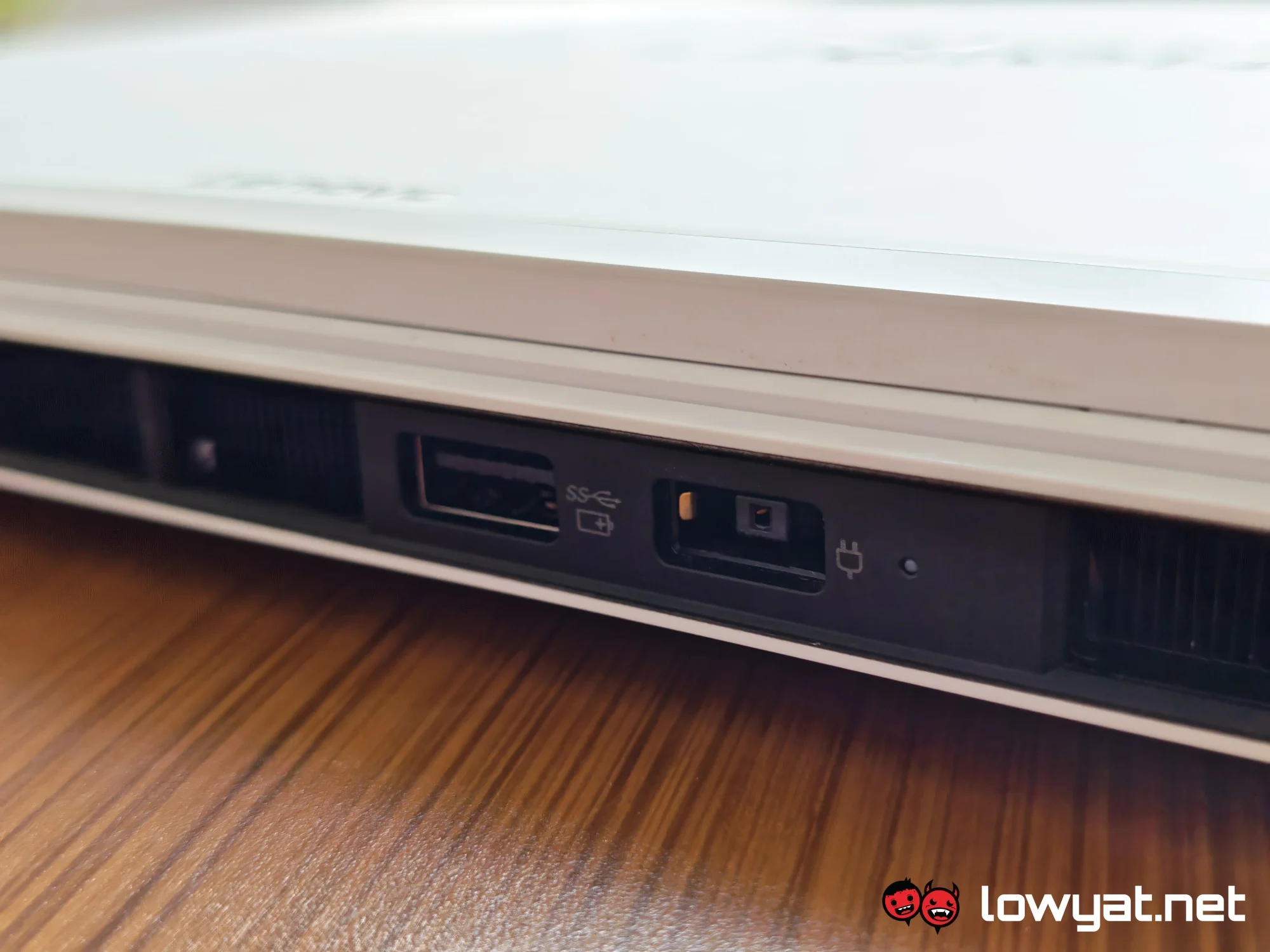
Furthermore, the laptop houses most of its ports on the rear. Here, it sports two USB-A ports and a HDMI port. The back of the chassis is also where you plug in the power connector. On the left side of the device, you get two USB-C ports and an Ethernet port. As for the right side, it features a single USB-A port and a 3.5mm jack. There’s also a physical shutter for the webcam.

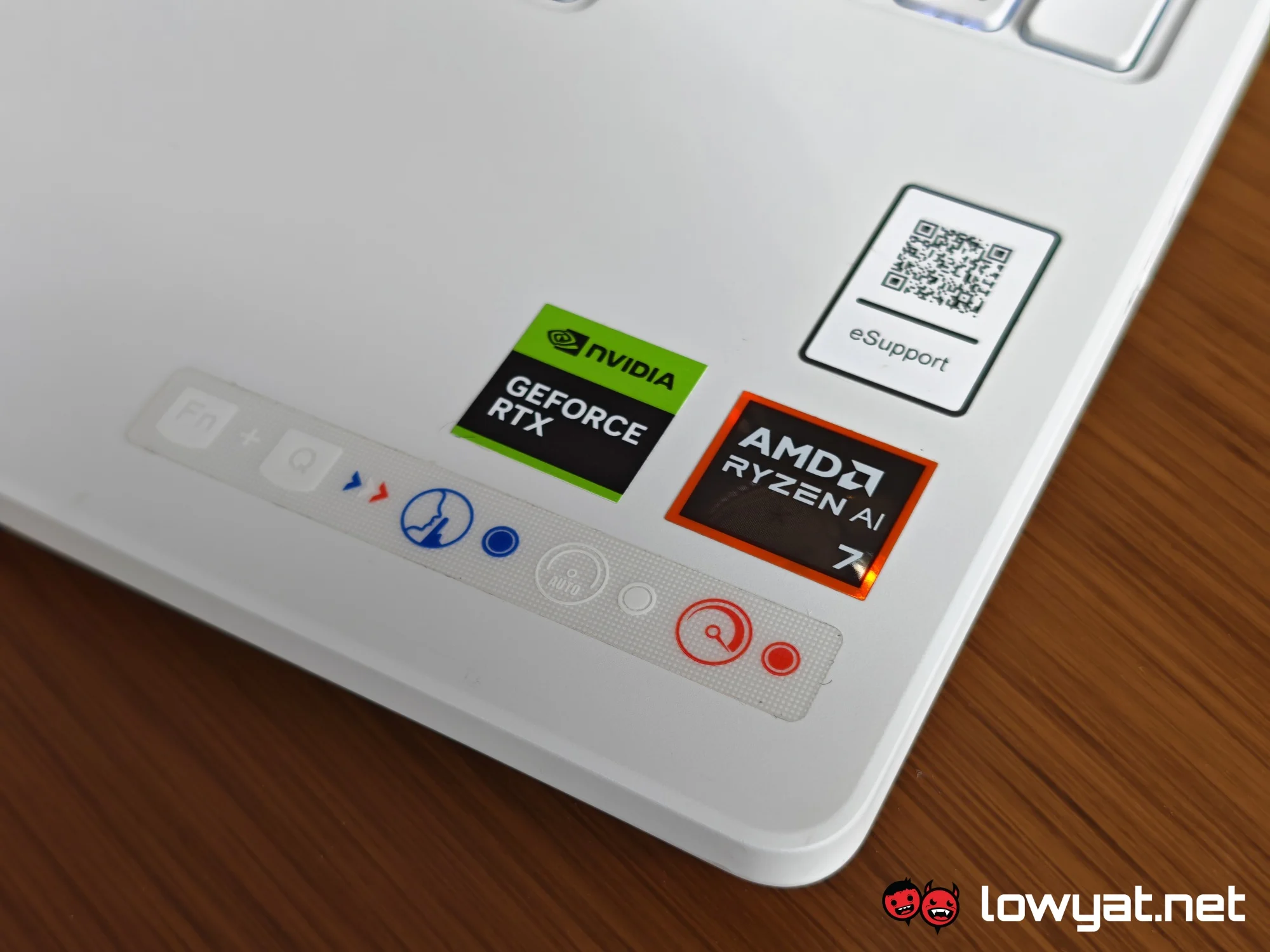
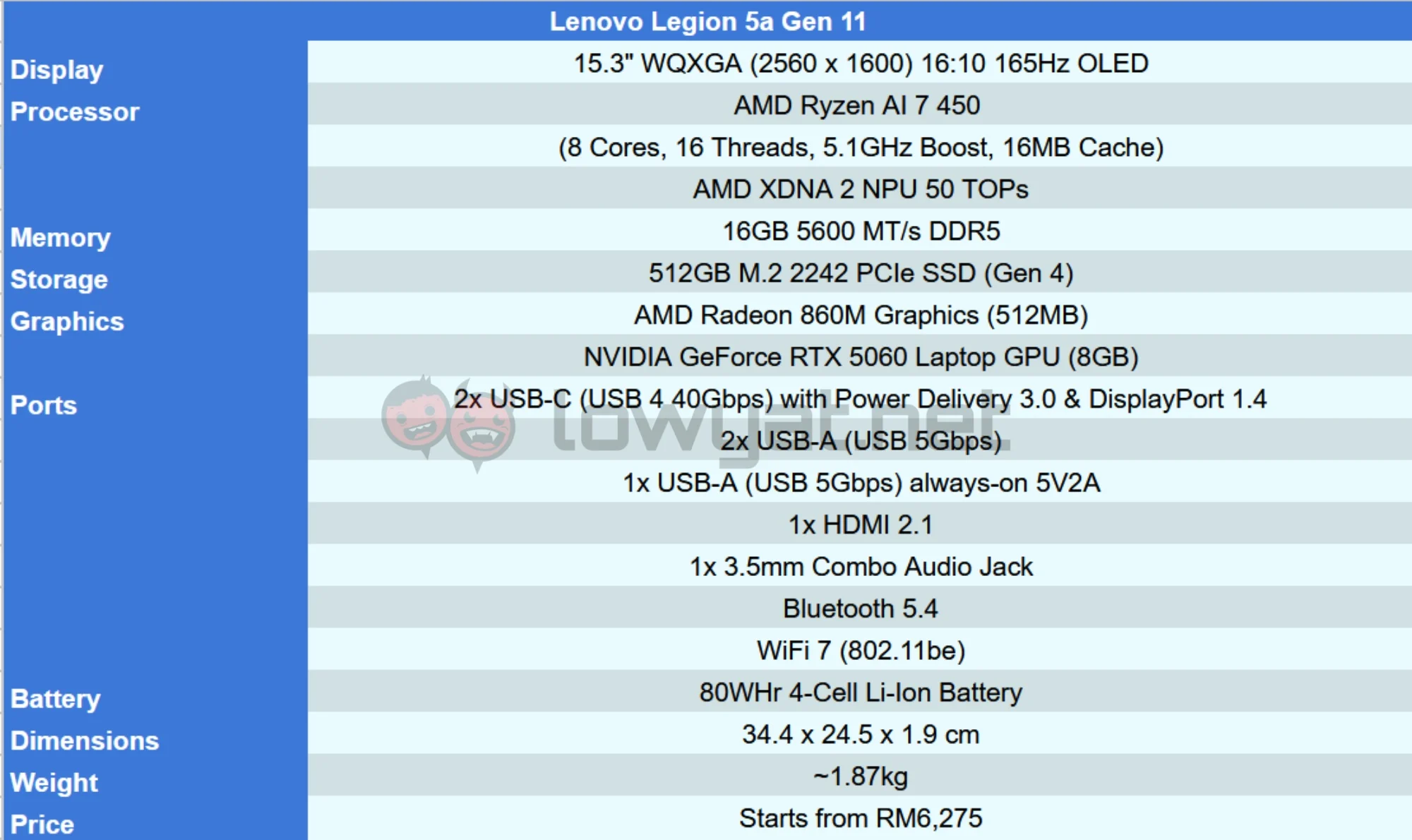
Under the hood, you can get up to an AMD Ryzen AI 9 465 processor and an NVIDIA GeForce RTX 5070 Laptop GPU. That said, this particular model packs an AMD Ryzen AI 7 450 processor and an NVIDIA GeForce RTX 5060 Laptop GPU. It also comes with 16GB of RAM and 512GB of storage, which is the absolute minimum you can get for the Legion 5a.
What’s Good About It?
As far as design goes, the Legion 5a feels practical to a fault. The port placements keep things nice and tidy, so you’re less likely to have a cable salad on your hands. Additionally, the exhaust vents are at the back of the device, so they’re not blowing hot air on your fingers as you work or play.
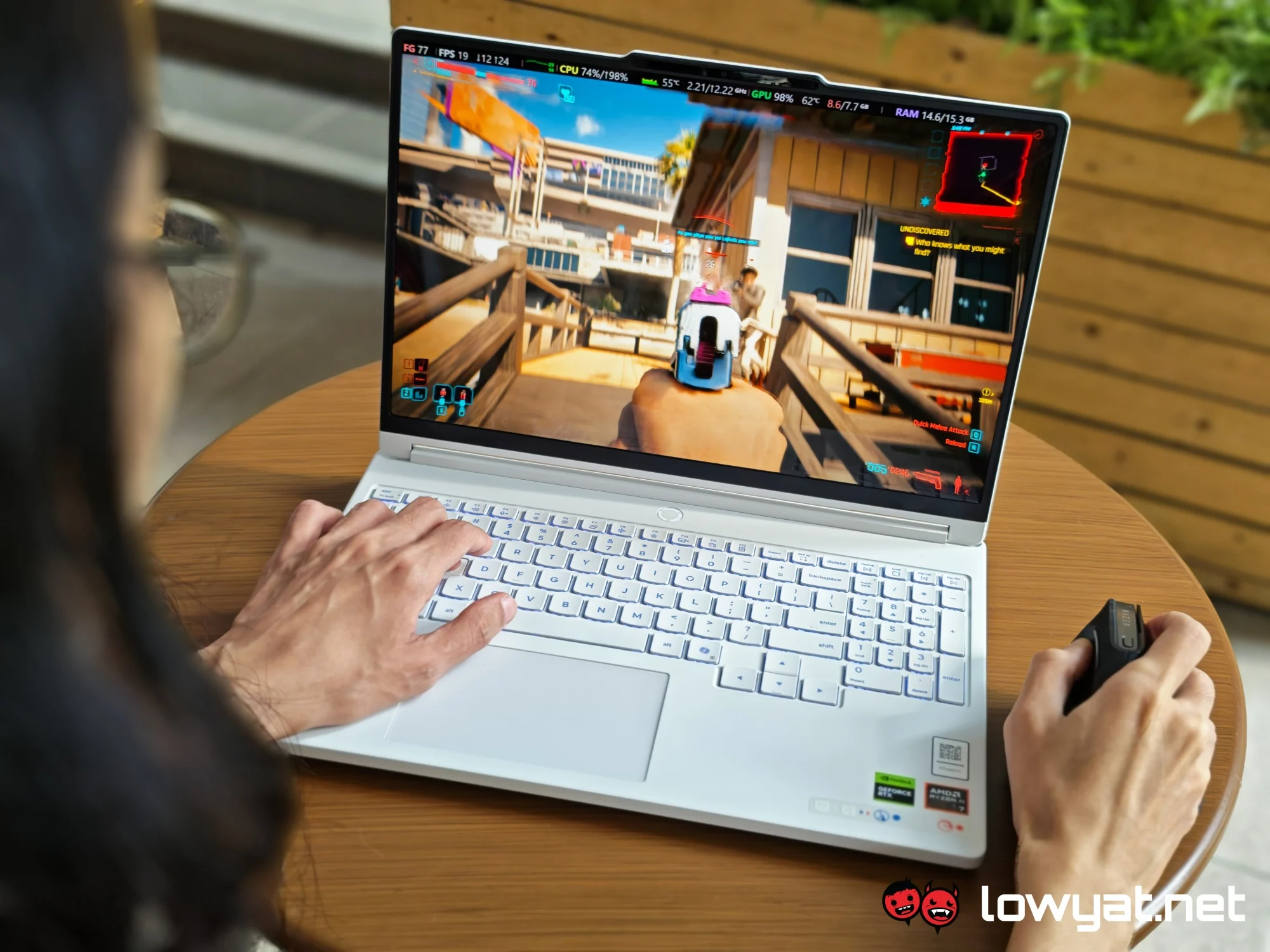
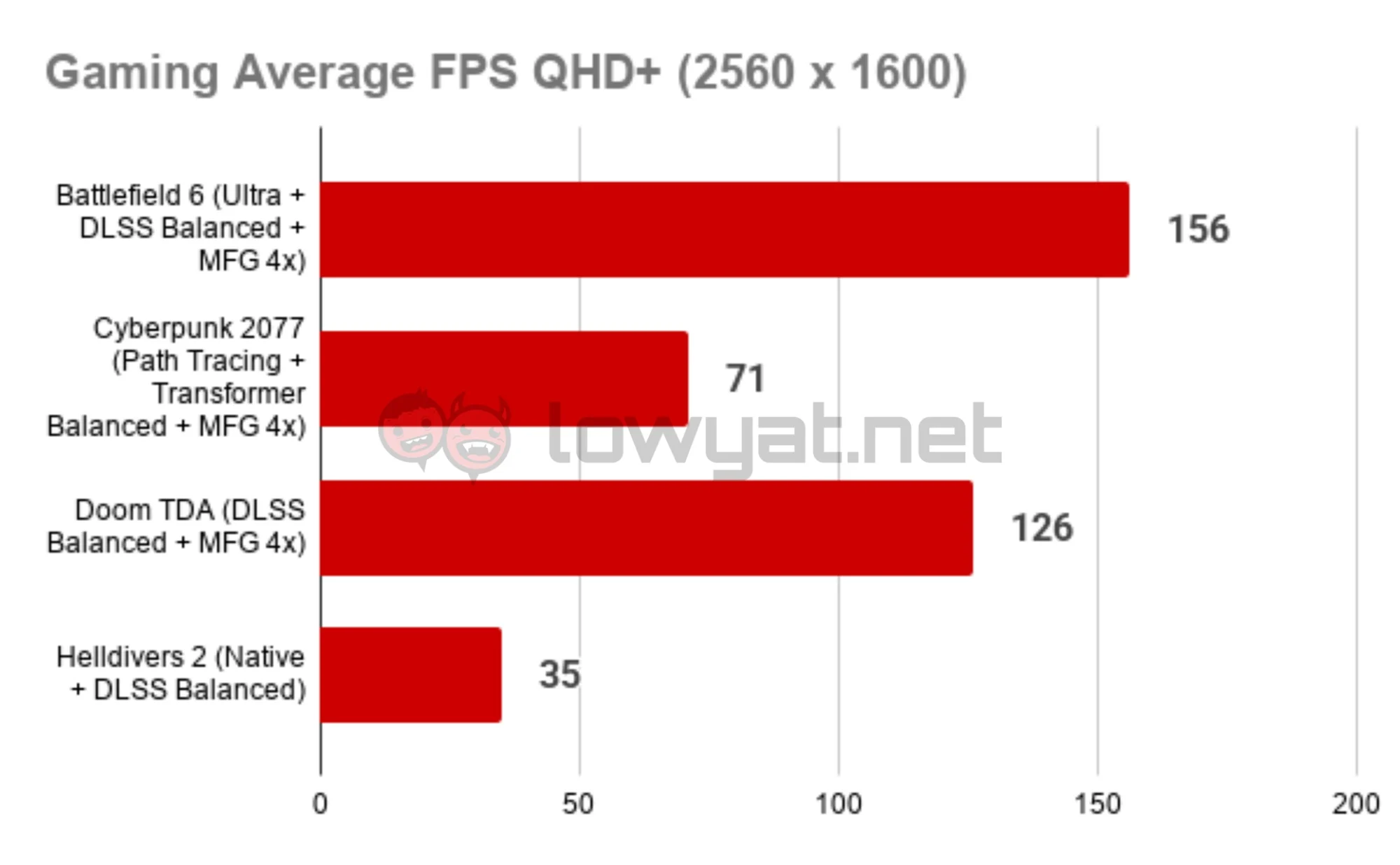
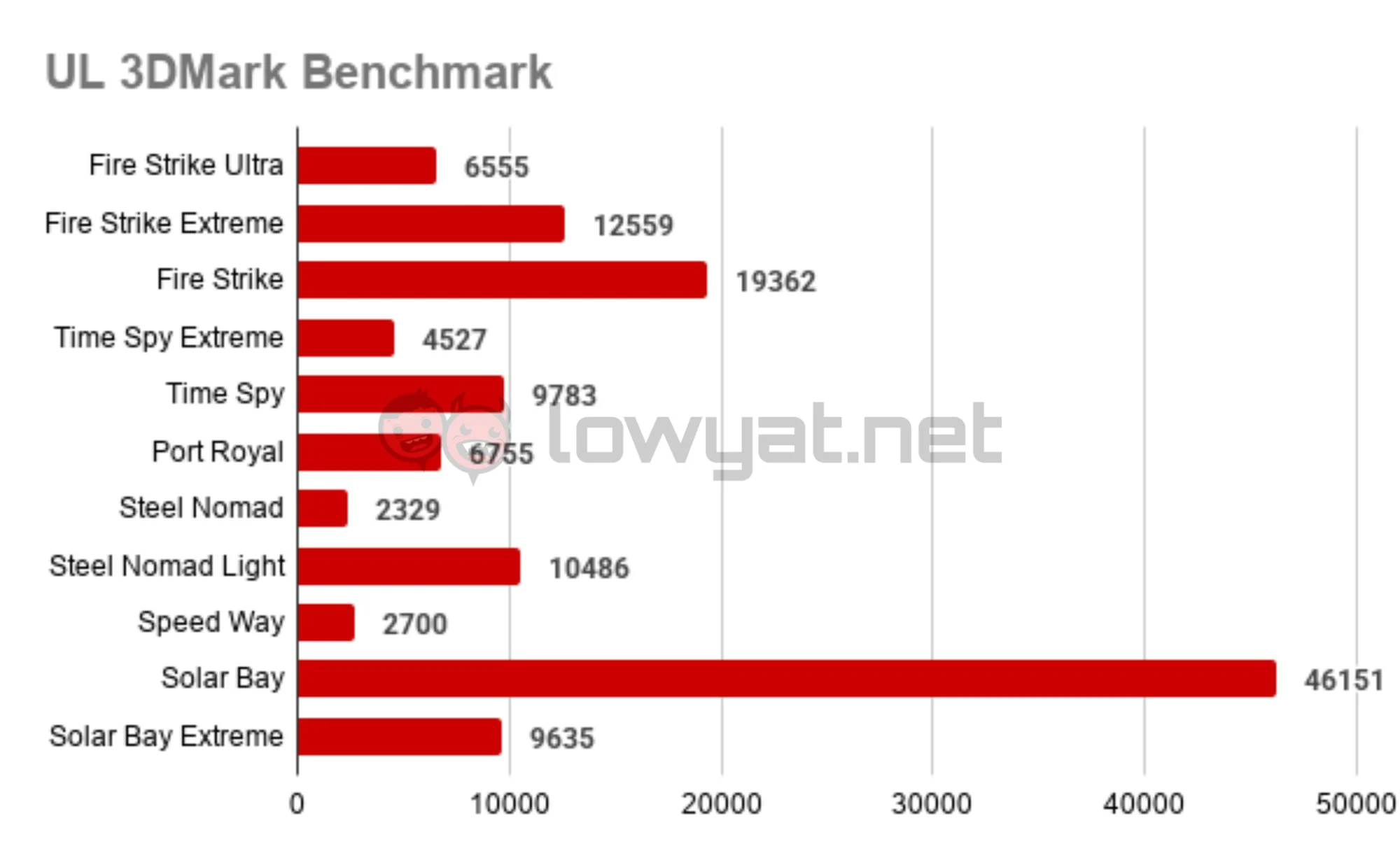
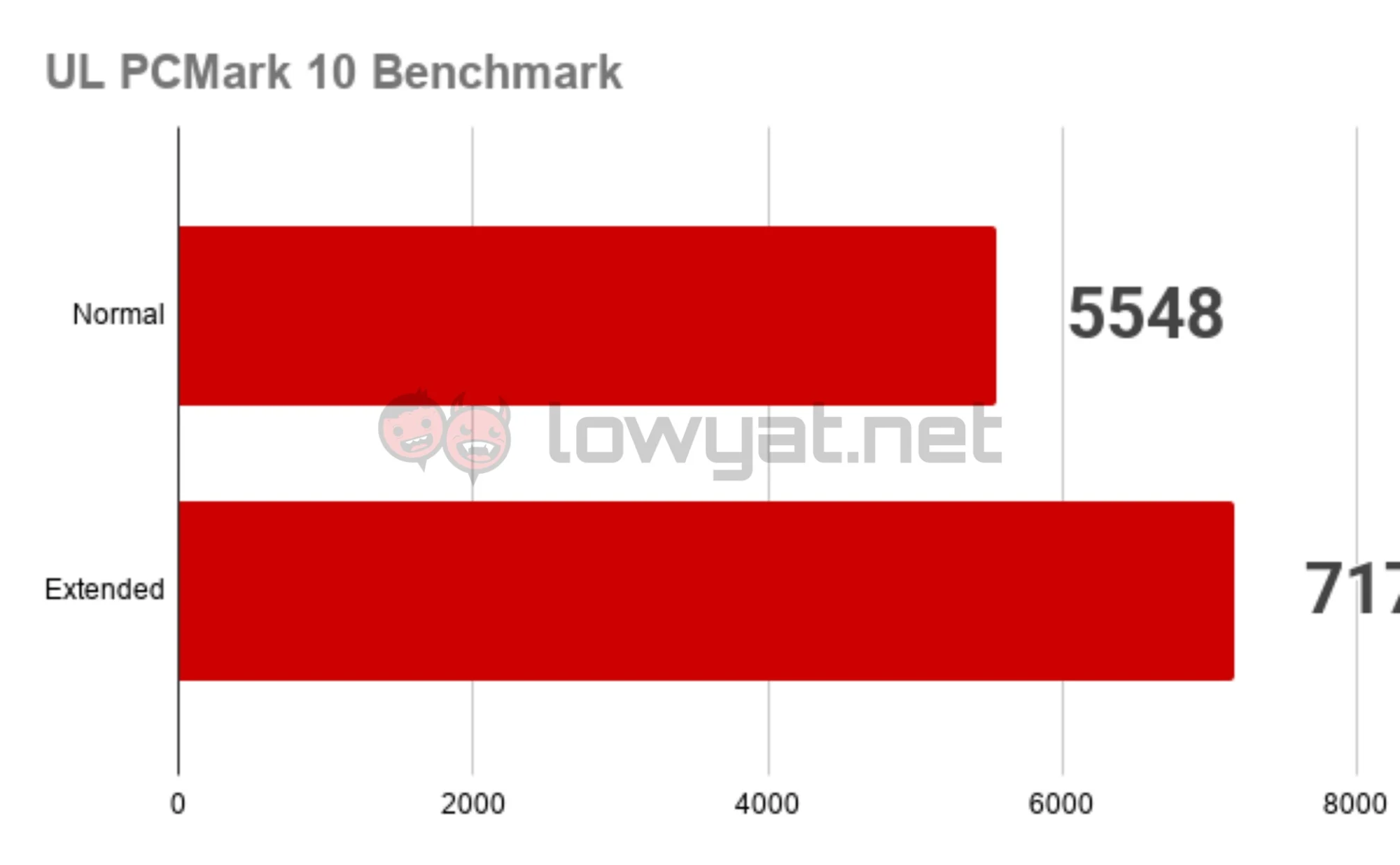
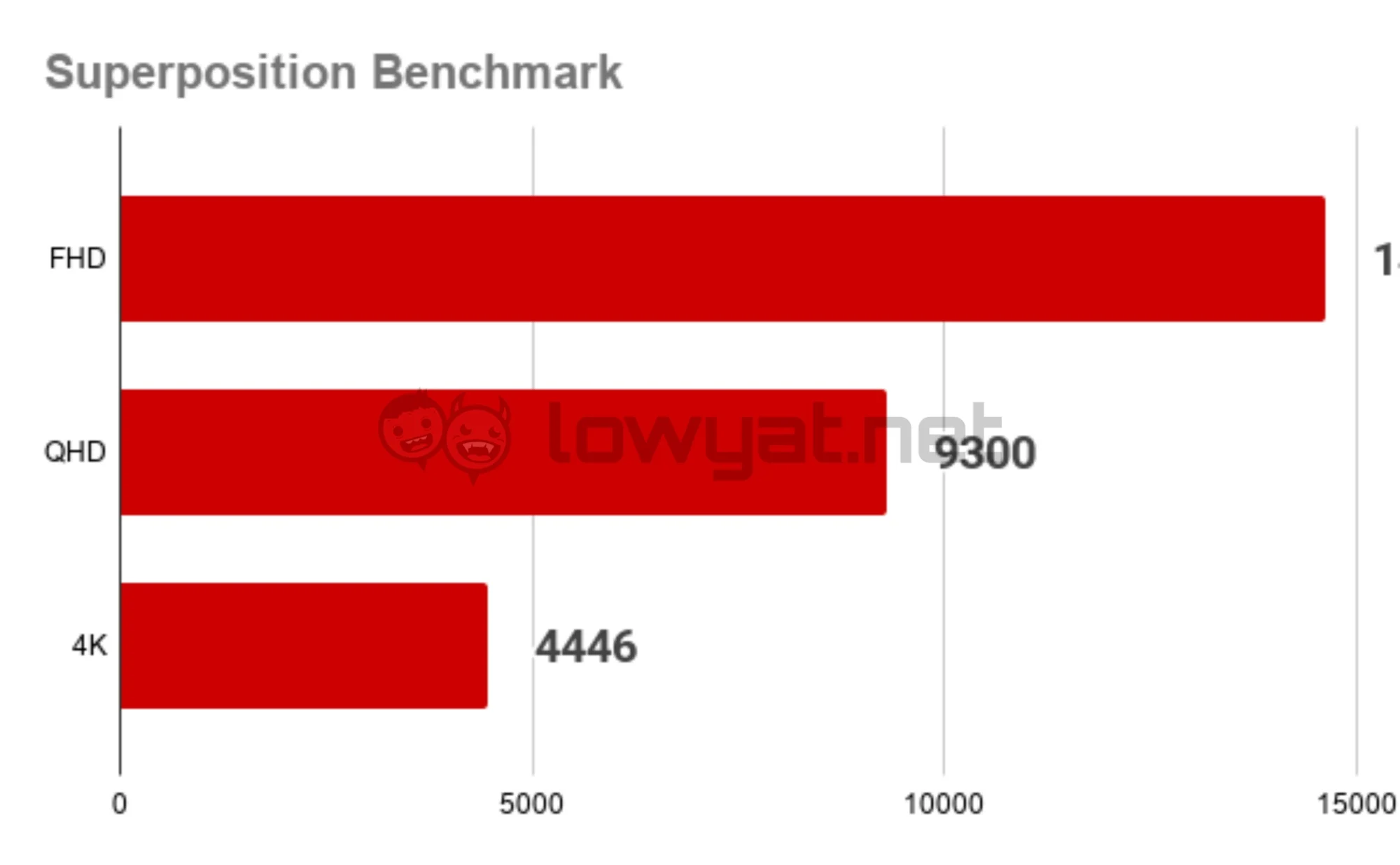
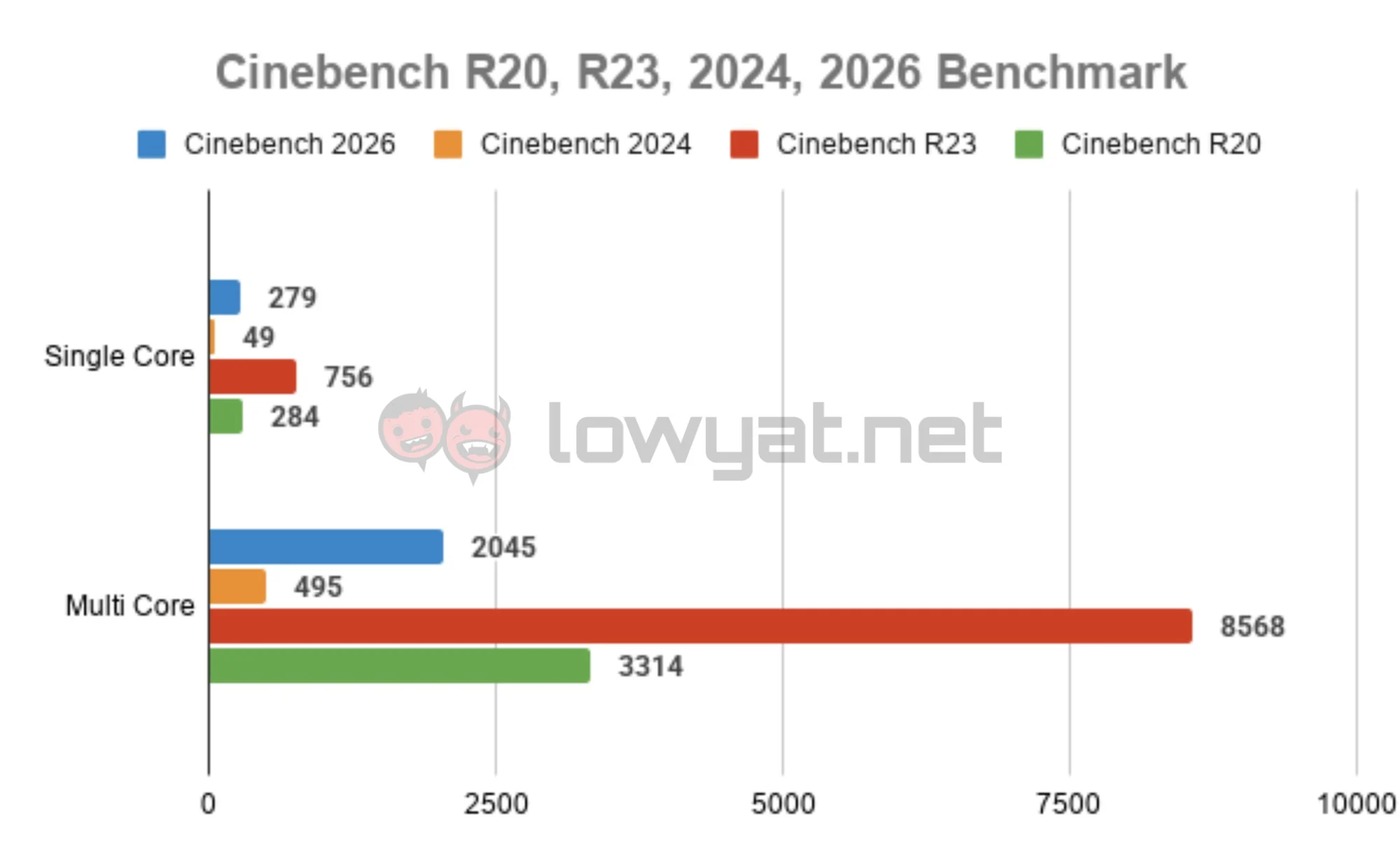
Speaking of play, the laptop offers solid performance when running demanding titles like Battlefield 6, Doom: The Dark Ages, Helldivers 2, and Cyberpunk 2077. These games ran at well above 60fps on the highest graphics settings, with Battlefield 6 attaining 156fps on average. The exception here is Helldivers 2, which ran at 35fps. It is worth noting that these figures are with the laptop running in balanced mode.
I should also mention that I did most of the testing using Cyberpunk 2077, running the game with path tracing enabled. I switched the thermal profile to performance mode while streaming the game in a Discord call. Under these conditions, the game ran at 55fps on average, albeit with the occasional stuttering.
Another highlight is the bright and vibrant visuals, thanks to the OLED panel. The display offers stark contrasts, with deep blacks and vivid colours. I would say that it would make the laptop an ideal choice for artistic purposes too. But alas, this display is not a touchscreen, which is a bit of a missed opportunity, given the fact that this laptop can open to almost 180 degrees.
Still, there’s quite a lot to like about the Legion 5a, such as the microphone. It’s pretty reliable for picking up your voice, offering clear audio during calls. Of course, it doesn’t beat having dedicated audio equipment, but it does the job well enough for casual streaming.
Other than that, the Legion 5a is probably the quietest gaming laptop I’ve ever come across. It’s as silent as a mouse during the day-to-day tasks, even without switching to quiet mode. Of course, it does get louder as the fans ramp up during long gaming sessions, but the noise remains at an acceptable level.
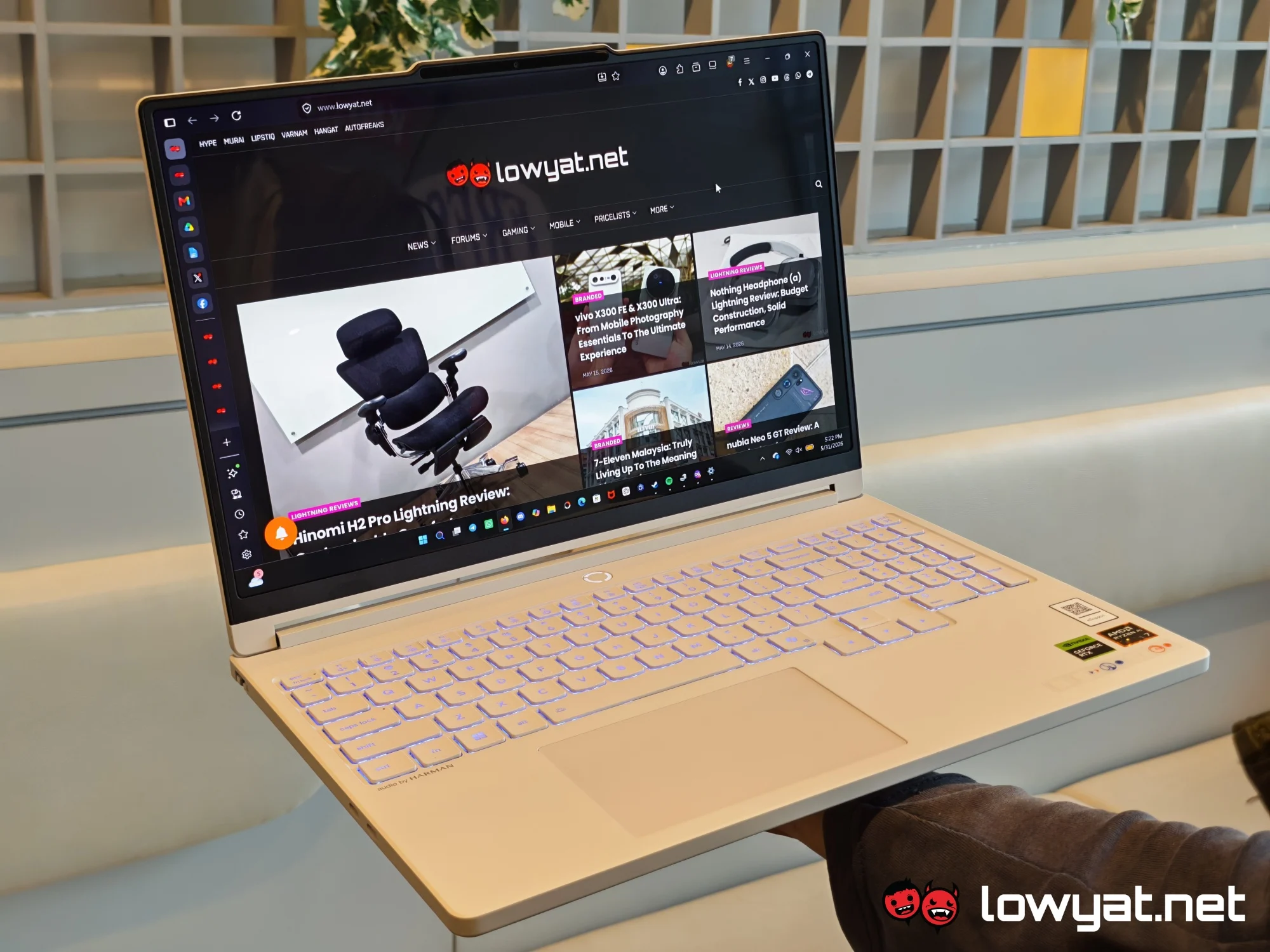 While I wouldn’t go so far as to say that the laptop is slim and lightweight, it’s unexpectedly not as bulky as it seems. Sure, at roughly 1.87kg, I don’t recommend attempting to carry it around one-handed. But, it’s certainly a lot more portable than a few other gaming laptops I’ve handled, and not to mention sturdier.
What’s The Catch?
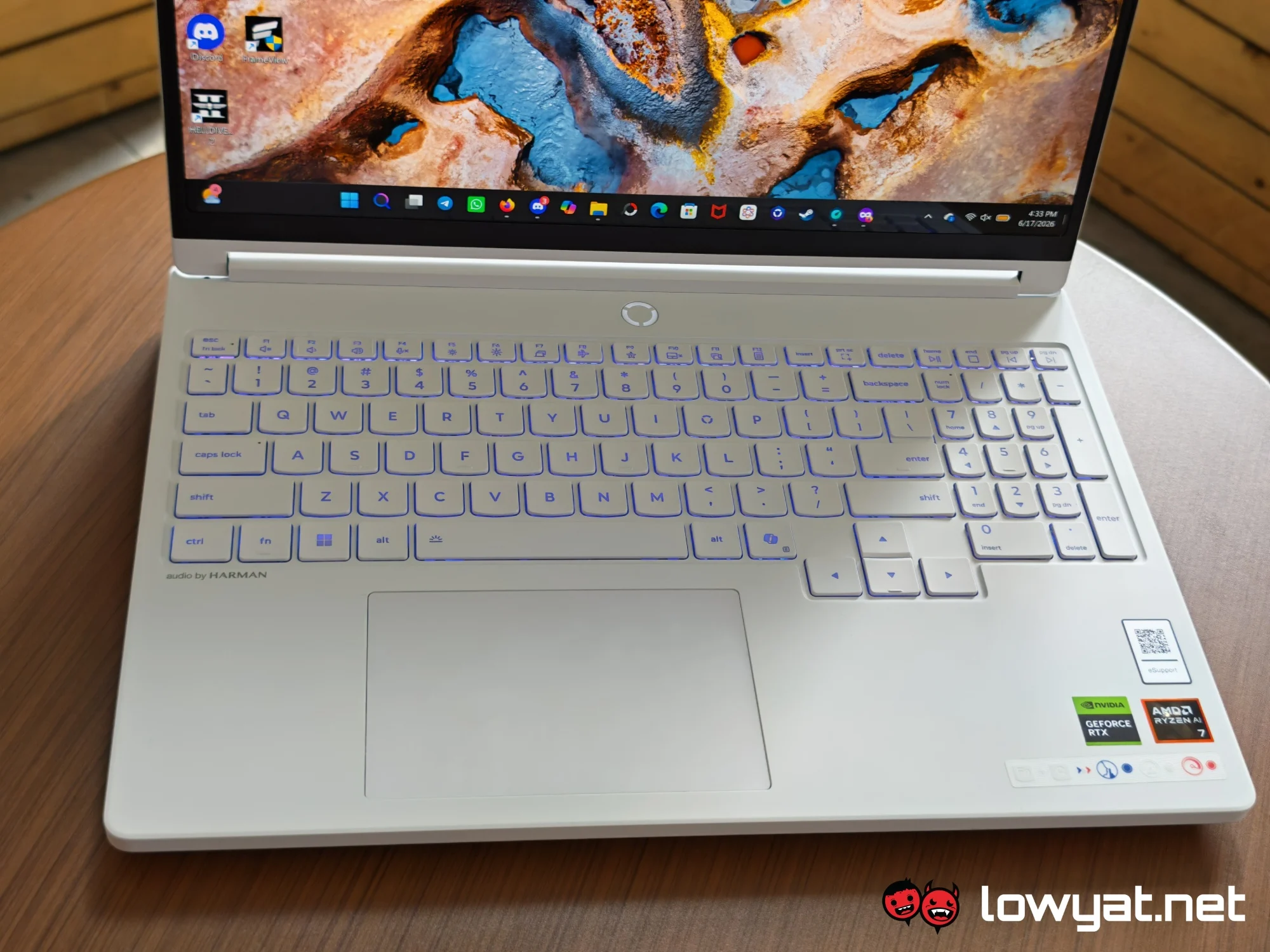 I only really have a few gripes with the Legion 5a’s design. Firstly, using the keyboard does feel awkward at times, since it packs the full spread of keys. I often found myself accidentally hitting the num lock when trying to press backspace. Granted, this is a matter of personal preference, and some situations do call for a numpad.
The other complaint concerns the speakers. While the Legion 5a comes equipped with a pretty decent set of speakers, the fact that they’re pointed downwards means that you do need to be mindful of where and how you position the laptop. Even then, they’re not as loud as they should be, and the bass is a bit lacking. At the very least, though, they produce clear and crisp audio, which is adequate for calls.
 It probably shouldn’t come as a surprise that battery life is not the Legion 5a’s strong suit. Gaming laptops typically don’t last you the day, and this one is no different. As my daily driver, the device usually offered about four to five hours of use before demanding I reach for the charger. At best, I could get it to last just over six hours. However, this was with very light use and the screen dimmed all the way down.
Speaking of which, the glossy OLED panel can be a problem in certain contexts. On the lowest brightness setting, the display pretty much becomes a mirror. Of course, any smudges or fingerprints are impossible to ignore.
Competition
Acer Predator Helios Neo 16
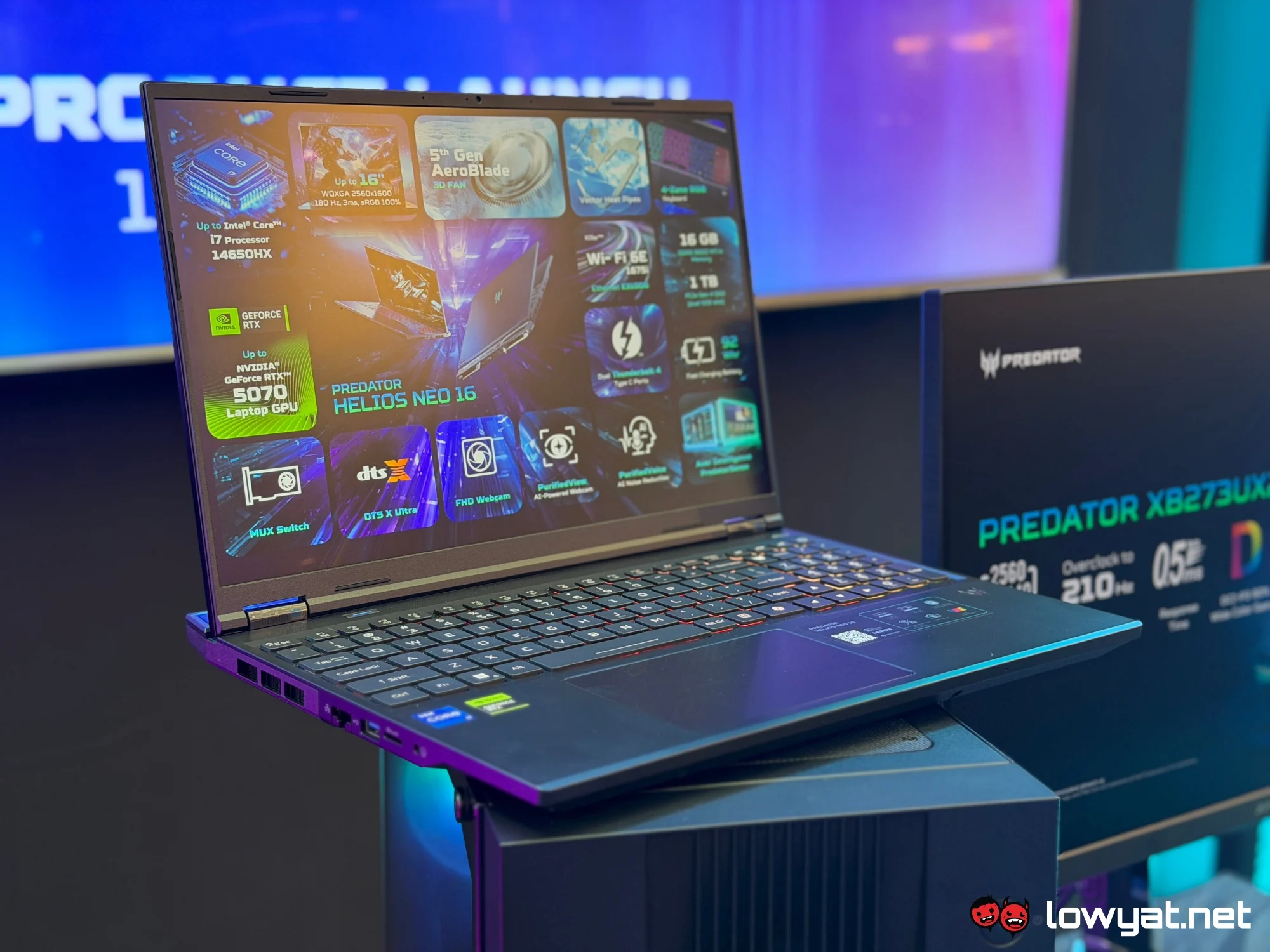 The Acer Predator Helios Neo 16 very much adopts the conventional gaming laptop aesthetic, with its aggressive angles and futuristic detailing. Beyond that, it features a 16-inch IPS display that supports up to WQXGA+ resolution, a 180Hz refresh rate, 3ms response time, and 100% sRGB colour coverage.
Internally, the laptop is equipped with an Intel Core i7 processor, paired with up to an NVIDIA GeForce RTX 5070 laptop GPU. Moreover, it gets 16GB of DDR5 memory and up to 1TB of PCI NVMe 4.0 storage. Other features include the brand’s 5th Gen AeroBlade 3D cooling fan system, WiFi 6E connectivity, and DTS:X Ultra Audio. This all comes at a starting price of RM7,299.
Should I Buy It?
 Given its starting price of around RM6,275, the Lenovo Legion 5a Gen 11 isn’t exactly cheap, but that pretty much comes with the territory. With that in mind, you should consider it if you’re looking for a reliable machine for both pleasure and business.
Of course, being a gaming laptop, it does come with the drawbacks associated with the product category. That said, I would argue that Lenovo has done well in minimising these flaws. Therefore, it doesn’t feel like the device suffers from crippling specialisation. All in all, it’s a versatile laptop that offers more than meets the eye.
