

It is no secret that Google has been working to transform Chrome into an AI-powered browser of sorts. Last year, the company began integrating Gemini into the software, allowing users to easily access the AI assistant.
Now, more upgrades are rolling out. Driven by the latest Gemini 3 model, the update promises more multitasking features and agentic capabilities.
Auto Browse For Subscribers
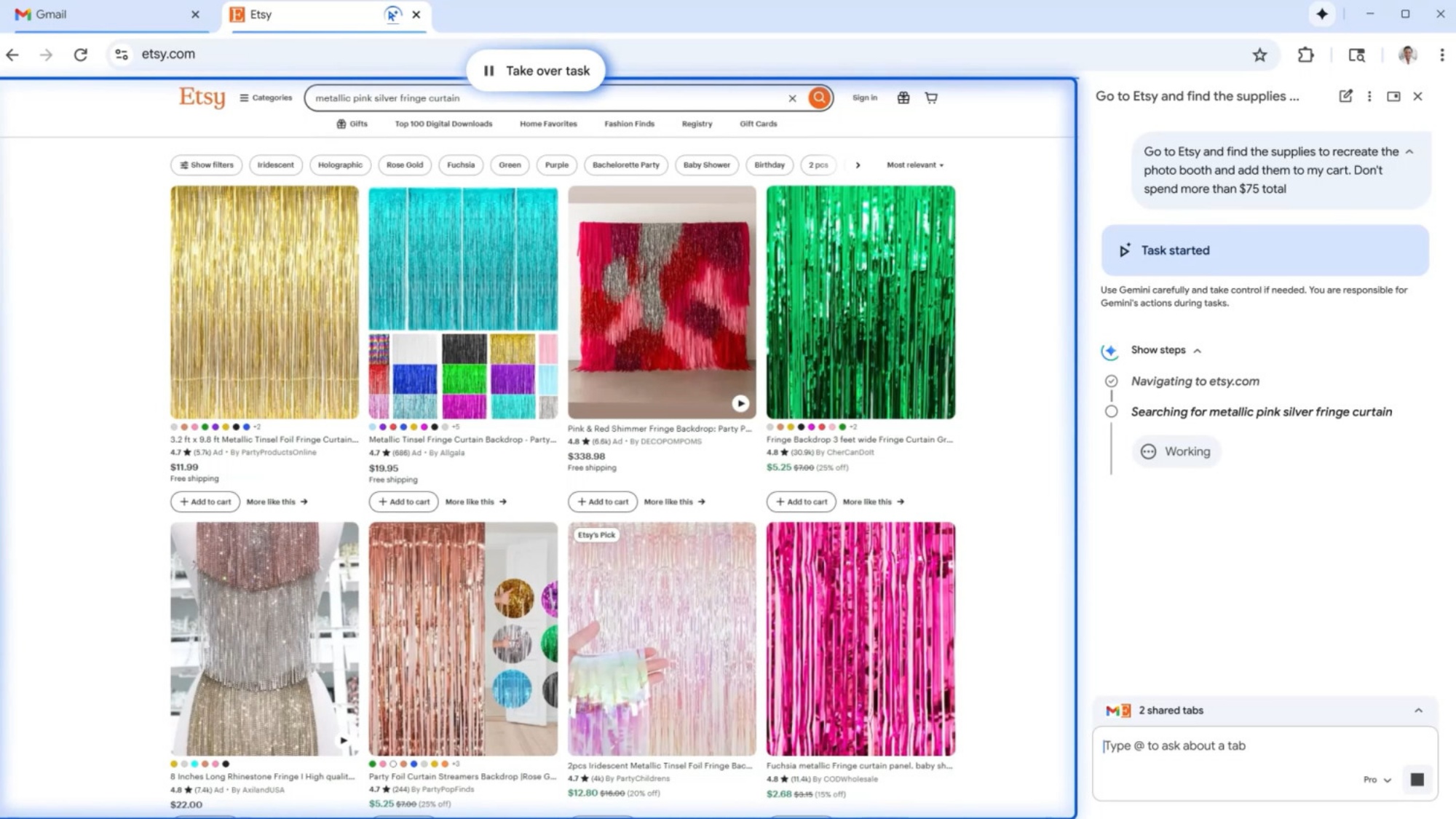
The highlight of this update is the new auto browse feature for those subscribing to the AI Pro and Ultra plans. Touted as a “powerful agentic experience”, it is designed to handle tedious tasks that involve multiple steps. This is similar to the existing capabilities found in other AI-driven browsers like Perplexity’s Comet and Copilot Mode in Microsoft Edge.
Basically, Gemini can act on the user’s behalf based on the given prompts. Some supported actions include scheduling appointments and filling in forms, but it can also purchase party decorations while sticking to a budget. Its actions remain visible on screen, and the side bar will show what the bot is doing with each step. Of course, the user has the option to step in at any time and regain control.
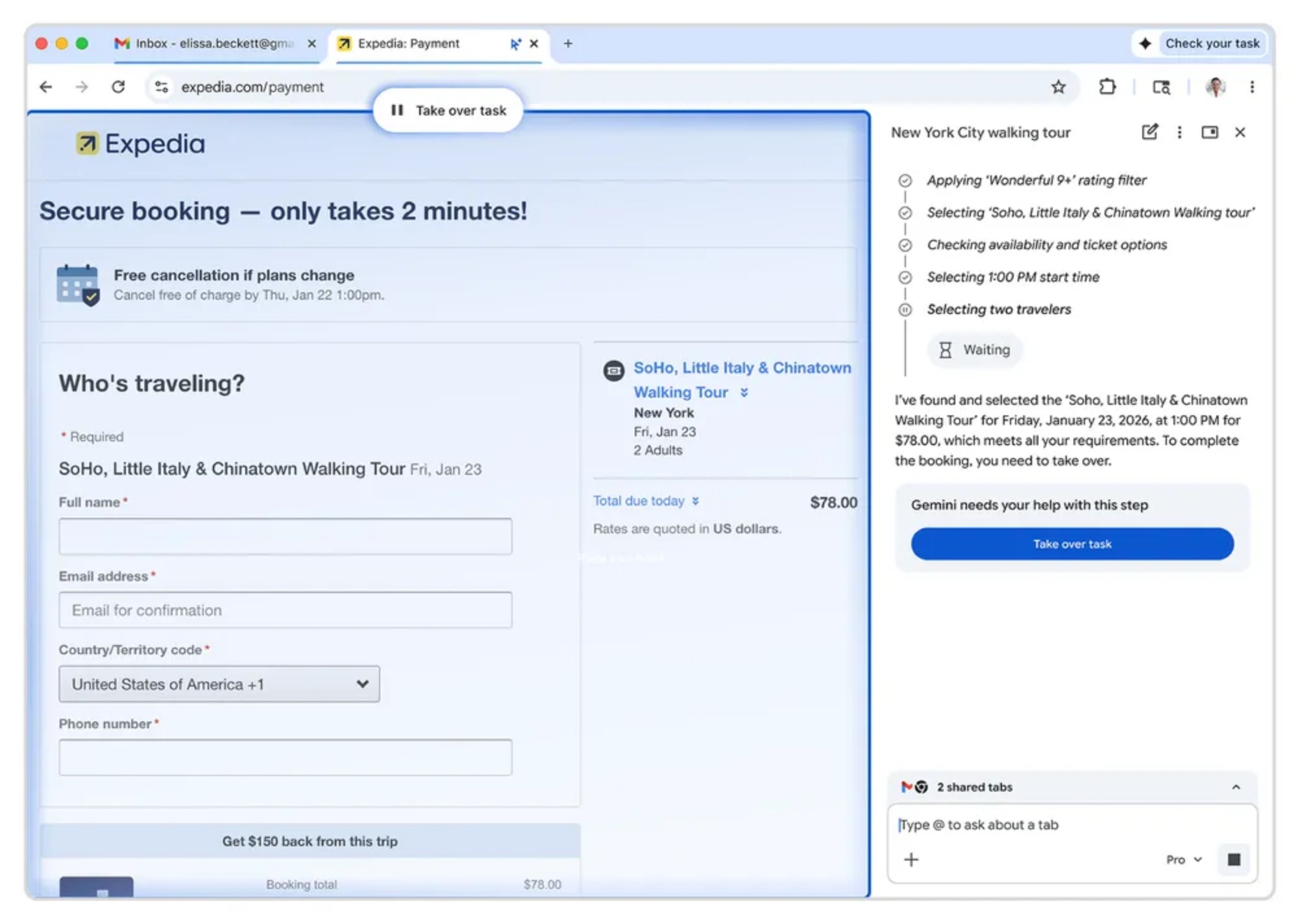
Other than that, it can be permitted to use Google Password Manager for tasks requiring sign-ins. Google does note that auto browse does not allow the AI direct access to passwords. Moreover, the feature is designed to pause and explicitly ask for confirmation from the user when dealing with certain tasks like purchases or social media postings.
Updated Interface And Nano Banana
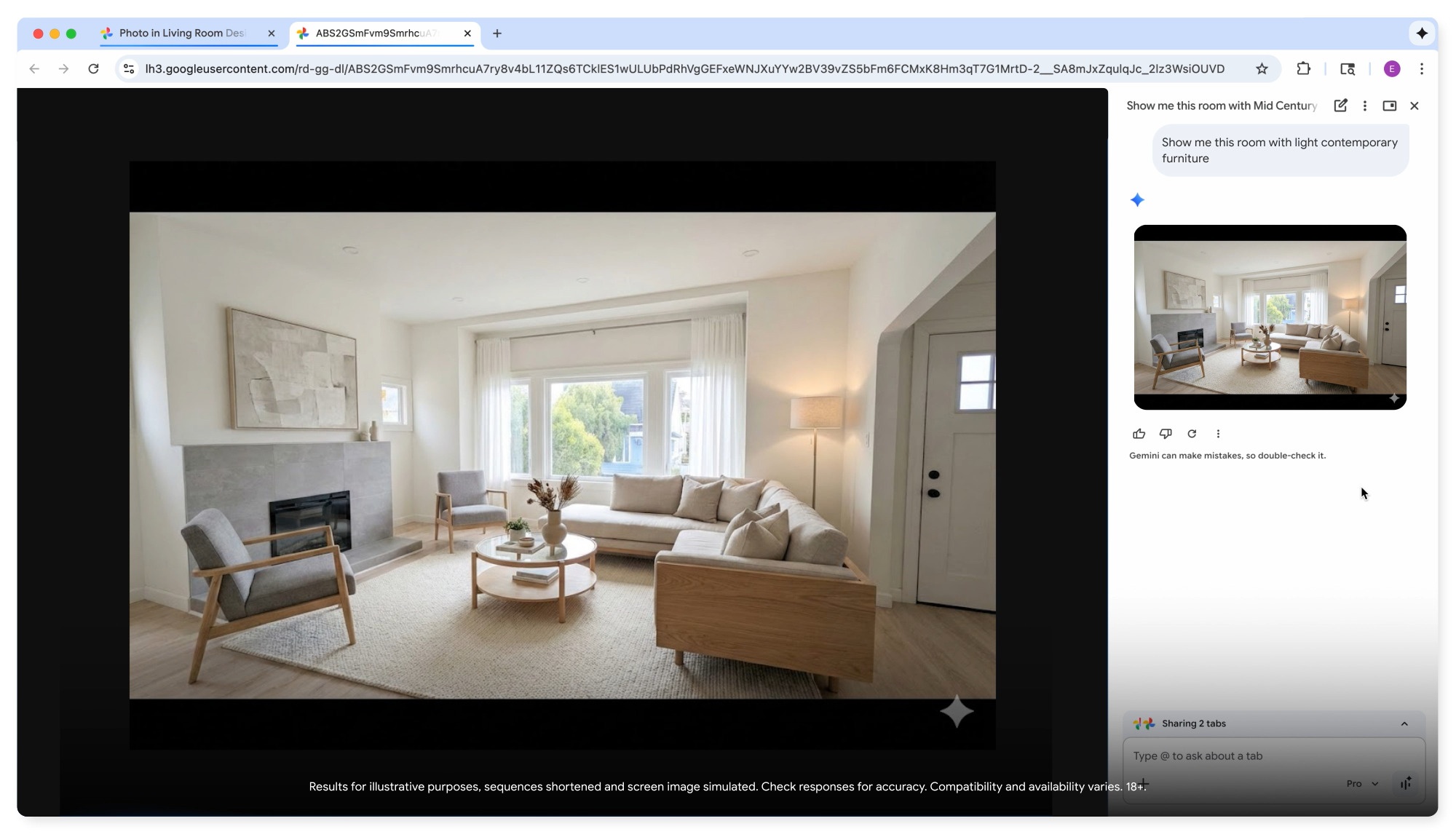
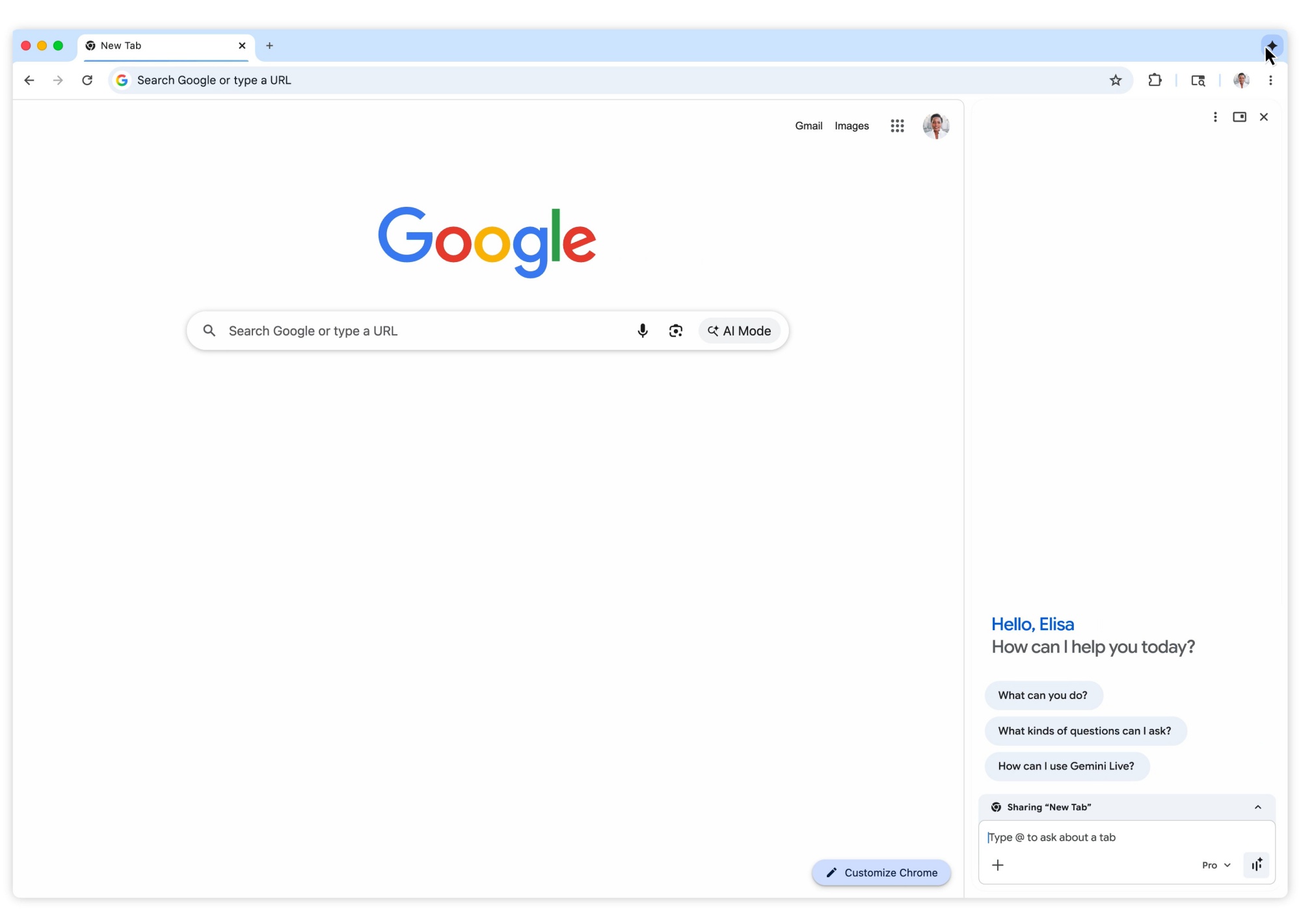
When Gemini was initially added to Chrome, it would appear in a separate pop-up window. Now, summoning the assistant will pull up a side panel on the right side of the screen, allowing the chat to remain visible at all times. This basically lets the user assign the bot a separate task while keeping their main work space open. Some applications of this include summarising or comparing content across multiple tabs, as well as scheduling events.
Alongside the refreshed design, Google is integrating its Nano Banana image-editing model into the browser. This basically eliminates the need to download and re-upload images, or even navigate to other apps. As demonstrated on the official blog, users only have to type in a prompt in the side bar when viewing a picture, and the bot will handle the rest.
Deeper Integrations With Connected Apps And Personal Intelligence
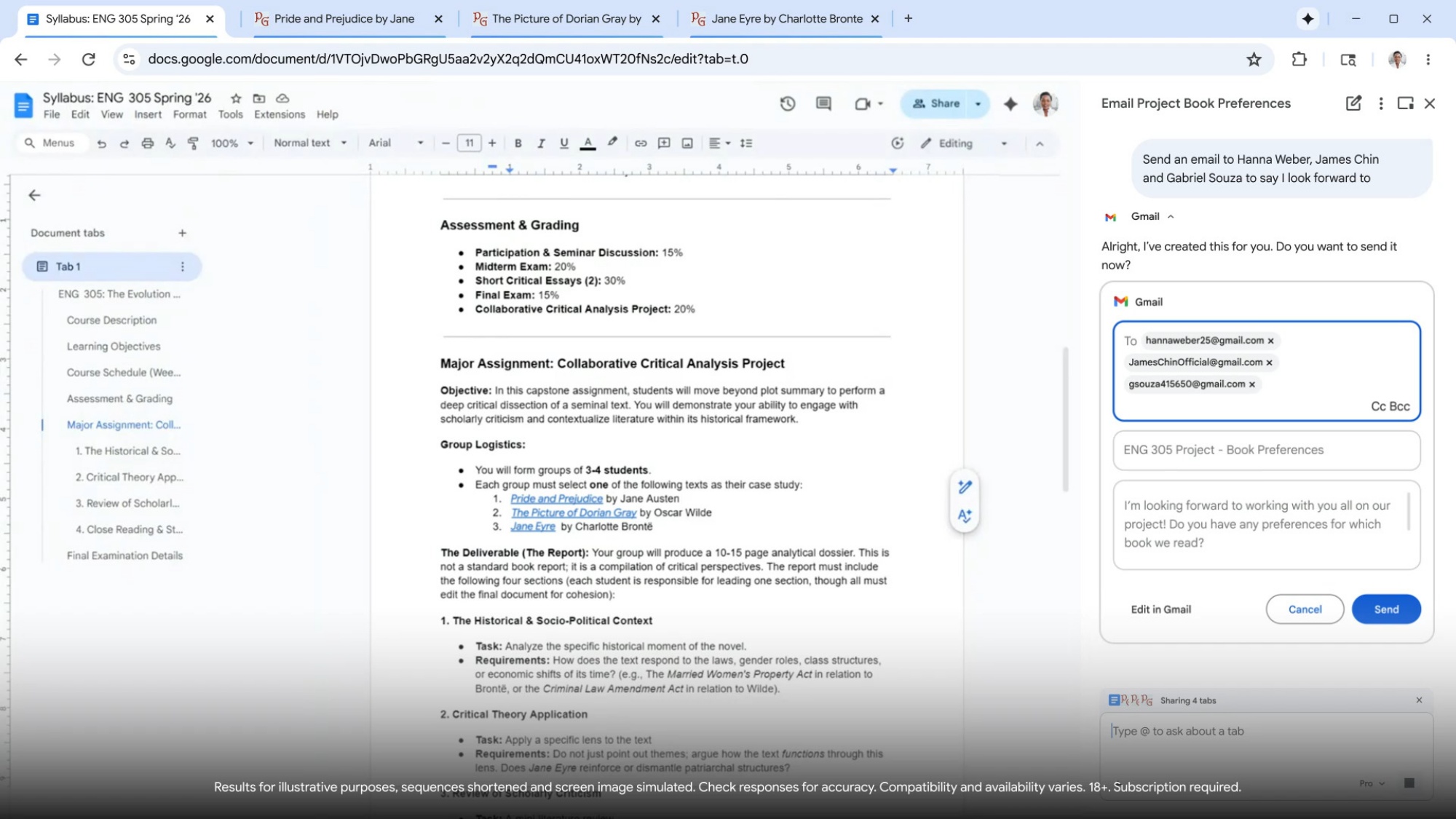
This update also brings integrations with other Google apps, like Gmail, Calendar, YouTube, Maps, Google Shopping and Google Flights. To enable these capabilities, users must access the Connected Apps section of Gemini Settings. What this does is allow the AI assistant to use information from these apps to perform tasks. An example of this is gathering event details from an email and recommending appropriate flights.
In addition to this, the company is planning to introduce Personal Intelligence to the browser in the future. Unveiled a few weeks back, this is an opt-in feature that remembers context from past conversations. It offers a more tailored experience for users by referencing specific details and providing suggestions based on the situation. Naturally, it can pull data from other Google apps, but users have control over what it can access.
No Sign Of A Local Launch Yet
Of course, it is worth noting that Gemini in Chrome and by extension these new functions are only available for MacOS, Windows, and Chromebook Plus users in the US. While the search giant has previously confirmed that it will be bringing this Gemini-powered Chrome to other regions, there is currently no word on a Malaysian release specifically.
(Source: Google [official blog])
