

The ASUS ROG Flow X13 is perhaps one of the brand’s most important devices of 2021, seeing how it’s hinging on two aspects: being a thin and light convertible on one hand, but also a full-on gaming laptop on the other, albeit through an external output of sorts.
By now, I have spent a fair amount of time with the Flow X13, putting it through its pace via the usual benchmarks, as well as using it as my daily driver, all to better understand the inner workings of this laptop.
As a change of pace, I’ll be structuring this review a little different from my usual template, seeing how there is a fair bit I would like to speak about it.
What You’re Getting
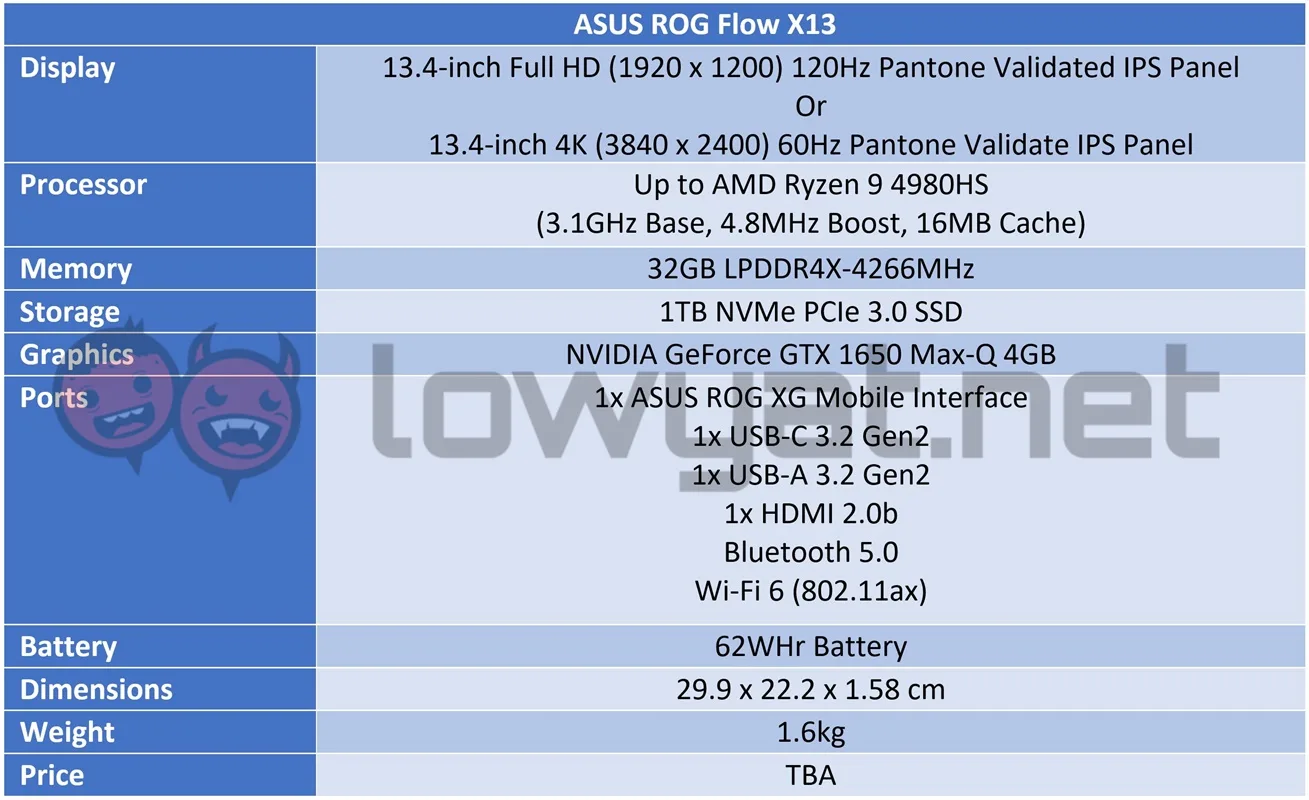
For the record, this review will only cover the Flow X13 only, and not with the ROG XG Mobile eGPU. As I mentioned in my previous article, the unit ASUS provided me with is an engineering sample and has forbidden me from publishing any details about its performance. That said, the company has promised to issue a consumer-ready model once available, and I will definitely be posting about its performance once I’ve received it. That said, back to the laptop.
As I mentioned several times in my hands-on, the Flow X13 isn’t your everyday, run-of-the-mill gaming laptop and to hear ASUS tell the story, the brand says that its choice for a convertible design was basically the next logical step.
Sturdy, lightweight, and durable convertible chassis.
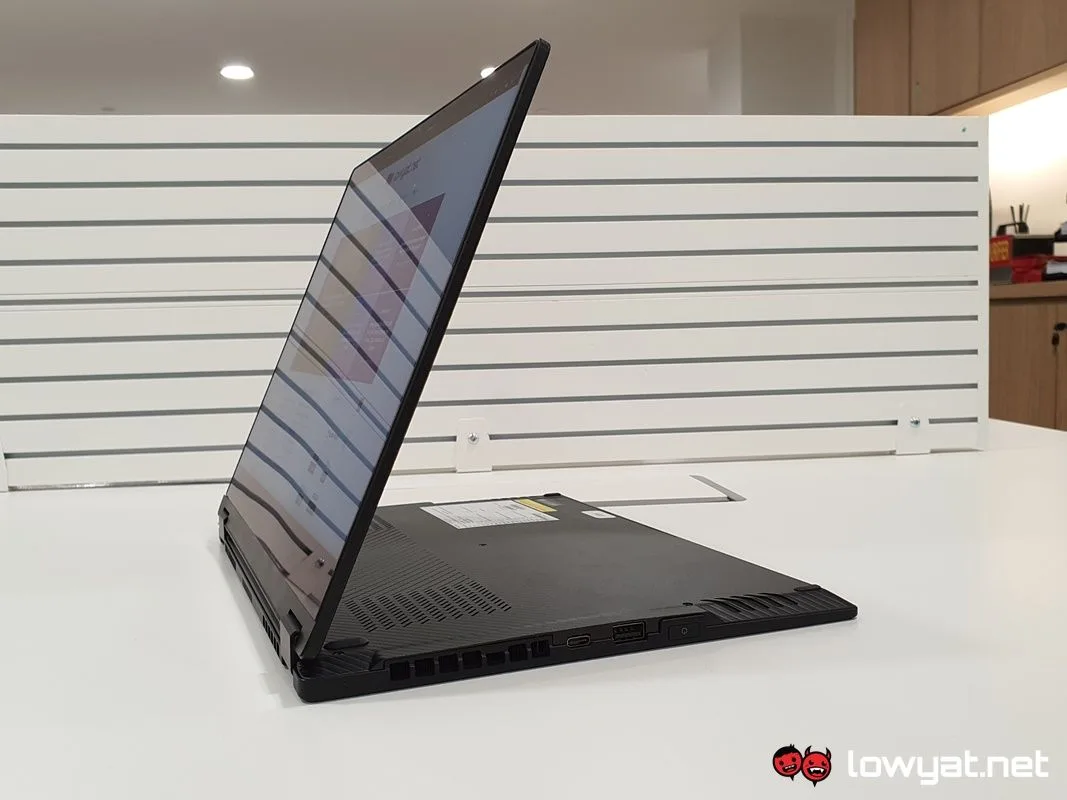
Once again, the build quality of the Flow X13 is definitely a point worth mentioning time and time again, and for good reason. At 1.3kg, it is inarguably one of the lightest gaming laptops on the current market. In addition to keeping its weight down, the chassis is sturdy and durable all-around, and the 13.4-inch panel barely flexes, even when I forcibly attempt to get it to do bend.
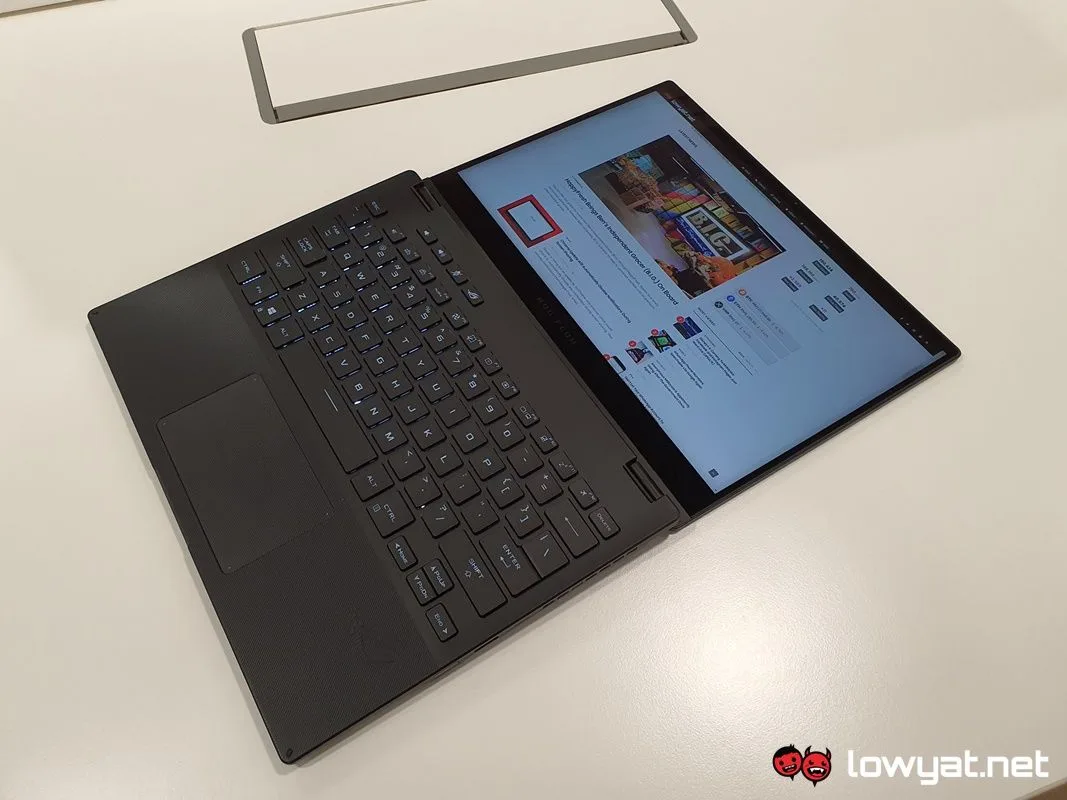
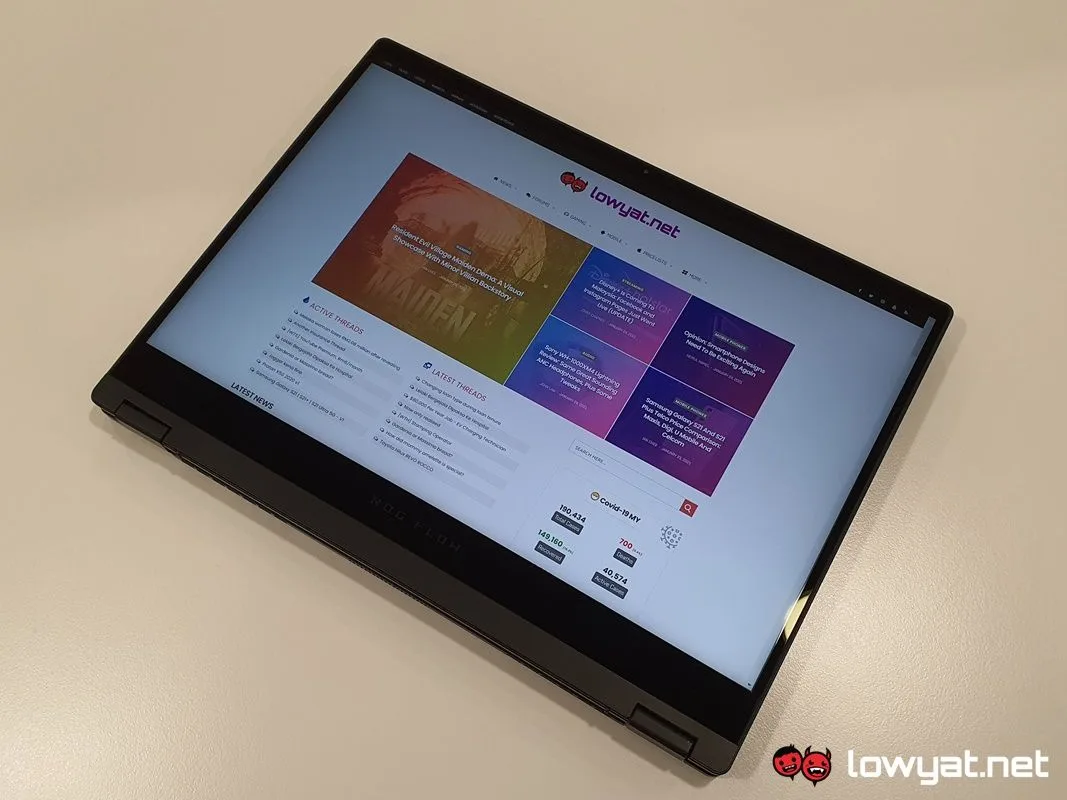
That segues us nicely into the next topic of discussion: ASUS’ choice of a 16:10 aspect ratio display. On paper, you get to pick between two display resolutions and refresh rates; for the bonafide gamer, you can have a Full HD panel running at 120Hz. For everyone else, there’s the 4K 60Hz panel. The latter is the resolution option of the Flow X13 unit in this review. Regardless of the resolution, however, both are Pantone validated and touch-capable.
To be clear, I’m not saying that having 4K resolution crammed into a 13.4-inch panel is an unpleasant or horrifying experience. As a plain and design-to-its-purpose laptop, having a 4K display is a visual treat, especially with all those pixels crammed into it. Icons, words, and images look ever so sharp, and despite the maximum brightness level only being 300 nits, it doesn’t hurt my eyes when staring at it for long periods of time.
Looks like a convertible laptop, works like a convertible laptop.
I won’t spend too much time speaking about the Flow X13’s nature as a convertible laptop, simply because the concept has been gallivanting around the market for some time. Transforming it into its dedicated tablet mode takes just seconds to rotate the display all the way around, but truth be told, I find myself using it more in its “media” mode in order to watch my shows by the bed.
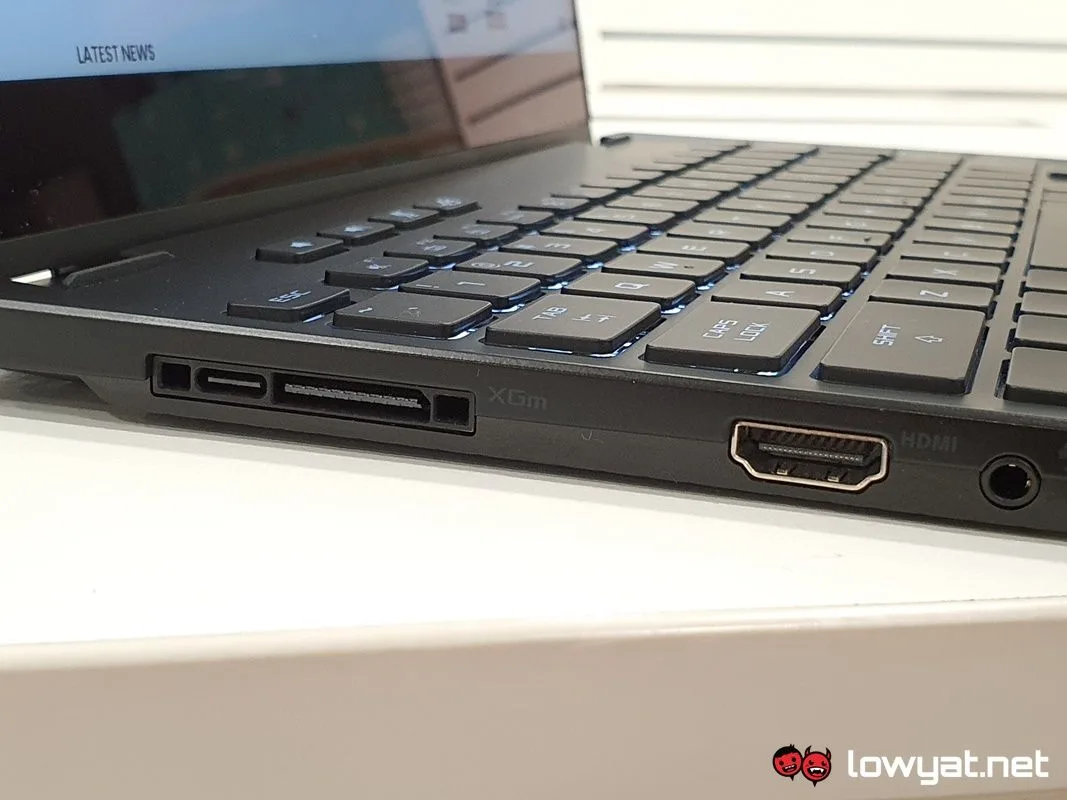
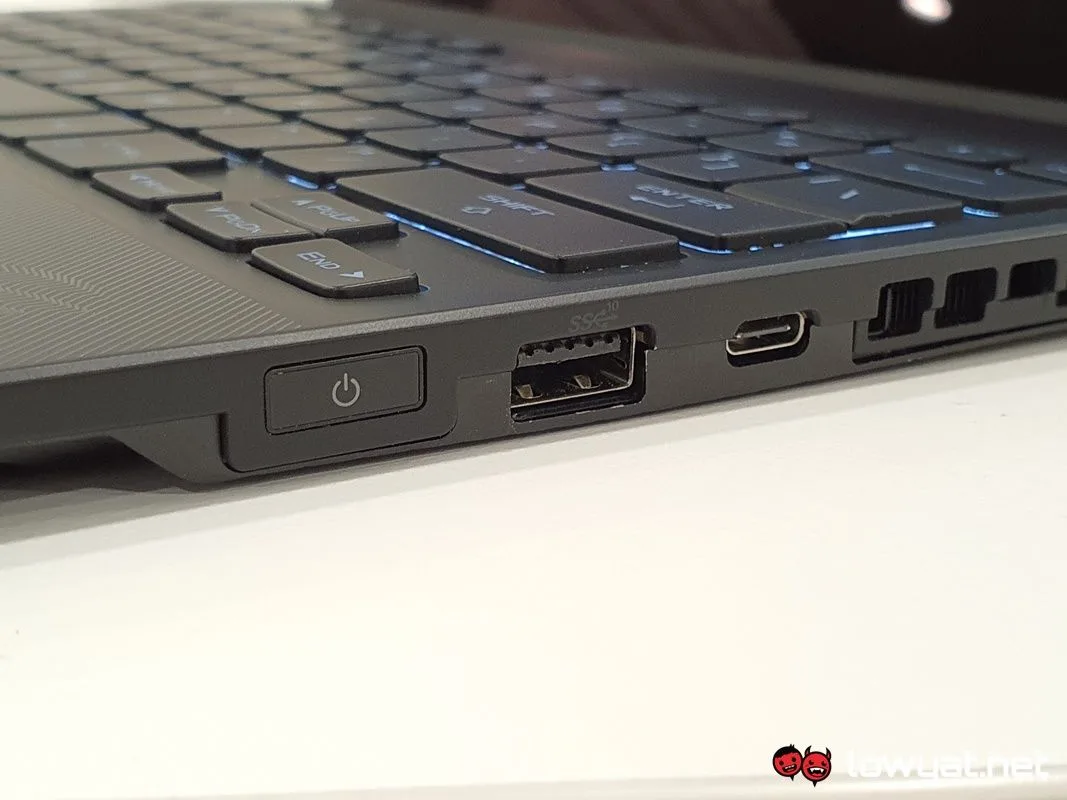
One drawback to the Flow X13, though, is the limited and relatively severe lack of I/O ports. There’s a Type-A USB 3.2 port, one USB-C 3.2 port, the proprietary ROG XG Mobile high bandwidth interface that, when you break it down, actually contains a second USB-C 3.2 port. Sadly, connecting the XG Mobile through the interface means that you have to sacrifice it, but in return, you gain access to an additional four USB-A 3.2 ports. Of course, that’s in addition to the HDMI 2.0 and DisplayPort 1.4 output ports, as well as an SDCard reader located on its side. Oh, and access to the eGPU’s….well, dedicated NVIDIA GeForce RTX 30 series GPU too.
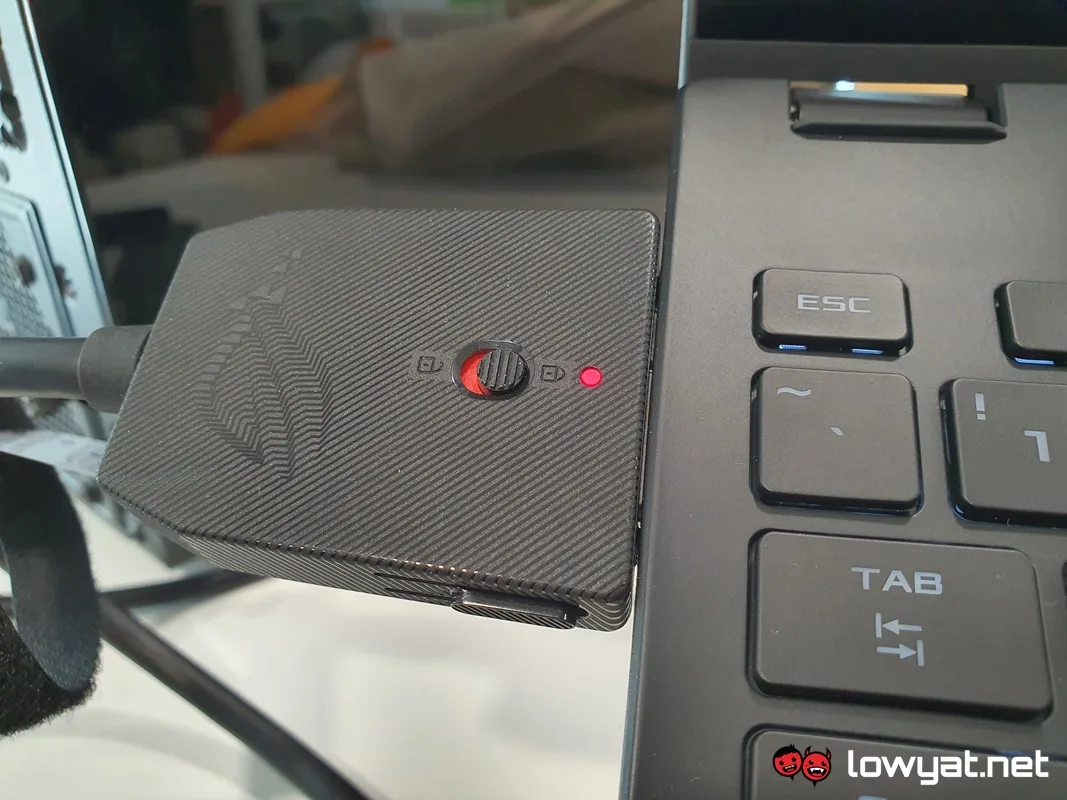
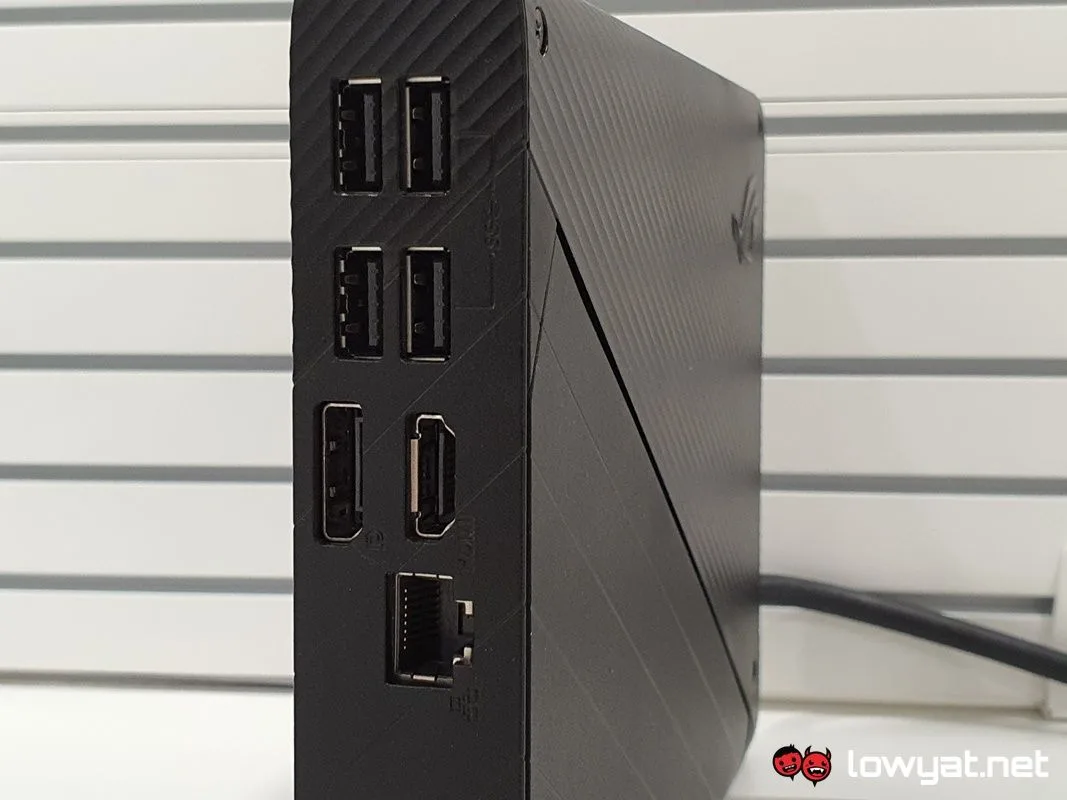
I don’t mean to be a sour grape, but in regards to the number of ports on the XG Mobile (again), I honestly don’t believe it would’ve killed ASUS to have added a USB-C port 3.2 port to it. Yes, I know this classifies as a first-world problem of sorts, but for all the engineering that went into it, I can’t help but think that this was less of a missed opportunity and more of an oversight. But, I’m going to look past this and move on.
Zen 3, GeForce, and Liquid Metal underneath the hood.
On that note, it’s time to speak about what makes the Flow X13 such an exciting machine, and that is the hardware that lies beneath the hood. Like the majority of ASUS laptops, uncovering the innards of the laptop is a painless affair and simply requires the use of a small Phillps-head screwdriver to remove the small screws to the cover below the base.
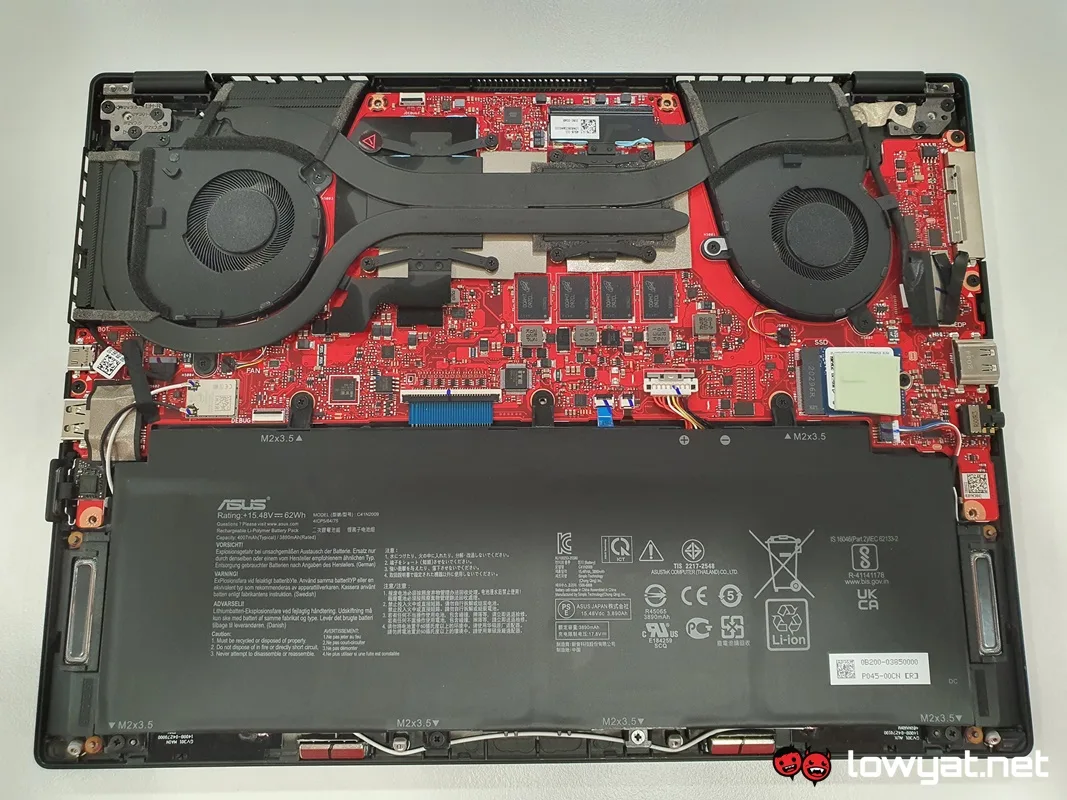
Upon removing the cover, you’re greeted by a red PCB, peppered with all the bells and whistles that can be seen by the naked. Look a little closer, though, and you start to understand the trade-offs ASUS needed to make. In order to help the Flow X13 keep the weight down and maintain its 13-inch waistline.
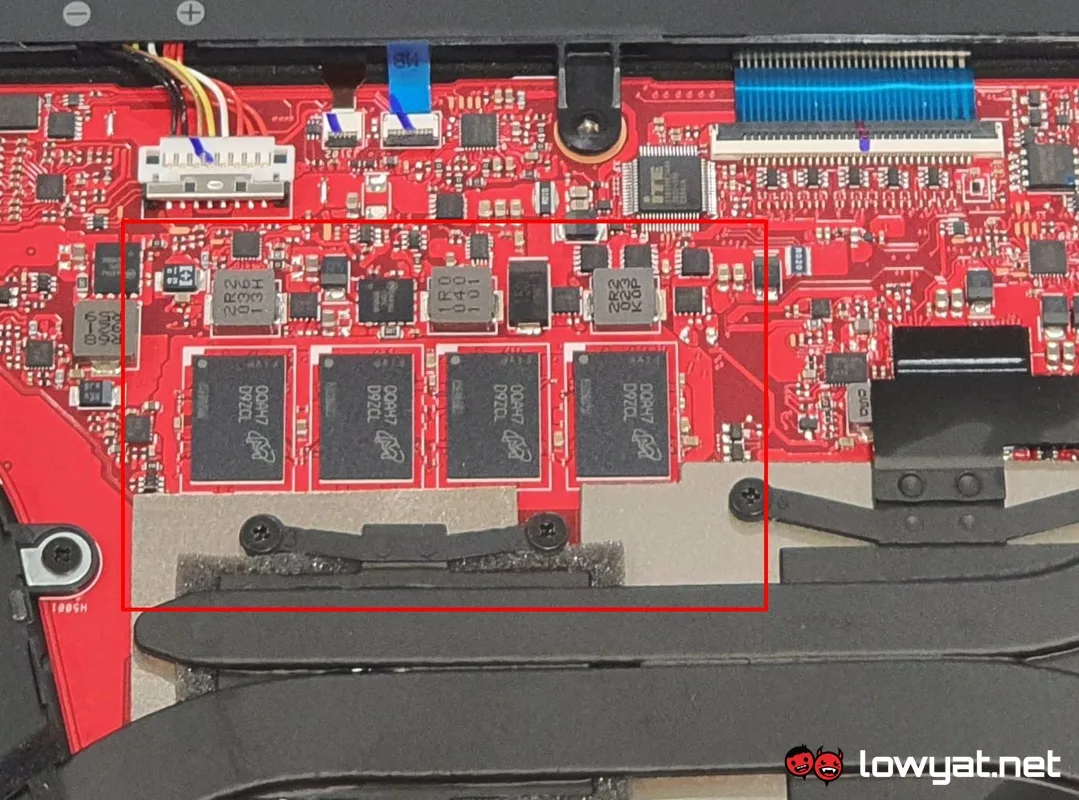
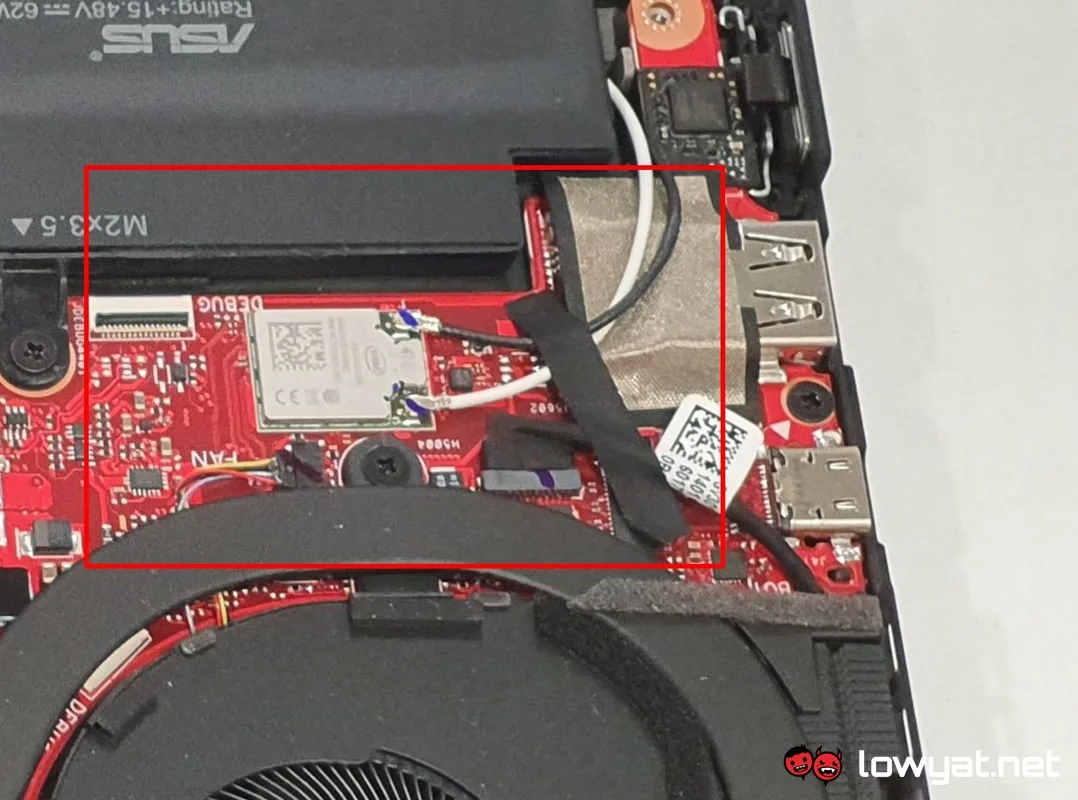
First off, both the LPDDR4X RAM and Wi-Fi 6 card is soldered on to the board, meaning that any chance of increasing the amount of memory is out of the question. On the plus side, the soldered LPDDR4X RAM on this machine has a maximum frequency of 4266MHz, which is considerably faster than the typical 3200MHz and 3600MHz DDR4 RAM most gaming laptops normally offer.
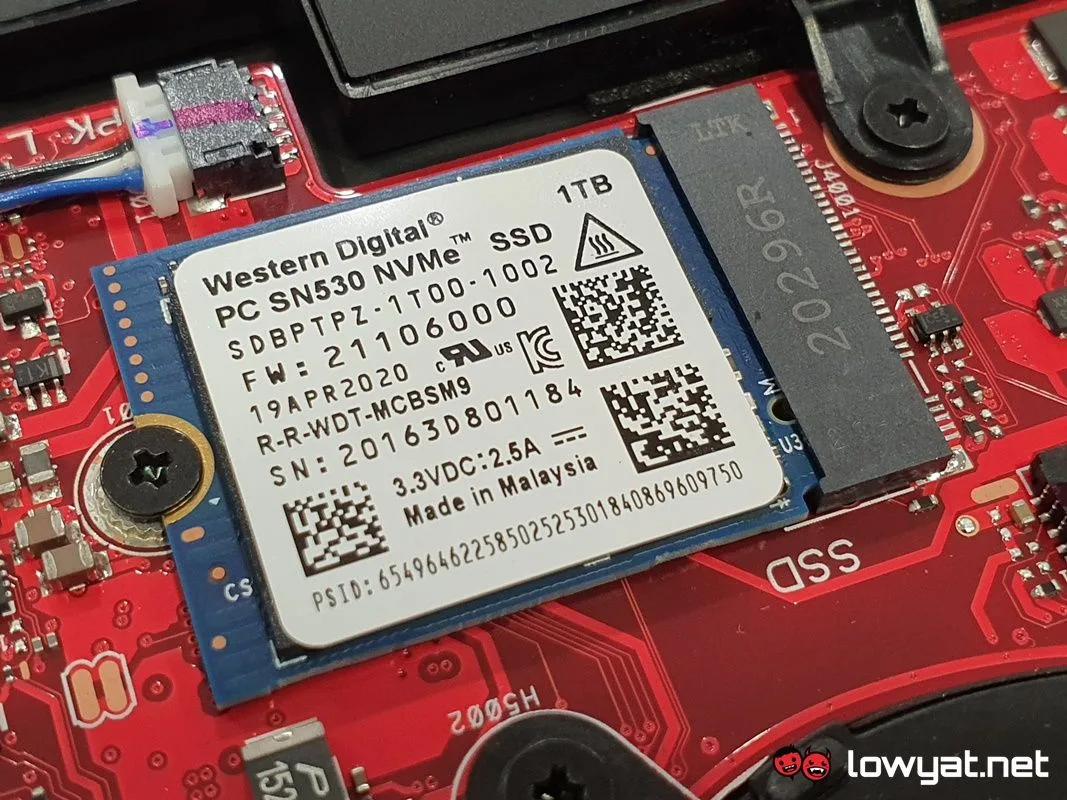
The only thing that doesn’t appear to be soldered on is the 1TB NVMe PCIe 3.0 SSD, which by the way uses the less common and shorter 2230 form factor, in order to – once again – conserve space on the laptop. While there are options on the market for this sort of SSD, searching for said form factor also means that upgrading the Flow X13’s storage capacity will be an absolute chore.
Top-notch CPU, unimpressive discrete GPU.
Last but not least are the Ryzen 9 5980HS CPU and GeForce GTX 1650 Max-Q tucked away beneath the cooling solution at the top half of the Flow X13, the former being one of the main stars. As you well know, 5980HS is part and parcel of AMD’s new Ryzen 5000 Mobile CPU series and based on its new Zen 3 architecture it announced during CES 2021. Stating the obvious, this CPU is more powerful than the 4900HS I tested last year, and is suppose to be more power-efficient too.
Then there’s the GTX 1650 Max-Q in the system, the proverbial anomaly in the laptop’s equation. As per my hands on, I understand the duality behind ASUS’ reason for choosing this GPU; I know that it wants to keep the power consumption of the Flow X13 within the 100W envelope and relegate all-gaming tasks to the XG Mobile. Be that as it may, this is still, in effect, a gaming laptop and if they were going to resort to using a last-gen Pascal-powered GeForce GPU. ASUS could have made a GTX 1660 Super the bare minimum, but that’s just my opinion.
Side note: if you’re wondering why I didn’t remove the heatsink sitting on top of the CPU and GPU, the answer is simple: both components are cooled via Thermal Grizzly’s Conductonaut liquid metal thermal paste. I don’t have any Conductonaut on-hand, neither do I use the stuff.
So, with the technical details and specifications out of the way, let’s get down to what you really want to know: how well does it game and perform menial, day-to-day tasks.
How It Performs

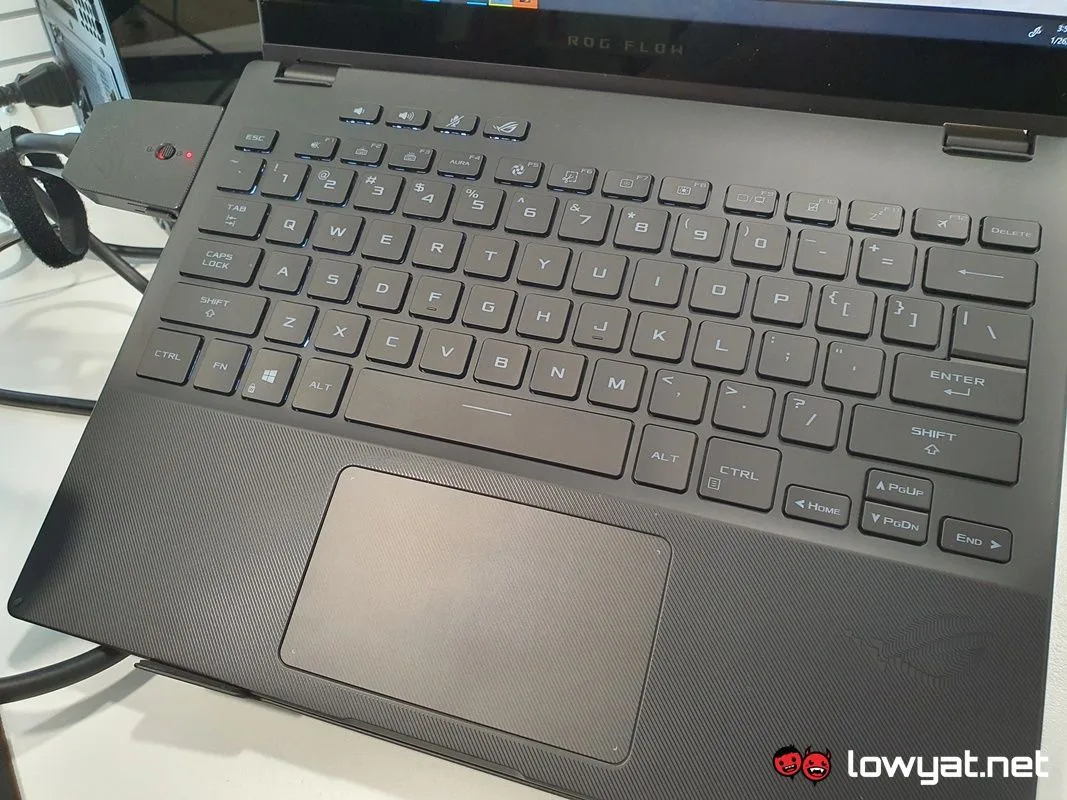
As an everyday convertible laptop, the Flow X13’s performance feels to me to be a mixed bag. Using it as my daily driver is – and I think this bears repeating – takes a bit of reacclimatising due to slightly uncommon size. Seriously, I find myself actually making more typos and other grammatical error typing on its keyboard than I do with others. That said, the key travel feels relatively short and the actuation is a little stiff, but for the most part, my fingers don’t feel fatigued over long periods of typing.
The Flow X13’s trackpad also bears some mention too. I like the fact that I don’t have to exert a lot of pressure on to it in order to register a click on-screen, but it’s also sensitive enough that you can register a click on just about any part of its surface.
And then there is the gaming aspect of the Flow X13. A word to the wise: the laptop itself comes bundled with a 100W USB-C charger, but if you’re planning on getting some serious gaming on, you’re better off connecting it to the XG Mobile, even if you don’t plan on utilising the beast. That said and on a related note, both USB-C ports support PD charging and I found out that a 60W PD charger will suffice.
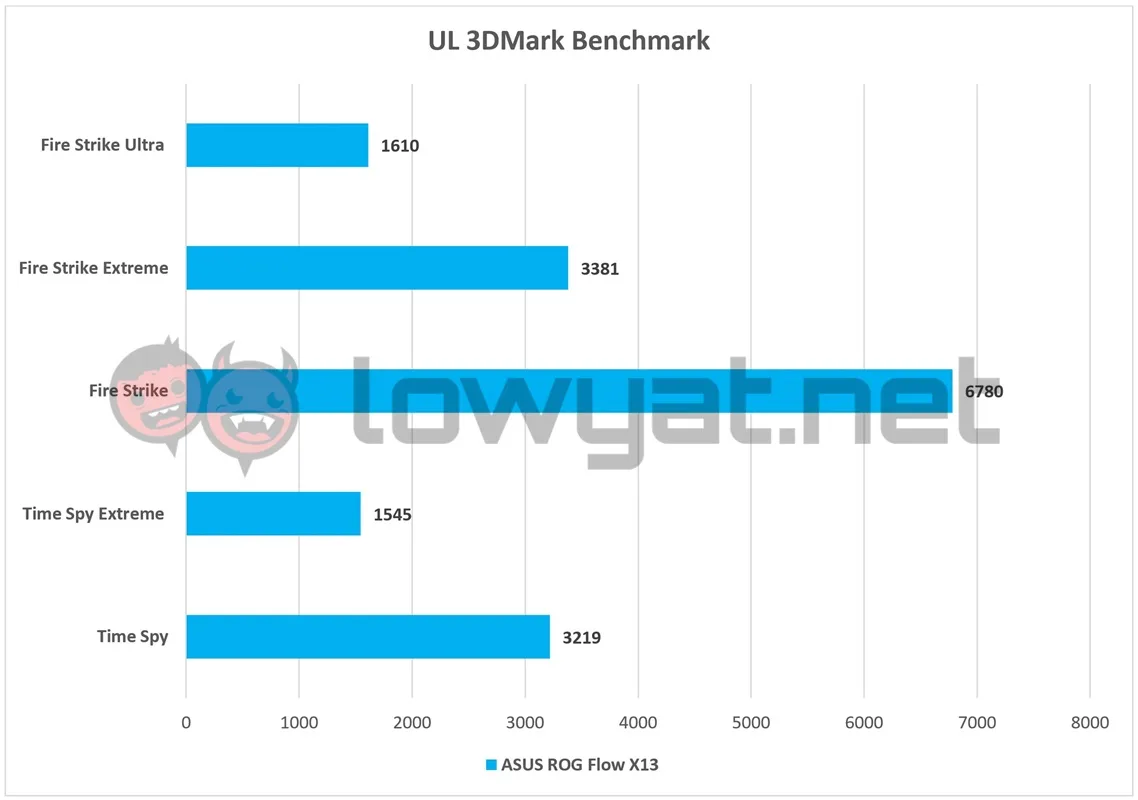
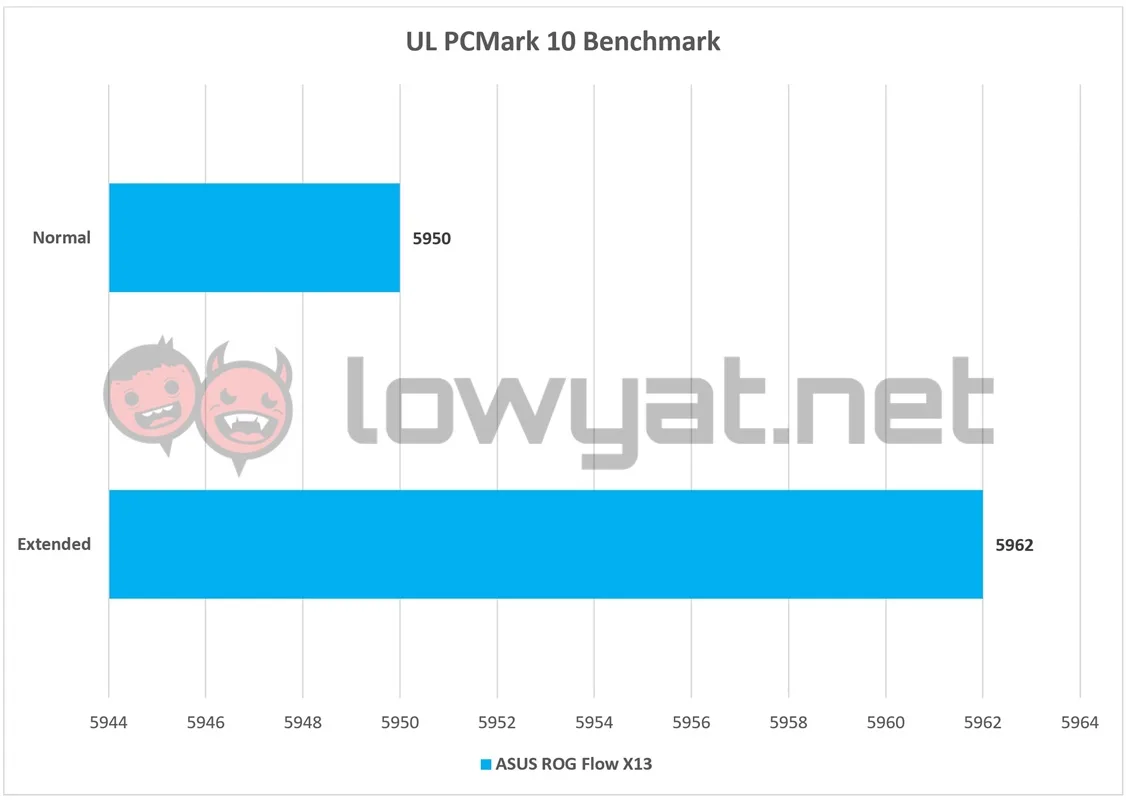
Getting back on track, the Flow X13’s performance – sans the XG Mobile – is more or less what I’ve come to expect of a machine with mismatched components. For example, while the overall test scores in UL’s 3DMark may look relatively low, both the physics and CPU scores in each component were consistently above average. Serving as a reminder of the 5980HS’ power.
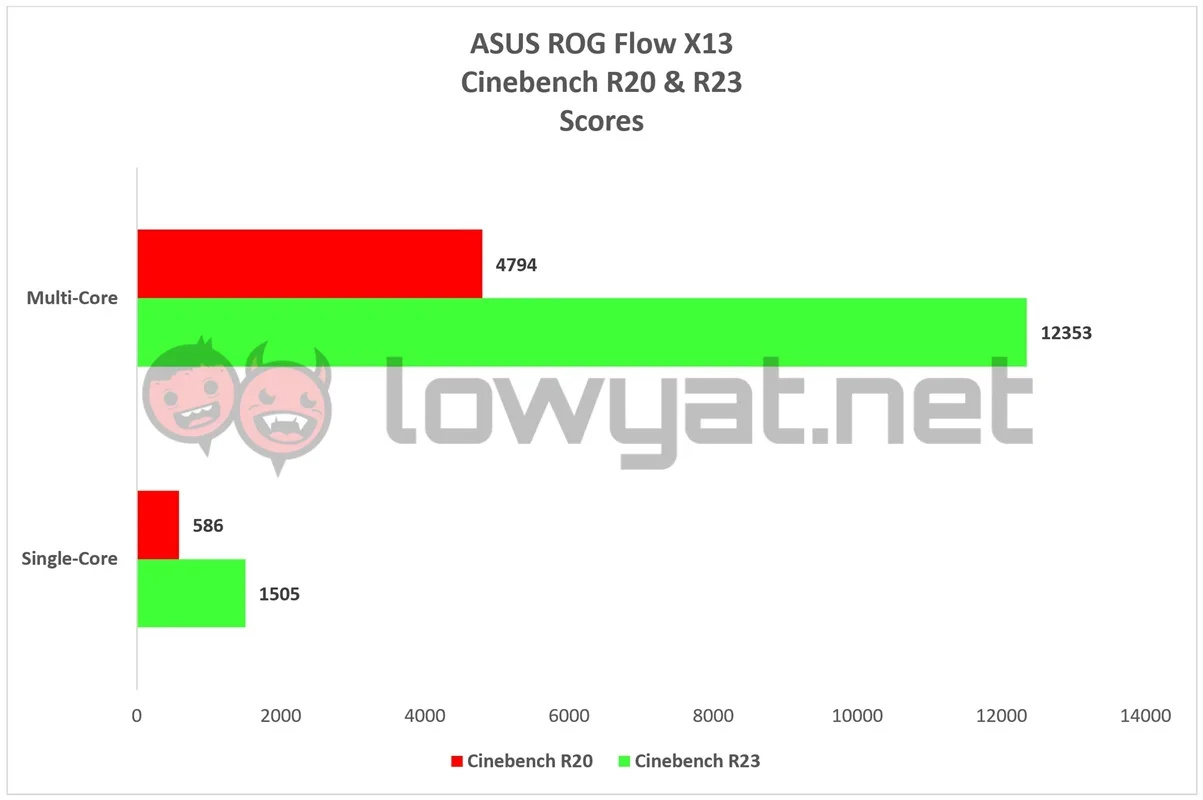
Speaking of the 5980HS, the Zen 3 certainly proved it more than has the chops in both the Cinebench R20 and R23 tests, with the CPU gaining nearly 600 points in R20’s single-core benchmark.
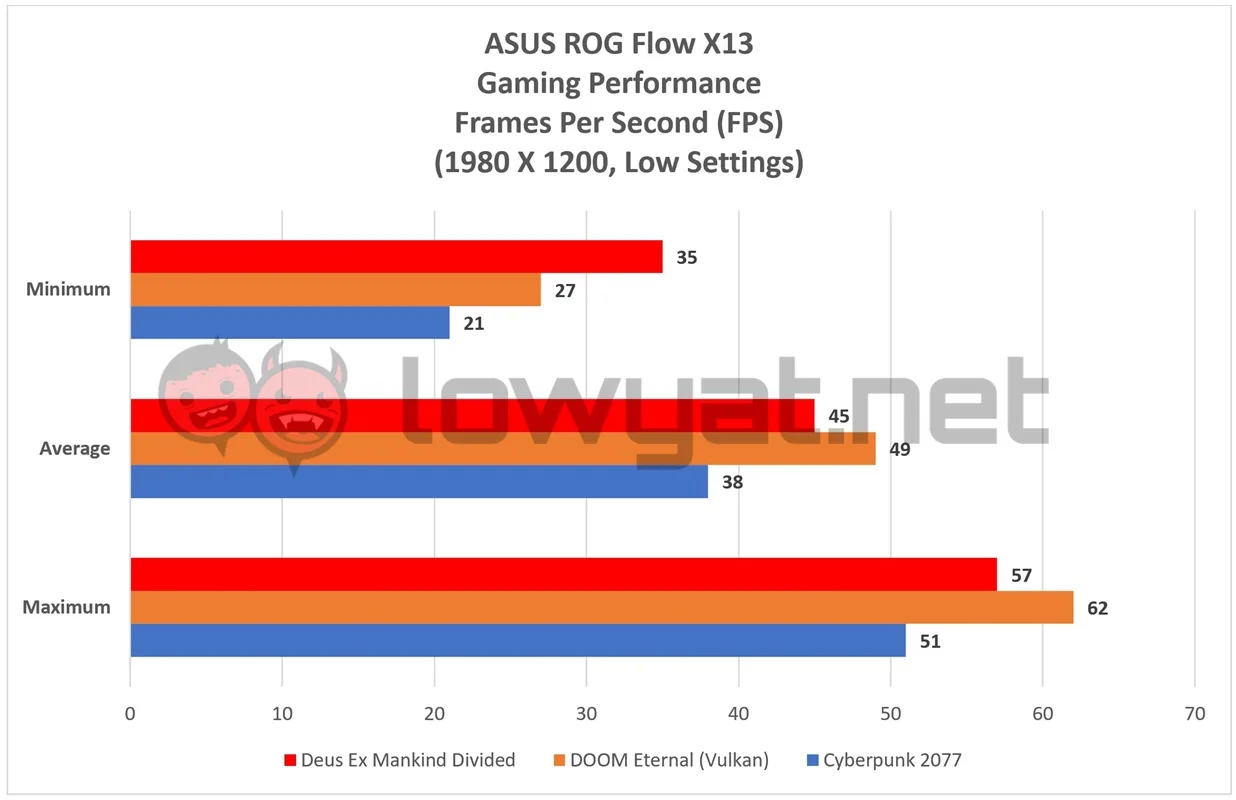
But for all its power that the 5980HS has to show, the GTX 1650 Max-Q unquestionably dampens the overall gaming experience. It comes as no surprise when I say that gaming at 4K with this entry-level GPU is simply impossible, let alone unattainable at 1440p (1600p in the case of the 16:10 ratio display).
At Full HD (1980 x 1200), I am only able to enjoy a comfortable gaming experience in all titles listed in the chart above at their lowest graphics preset. Even then, the Flow X13 is only able to maintain an average of 40 fps across the board.
Less than stellar battery life, and the 4K display isn’t helping.
Alas, the legs on the Flow X13’s 62WHr battery aren’t as long as I had hoped it would be. Despite ASUS’ efforts to keep its overall power envelope to 100W, the best I can milk out of the battery is an average of seven hours on a full charge, and that’s at 4K resolution and the display’s resolution set at 40%.
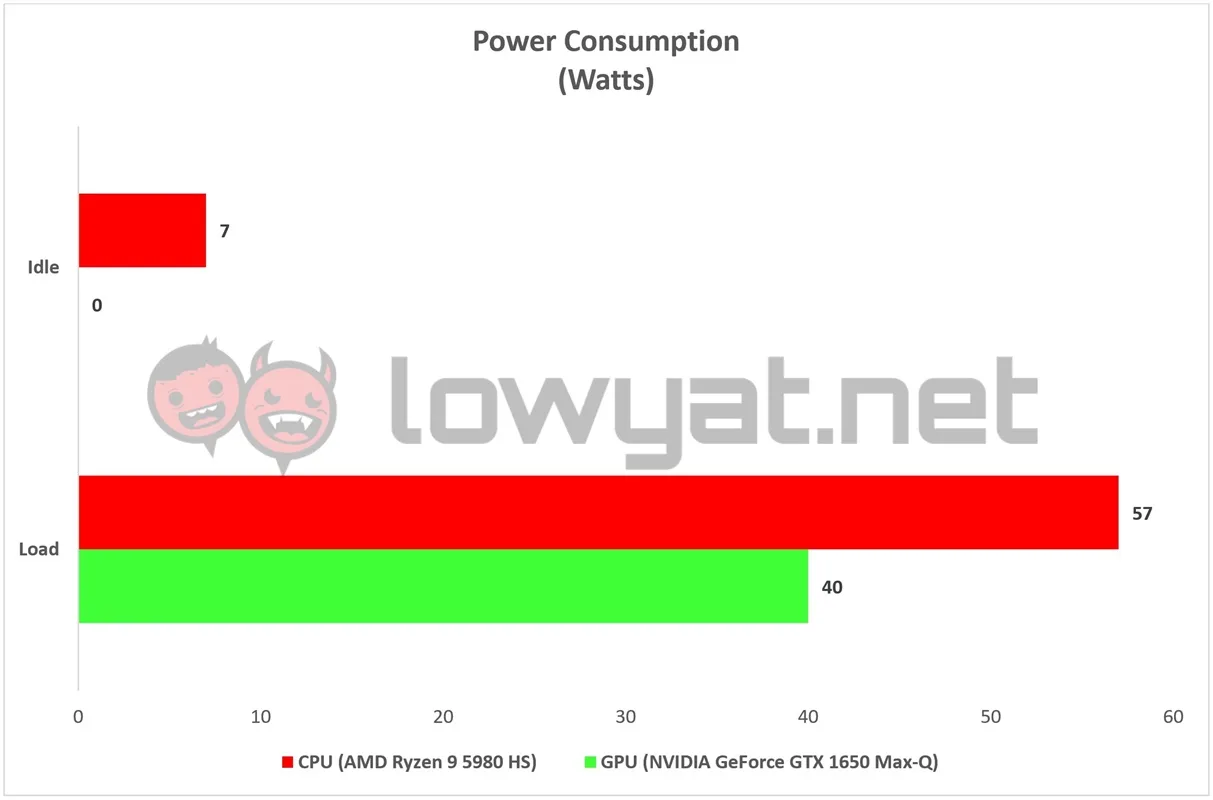
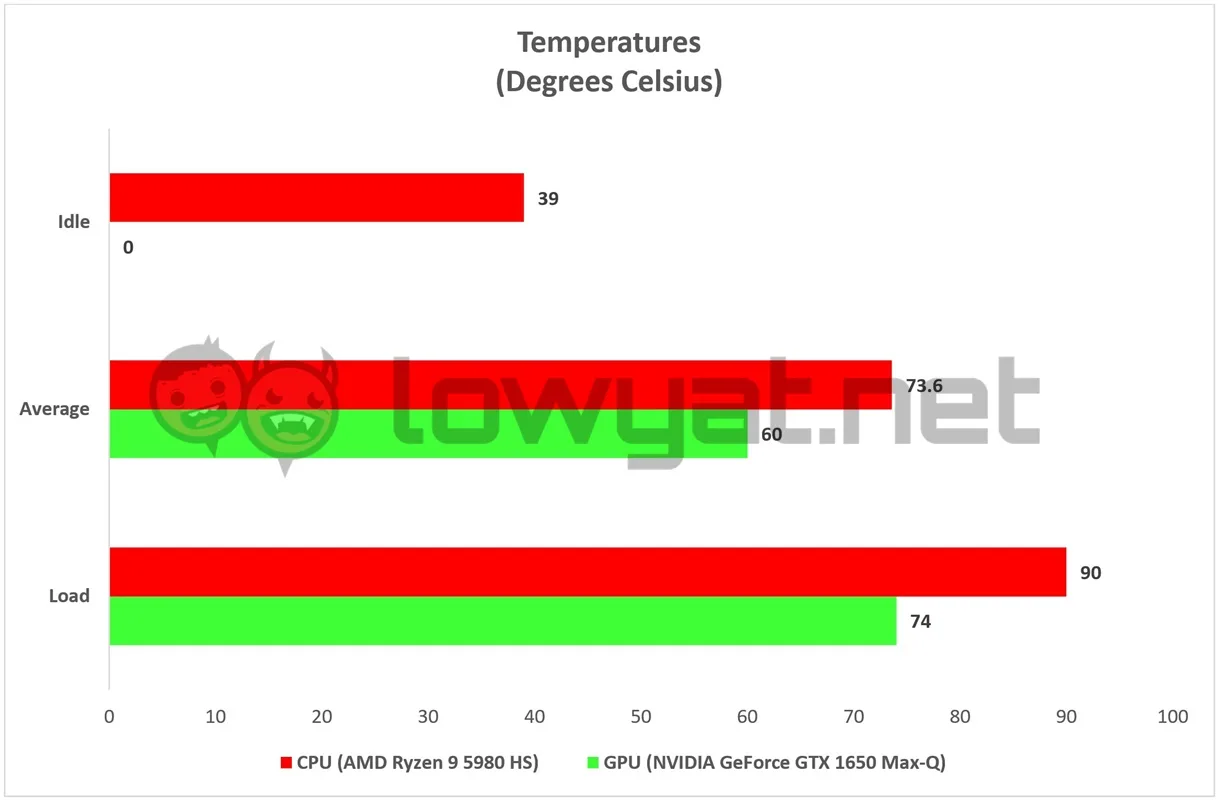
On the subject of power consumption, ASUS really isn’t kidding about the Flow X13’s power consumption being kept under 100W. While running at full capacity, the combined full load of both the 5980HS and GTX 1650 Max-Q practically tiptoes on the edge of that proverbial cliff. Surprisingly, between the two components, the 5980HS seems to generate the most heat, with the CPU hitting a maximum of 90°C with certain games and applications.
Conclusion
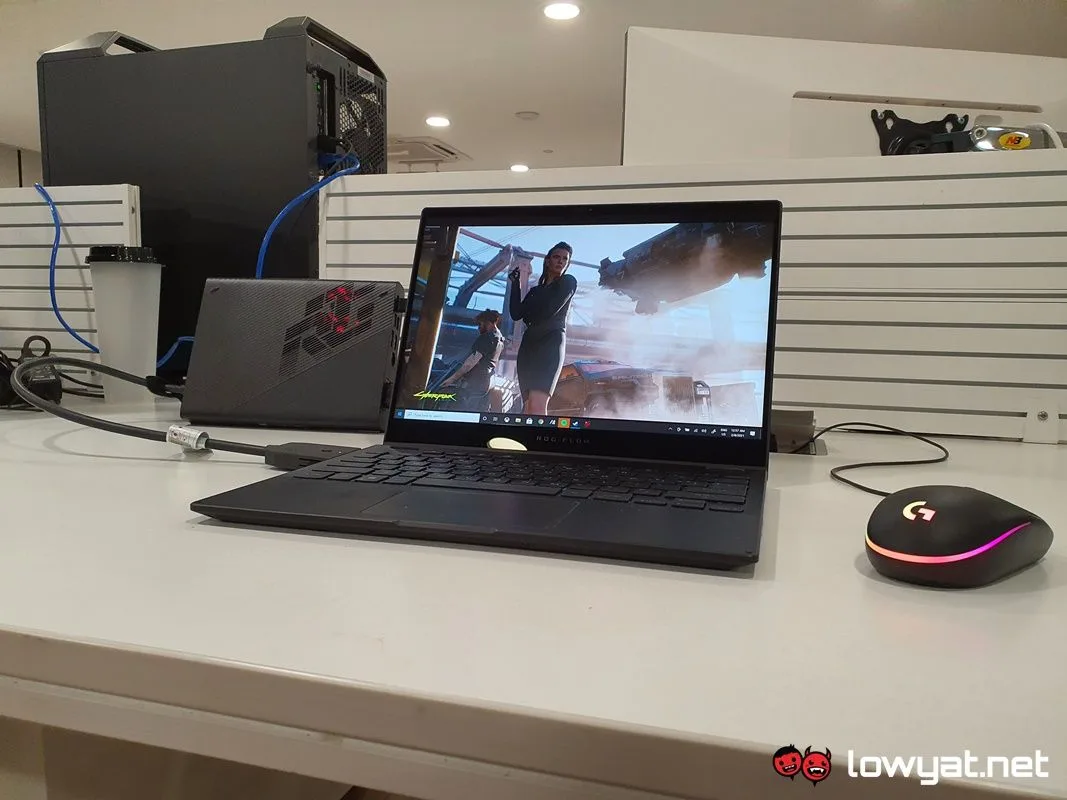
So there you have it. At its best, the ASUS ROG Flow X13 is what a convertible laptop aspires to be; it’s versatile enough to hold the role of a low-powered gaming machine when needed, and the role of a day-to-day work machine. At its perceived worst, however, the battery consumption is less than stellar and I sincerely think that ASUS could’ve have done a better job at optimising it further. That, and perhaps forgo the 100W envelope and simply fitted it with a beefier GPU.
Regardless, it is undeniable that the Flow X13 is both flagship and one of a kind machine. Sadly, there still isn’t an official price tag for the laptop at the publication of this review. For that matter, I will be updating this review with its performance when paired with a proper and authorised ROG XG Mobile unit from ASUS, so keep an eye on this space in the future.
