

With the ability to deliver Internet speed of up to 800Mbps, TM has recently completed the pilot phase of unifi Turbo speed upgrade for a selected group of existing customers. Some of you may have already gotten it, even.
With the completion of the pilot phase, TM now continues to upgrade the rest of its existing customers including the business segment by March 2019. Not only that, TM has also introduced the unifi 100Mbps plan which is priced at RM 129 per month for new customers with higher speed plans coming soon as well.

While unifi Turbo will provide an exponential speed upgrade, there are a few steps you can take to make sure that you’re making the most of the experience provided by the upgrade. That being said, most of these tips below will be applicable to everyone, regardless of their unifi plan.
First of all, you’ll need to decide between wired and Wi-Fi connections, and which works best for you. If you need speed and consistency, then nothing beats a wired connection because it physically links your device directly to the network and provides higher throughput than Wi-Fi connection.
You’ll have to be tethered to the router, but as mentioned earlier, its speed and consistency are why it is the preferred connection among gamers. This should also be your connection of choice if you are downloading large files or transferring them from one device to another within the same network.

Sure, Wi-Fi connection is quite convenient, and it’s more than enough for your use if all you’re doing is streaming on a mobile device and moving around the house. That said, it is prone to obstruction and interference.
Being too far away from the router, having objects like walls and especially metals between the device and router, and even wireless signals from other devices will disrupt the Wi-Fi signal from the router, impeding it from optimally sending data to your device.
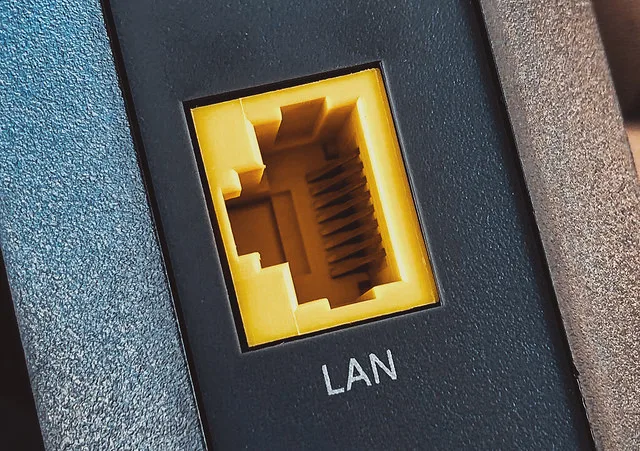
If you decide to use a wired connection, then you have to make sure that your desktop PC or notebook has a Gigabit network adapter since such adapter is able to support network speed of up to 1000Mbps (1Gbps). If your device is equipped with a Fast Ethernet adapter instead, then the connection speed will be maxed out at 100Mbps even though you have access to unifi 300Mbps, 500Mbps, or 800Mbps plans.
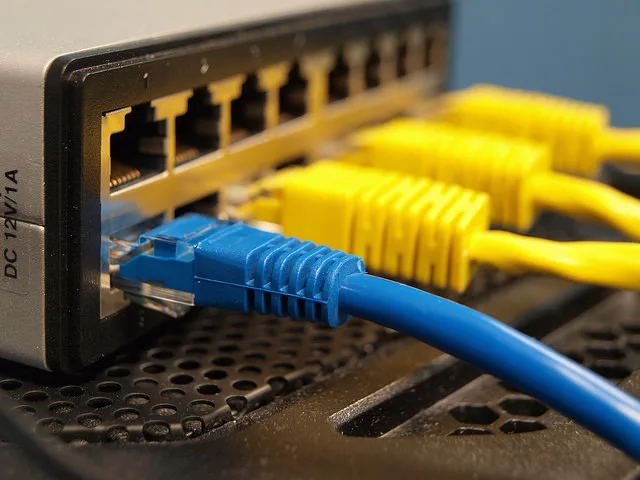
Similarly, you also have to check if your network cable is of Category 5e (CAT 5e) which able to support transfer speed of up to 1Gbps. CAT 5 cable on another hand only supports speeds of up to 100Mbps. To check which cable you’re using, they’re usually printed along the body of the cable.
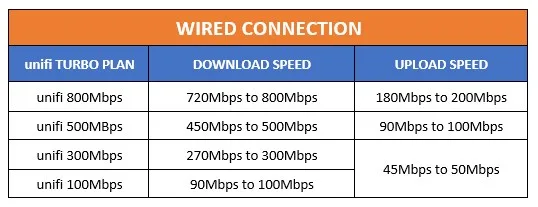
Here is the connection speed that you can expect from your unifi Turbo service according to TM if the above conditions are met:
Meanwhile, if you choose to utilize a wireless connection instead, you also have to check the capability of the Wi-Fi adapter in your device as well as the router in your home. Most of the newer devices and routers these days are able to support the 802.11ac or 802.11n standard which allows them to connect using the 5GHz frequency band.
This is due to the fact that 5GHz frequency band able to deliver faster speed but has a shorter effective range and doesn’t penetrate solid objects as good as 2.4GHz signals. While 2.4GHz network might have wider coverage, it not able to carry as much data as 5GHz signal and is more susceptible to interference since there are so many products are also using 2.4GHz frequency band.
Another reason why the newer 802.11n and 802.11ac Wi-Fi standards are able to deliver higher network speed than their predecessors is due to the support of MIMO (Multiple-Input Multiple-Output) antennas. This particular feature allows multiple data transmission simultaneously as opposed to the older 802.11a/b/g standards that only support one data stream at a time which equals to slower network speed.
Do note that both device and router need to support the same Wi-Fi standards in order to achieve the best result. If your device is only able to support 802.11a/b/g standard, your maximum connection speed will still be limited to the older standards even though you are using an 802.11ac router such as those that are being supplied by TM to current unifi customers.
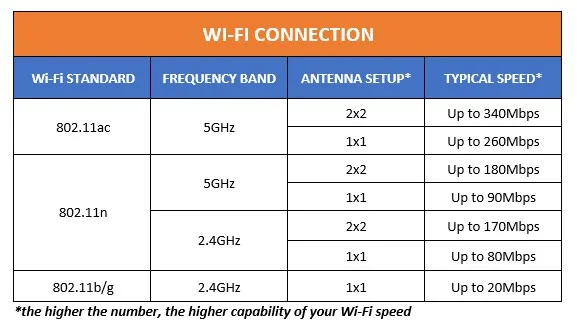
In other words, the connection speed that you able to achieve from your Wi-Fi network depends on how optimized the condition of the network and the surrounding environment. If it is good enough, then you should be able to see these speed according to TM:
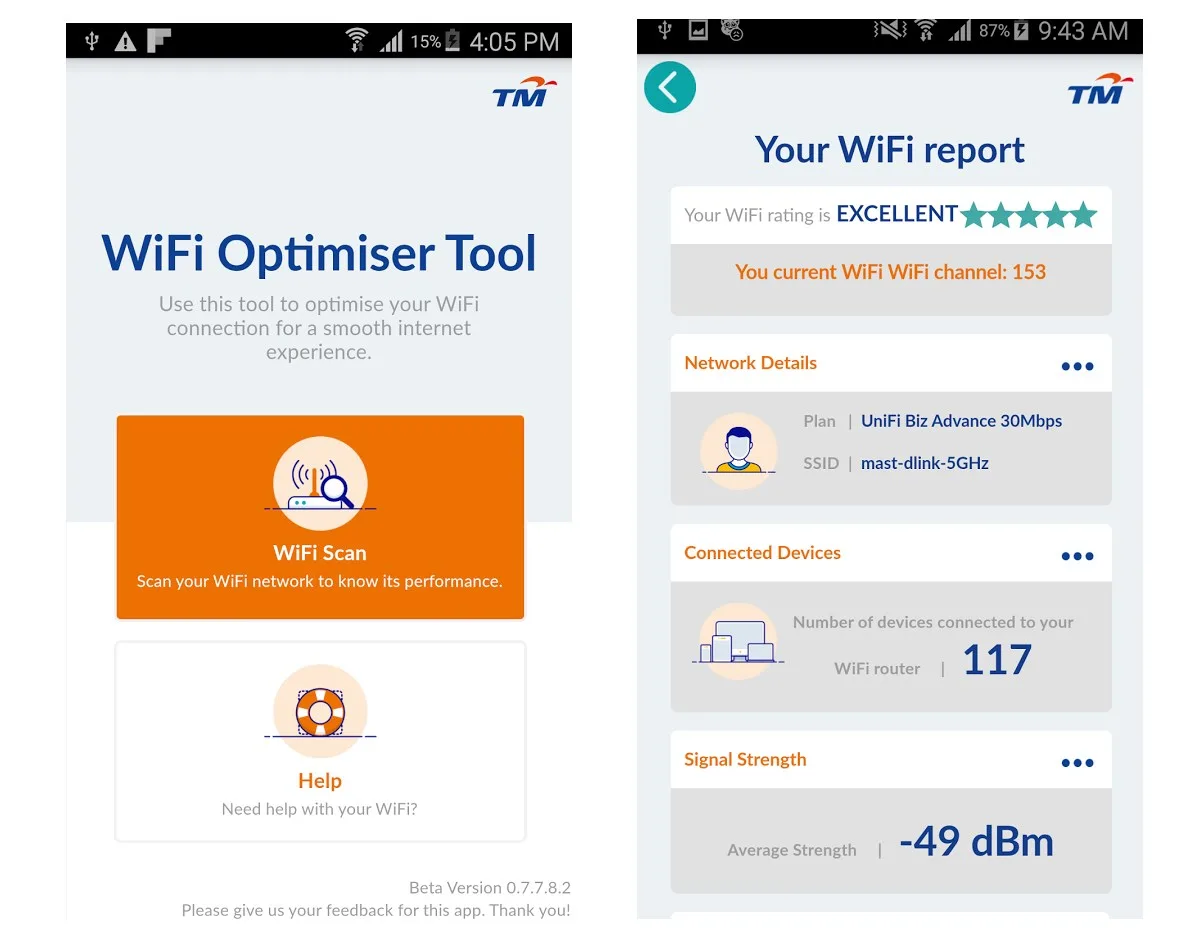
If you need assistance to further improve the condition of your Wi-Fi network, TM WiFi Optimiser Tool which was first released to consumers last year might be able to assist you. Available for Android and iOS devices, it able to scan, analyze, and rate your network in less than a minute.
In conclusion, the unifi Turbo speed upgrade might be able to elevate your internet experience to a newer level but it can only be fully enjoyed by having the proper set of equipment and optimal network condition. To learn more, visit unifi’s official website.
Disclosure: this article is sponsored by unifi.
(Images: Tony Webster, gtwang.org, unifi)
