
Over the weekend, we reported on how some modders managed to get Steam Games on Windows running on the Sony PlayStation 5 (PS5) natively and without any streaming. Well, another modder has submitted a new configuration that allows modders to install Bazzite’s SteamOS-like software directly onto the console.
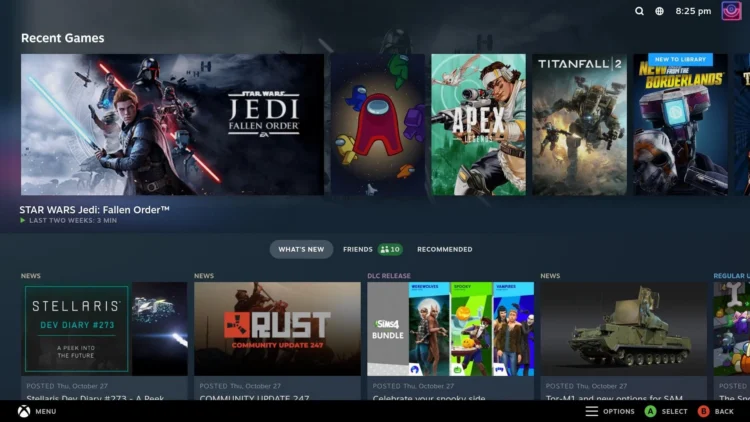
The project, developed by VivaLaVent, allows supported PS5 systems to boot directly into Steam Gaming Mode, which again uses the same interface as the Steam Deck and SteamOS. Users can then access their Steam libraries, install PC games, and even switch to a KDE desktop.

Unlike previous demonstrations and Linux modding projects, this one, dubbed ps5-bazzite-deck, focuses mainly on providing a console-style gaming experience with controller support, wireless networking, and display output. The best part is that it uses the existing PS5 Linux loader, running from external storage and thus allowing users to return to the console’s original OS.
VivaLaVent says that so far, the Bazzite Linux project supports 4K60Hz and QHD120Hz, along with HDMI audio, hardware video decoding, Wi-Fi, LAN, and Bluetooth connectivity. Additionally, Sony’s DualSense controller works wirelessly, with the built-in touchpad functioning as a mouse for both the main screen and Steam’s on-screen keyboard. Lastly, it can switch between gaming mode and desktop mode.
Turn your PS5 into a Steam machine with ps5-bazzite-deck
byu/VivaLaVent inPS5_Jailbreak
VivaLaVent has also specified that their Bazzite Linux on PS5 project includes the option that enables the console to run up to 40 Compute Units (CUs), rather than its standard 36 CUs. However, it doesn’t guarantee scalable improvements in frame rate and there is a chance that it will experience crashes or graphical glitches when enabled.
For all intents and purposes, though, some users who partook in the project report that it runs certain titles successfully. These titles include Horizon Zero Dawn, Palworld, Genshin Impact, and RimWorld.
Interested? You can download the ps5-bazzite-deck via the GitHub link in the source below. Just follow the instructions.
(Source: GitHub, Videocardz)
