

Back in July, Microsoft started testing what it calls “Cloud rebuild”, which lets users restore Windows 11 to a good state via the cloud. This meant that, even if your PC won’t boot, so long as it’s connected to the internet, it will still be possible to restore your system to a version of Windows that worked well without a USB drive. The company has started rolling out said feature as part of a recent update.
More specifically, this comes as part of the KB5127936 update, which is noted to also be a non-security update. That said, the Cloud rebuild feature is lumped into the Gradual Rollout category, which means that you may not see it right away even after getting the update. These do eventually get rolled out to everyone, so if you don’t yet have access, it’s only a matter of time.
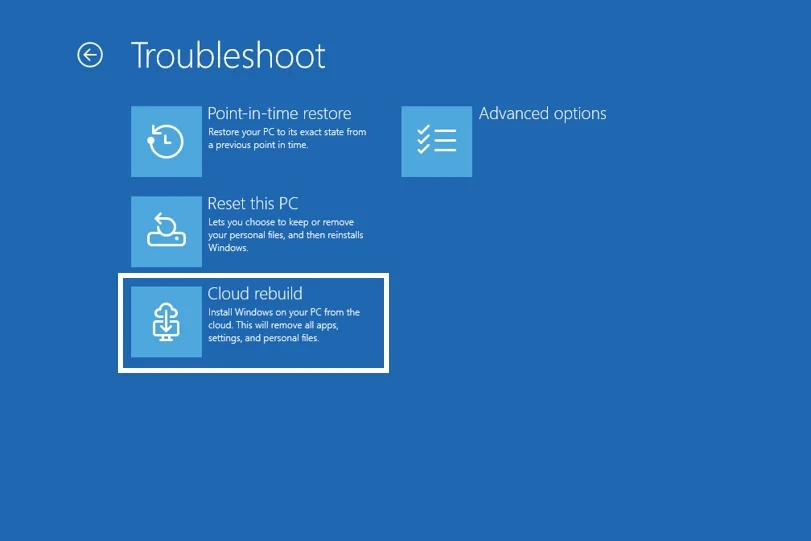
If you need a refresher, there still are some other pre-requisites that you’ll need to meet for Cloud rebuild to work. The most important one, regardless of what happened to your system that caused issues, especially if it’s so bad that it doesn’t even boot, is that your Windows Recovery Environment – or simply the recovery mode – is uncorrupted. Since the feature rebuilds your OS from the cloud, you’ll naturally need to have a compatible and working network driver.
As part of the update notes, Microsoft says that you can manually trigger a Cloud rebuild by going to Settings > System > Recovery, and select Rebuild PC. And if the device can’t boot, the way to access it from the Windows Recovery Environment is to Select Troubleshoot > Recovery and uninstall > Cloud rebuild. The company notes that you’ll be able to choose whether to remove files or remove and sanitise files – complete and irreversible removal – prior to Windows reinstalling. It looks like the previous caveat of wiping everything not already backed up elsewhere is still in place.
(Source: Microsoft)
