
Gamers Nexus’ Steve Burke recently posted a video, cautioning consumers about purchasing specific LG monitors, along with those that own them, as they would have installed unwanted programs into your PC, silently and without your consent.
Gamers Nexus says that they were able to replicate the silent software installation on multiple LG monitors, with the LG UltraGear 34GX900A-B they had in their lab for it. Here’s what happens: Windows Update will initially install LG extension and software component packages, after which, the OS’ Reliability Monitor shows the LG Monitor App Installer appearing one minute later. Again, this all happens without the consent required by the user.

Gamers Nexus says they did this for a total of 32 consecutive system boots: 31 of those boots displayed the McAfee promotion. On that one boot that didn’t, it promoted LG’s own monitor utilities.
Again, the silent installation wasn’t just isolated to the 34GX900A-B. Burke says that they also received the same pop-up on an LG UltraFine 32UN880-B, a monitor that they purchased three years earlier. Worse, the issue wasn’t just replicated by Gamers Nexus, but also by other users who had purchased LG monitors as far back as 2024.
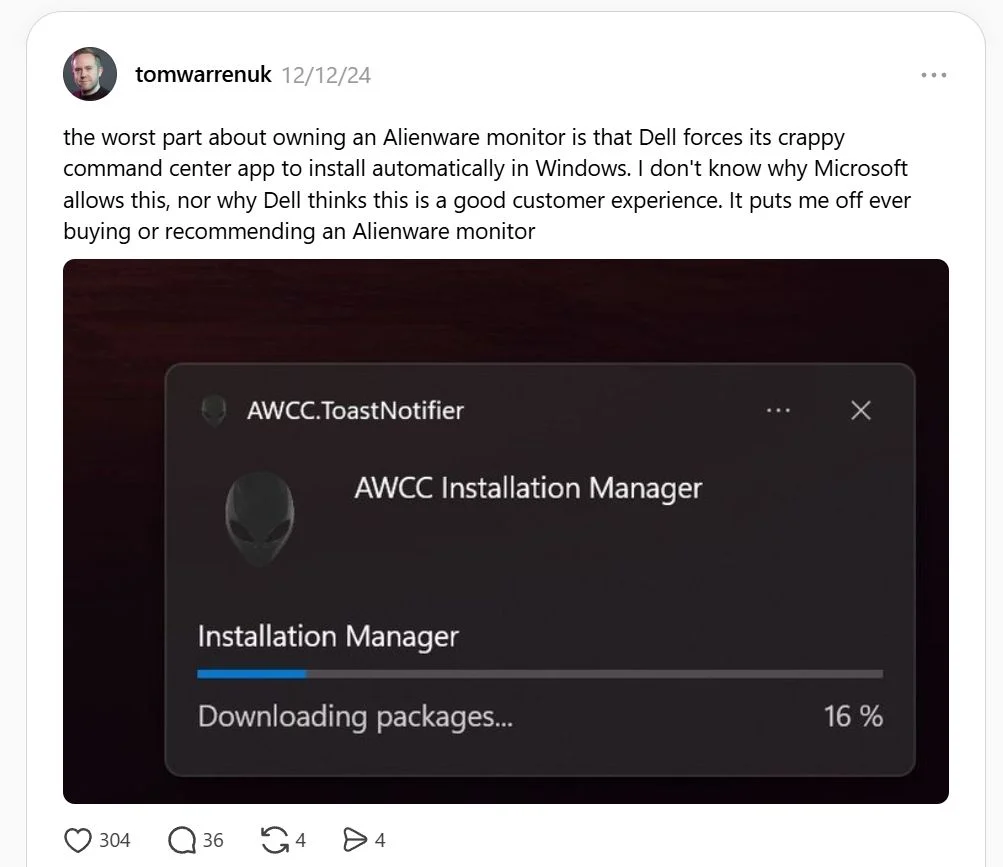
It’s not just LG that’s been caught doing this either. Dell and its Alienware monitor series has also been caught doing the same thing. Like the Korean brand, it uses Windows Update to deliver Alienware Command Centre whenever it detects a compatible Alienware monitor. The Verge’s Tom Warren actually can actually vouch for that, all the way back in 2024.
Is there a way to disable this? Yes, and that requires users to go under Computer Configuration –> Administrative Templates –> System and Devices Installation. Having said that, it goes without saying that one shouldn’t have to resort to doing these permissions acrobatics
(Source: Gamers Nexus, Videocardz, Threads)
