

Apple has officially released the first public beta versions of its next-generation operating systems, giving users early access to iOS 27, iPadOS 27, macOS 27 Golden Gate, watchOS 27, and other upcoming software updates ahead of their full rollout later this year. As you may recall, all of those mentioned were announced during WWDC 2026 last month.
Unlike the earlier developer previews, the public betas are available to anyone, as long as they are enrolled in the Apple Beta Software Program. As with any pre-release software, Apple cautions that the public beta may contain bugs, reduced battery life, and compatibility issues with certain apps. The company recommends installing it on a secondary device where possible, or creating a full backup before upgrading a primary device.
Siri AI
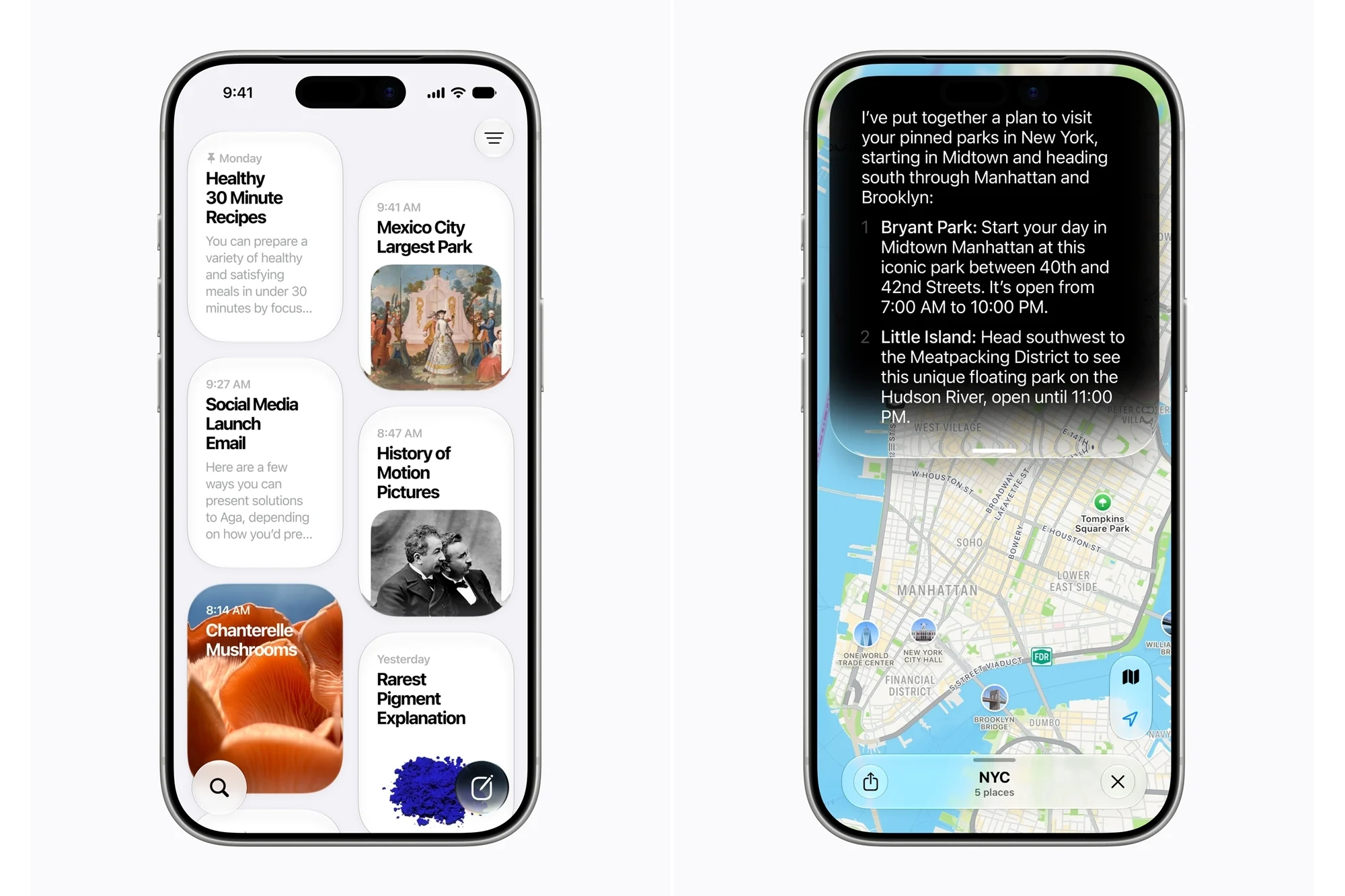
The biggest addition in iOS 27 is the long-awaited Siri AI, which transforms Apple’s voice assistant into a more capable conversational AI. It can understand follow-up questions, answer queries based on what’s displayed on screen, carry out multi-step tasks across apps, and maintain contextual conversations.
Users with supported devices can also customise Siri’s voice, while Apple has introduced a dedicated app that stores conversation history. Speaking of, Siri AI is currently available only on Apple Intelligence-compatible devices and supports English at launch. Apple notes that some users may encounter a waitlist before gaining access to the feature, while availability in the European Union remains delayed.

Faster Performance And New Productivity Features
Apple is also promising noticeable performance improvements across iOS 27. According to the company, apps launch up to 30% faster, newly captured photos appear in the Photos app up to 70% quicker, while AirDrop transfers can be up to 80% faster.
Other additions include Safari’s ability to automatically organise tabs into groups, as well as a new Notify Me feature that tracks price changes and product restocks on supported websites. The Passwords app can now identify weak passwords and automatically update them, while the Shortcuts app lets users create automations simply by describing what they want in natural language.
Meanwhile, Photos gains improved editing features such as Spatial Reframing, which automatically adjusts image composition after a photo has been taken, alongside Extend for expanding image boundaries and an upgraded Clean Up tool for removing unwanted objects. Image Playground has also been enhanced with higher-quality image generation, including photorealistic styles.

Updates Across iPad, Mac, Apple Watch
Many of iOS 27’s new features also carry over to iPadOS 27. Apple has also added Apple Pencil integration for Visual Intelligence, allowing users to circle objects within screenshots to learn more about them. External storage performance has also been improved, with Apple claiming SSD file transfers are now up to five times faster.
On the Mac, macOS 27 Golden Gate integrates Siri AI into Spotlight, enabling users to analyse on-screen content, generate writing assistance, and perform contextual tasks. The update also introduces refinements to the Liquid Glass design language, including redesigned toolbars, sidebars, windows, and menu bar icons.
Meanwhile, watchOS 27 brings Siri AI to the Apple Watch alongside a new Dynamic App Grid that surfaces frequently used apps. Workout Buddy has been upgraded with richer workout insights, standalone functionality without a nearby iPhone, and Spanish language support. Apple has also added menopause and perimenopause tracking to the Health app.
Compatible Devices And Installation
iOS 27 supports the same iPhone lineup as iOS 26, including the iPhone 11 series and newer, as well as the second-generation iPhone SE and later models. However, Apple Intelligence features remain limited to supported hardware, beginning with the iPhone 15 Pro series, while some of the latest AI capabilities require newer devices such as the iPhone 17 Pro, iPhone 17 Pro Max, and iPhone Air.
Users interested in trying the new software can enrol in Apple’s Beta Software Program using their Apple Account. Once enrolled, the public beta can be downloaded by navigating to Settings > General > Software Update > Beta Updates and selecting the iOS 27 Public Beta, or the corresponding beta for other supported Apple devices.
(Source: Greg Joswiak, via X)
