

Apple has officially unveiled the next generation of Apple Intelligence during its WWDC 2026 keynote last night, introducing a slew of updated AI-powered features for iPhone, iPad, Mac, Apple Watch, AirPods and Apple Vision Pro. While many of the additions focus on making everyday apps smarter, the headline feature is undoubtedly an entirely new Siri experience.
The company says the updated Apple Intelligence platform is built around a new generation of its Foundation Models. It combines on-device processing with Private Cloud Compute for tasks that require additional computing power while keeping user data private.
However, there is a notable catch. Apple has confirmed that certain Apple Intelligence features, particularly image generation tools that rely on its server-side models, will be subject to daily usage limits, though it did not mention an exact figure for each just yet. According to Apple’s software chief Craig Federighi, users who need more access can unlock higher quotas through most iCloud+ subscription plans.

Siri Gets Its Biggest Overhaul Yet
Leading the charge is Siri AI, which Apple describes as a far more conversational and capable digital assistant. Rather than simply handling basic commands, the updated first-party assistant can now search across messages, emails, photos, and other personal content, answer more complex questions and perform actions directly inside apps.
The company is also introducing a dedicated Siri app, alongside deeper integration with its existing Writing Tools and Visual Intelligence features. Obviously, there’s more to this, so we’ll be going into depth of Siri AI’s new feature via its own article which we’ll put up separately.
Photos Gains AI Editing Tools
The Photos app is receiving several AI-assisted editing features designed to improve images after they’ve been captured. One of the more interesting additions is Spatial Reframing, which lets users adjust a photo’s perspective as though they had physically moved the camera when taking the shot.
Apple is also expanding the existing Clean Up tool, promising more natural object removal even in complicated scenes. Meanwhile, the new Extend feature can intelligently fill in missing parts of an image when users straighten horizons or change aspect ratios.
To help identify AI-modified content, edited images will automatically include a hidden SynthID watermark.
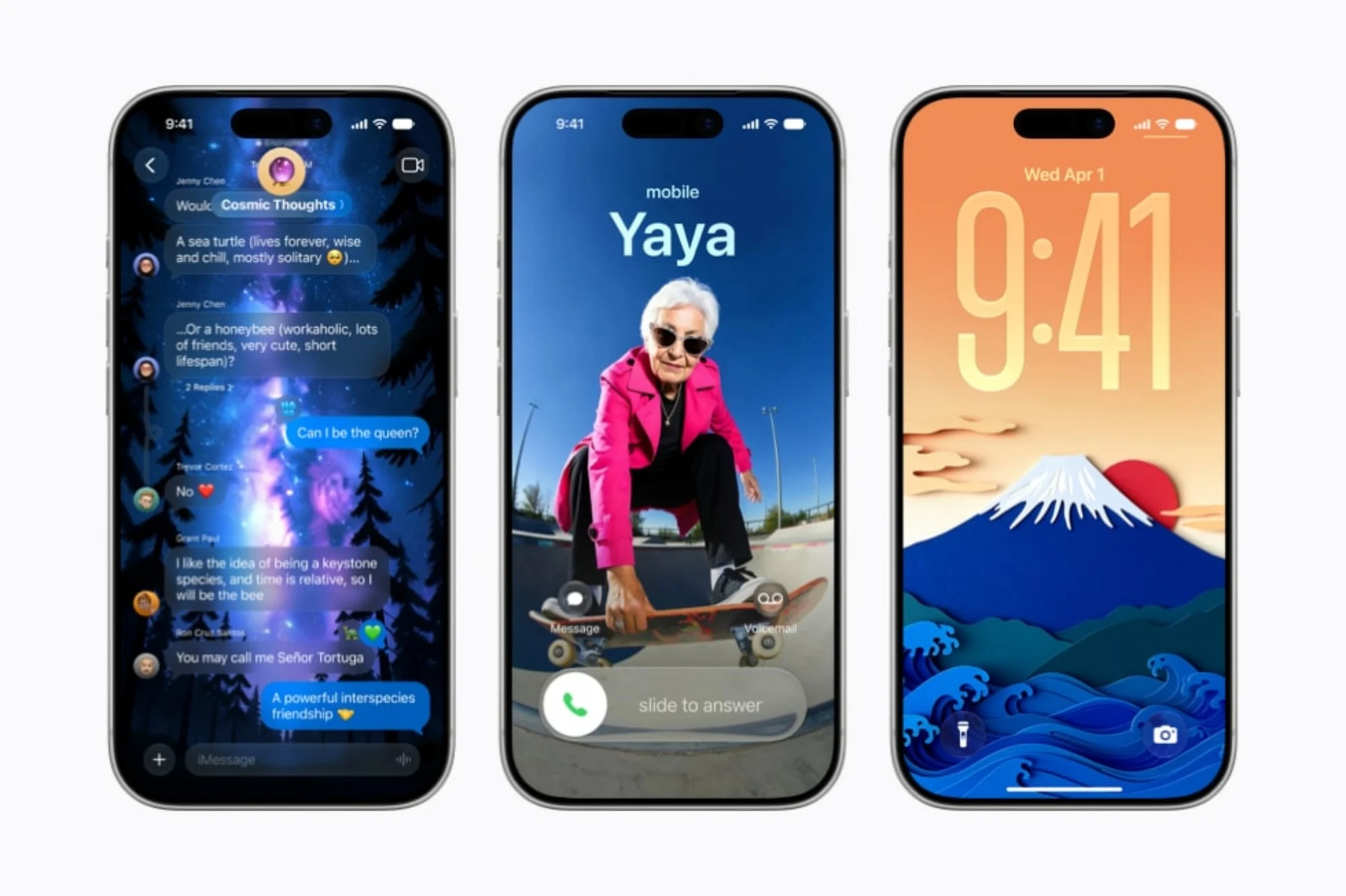
Image Playground Now Creates Photorealistic Images
Apple’s Image Playground is also receiving a significant upgrade, with support for photorealistic image generation through models running on Private Cloud Compute. Users can create images from text prompts and then fine-tune them by selecting or highlighting specific areas to modify.
Generated images are no longer limited to Messages either, as they can now be used for Lock Screen wallpapers, Contact Posters, and other creative projects. Like AI-edited photos, these images will also carry hidden SynthID watermarks.
Safari And Passwords Become More Intelligent
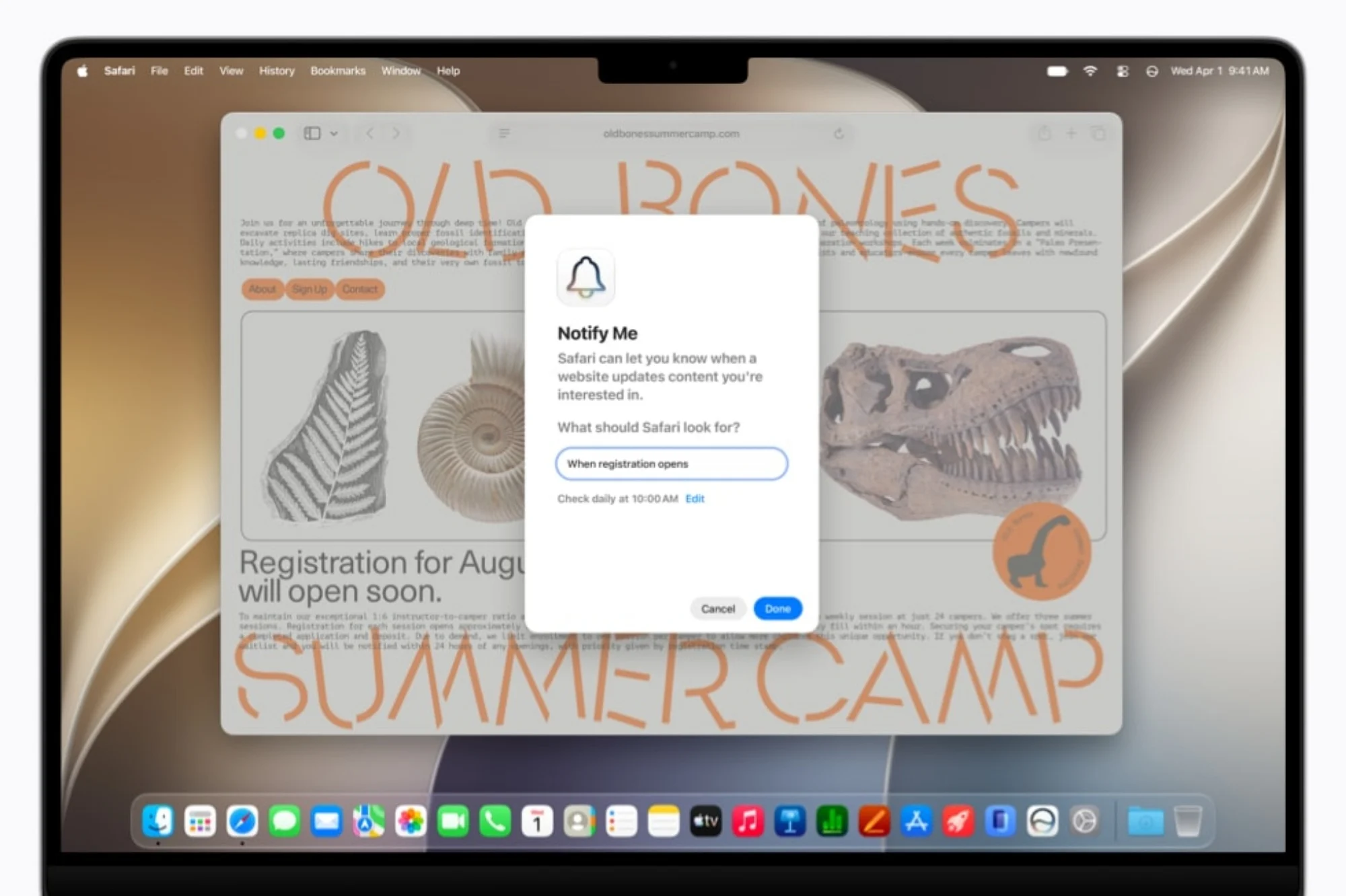
Safari is getting several AI-powered quality-of-life improvements. The browser can now automatically group related tabs into topics, making it easier to organise research or trip planning, while a new Notify Me feature can monitor webpages for changes such as price drops or product restocks.
Apple is also making its Passwords app more proactive. Instead of simply warning users about weak credentials, it can now automatically navigate supported websites and upgrade accounts to stronger passwords with a single tap.
Another new addition, called Describe an Extension, allows users to create simple Safari extensions just by describing what they want them to do.


Smarter Messaging, Calendar, And Phone Features
Apple Intelligence is also finding its way into communication tools. Messages can now suggest actions based on conversations, such as creating reminders or finding specific photos using keywords, locations, or recognised faces.
Mail receives improved Smart Reply capabilities that can better reflect a user’s writing style, while Calendar can generate event titles and fill in locations or contacts simply from a typed description.
Meanwhile, a new Call Context feature can automatically surface useful information when calling businesses, such as reservation numbers or booking codes, without analysing the actual conversation itself.
AI Comes To Shortcuts And HomeKit
The Shortcuts app is becoming easier to use thanks to Describe a Shortcut. Rather than manually assembling automations, users can simply explain what they want, with Apple Intelligence generating the required workflow automatically.
The Home app is also getting smarter, grouping related smart home notifications into a single activity feed. AI-generated summaries for HomeKit Secure Video clips and natural-language search for recorded footage should also make it easier to find important events.
Accessibility And Other Improvements
Apple is continuing to expand accessibility features through Apple Intelligence. VoiceOver and Magnifier now provide richer scene descriptions, Voice Control can identify interface elements from plain-language descriptions, and Accessibility Reader supports more complex documents while offering AI-powered summaries and translations.
Elsewhere, Apple is adding automatic proofreading across the operating system, smarter file and folder naming suggestions, improved Genmoji generation, and additional AI-driven fitness insights through Workout Buddy.

Availability
The new Apple Intelligence features are available for developer testing starting today, with a public beta scheduled to launch next month through Apple’s Beta Software Program. Apple says the full rollout is slated to arrive this fall.
Additionally, Apple Intelligence will launch alongside iOS 27, iPadOS 27, macOS 27, watchOS 27 and visionOS 27. Supported devices include the iPhone 16 series and later, iPhone 15 Pro models, M1-equipped iPads and Macs or newer, Apple Vision Pro, and selected recent Apple Watch models when paired with a compatible iPhone.
(Source: Apple [official website])
