
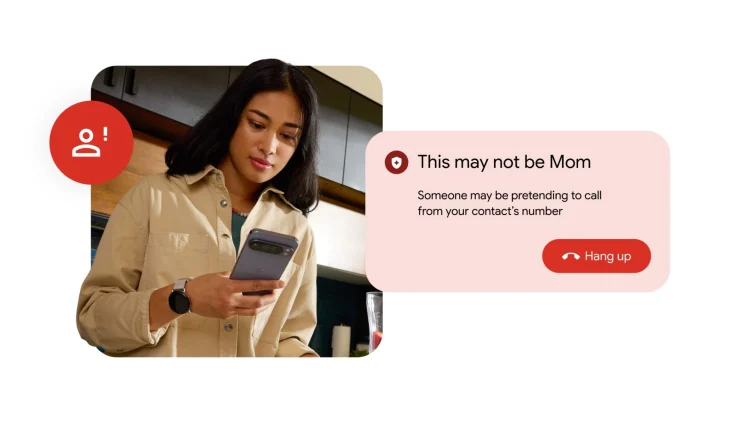
In this day and age, scams have grown increasingly difficult to identify, thanks to a variety of sophisticated tools. AI deepfake technology is readily accessible, allowing malicious actors to impersonate a person’s loved one to deceive them. To help combat these schemes, Google is rolling out a new fake call detection feature for Android devices.
This new capability builds on previously introduced scam detection tools, including the recently announced verified financial calls. With the update, Android can detect and flag suspected spoofed calls.
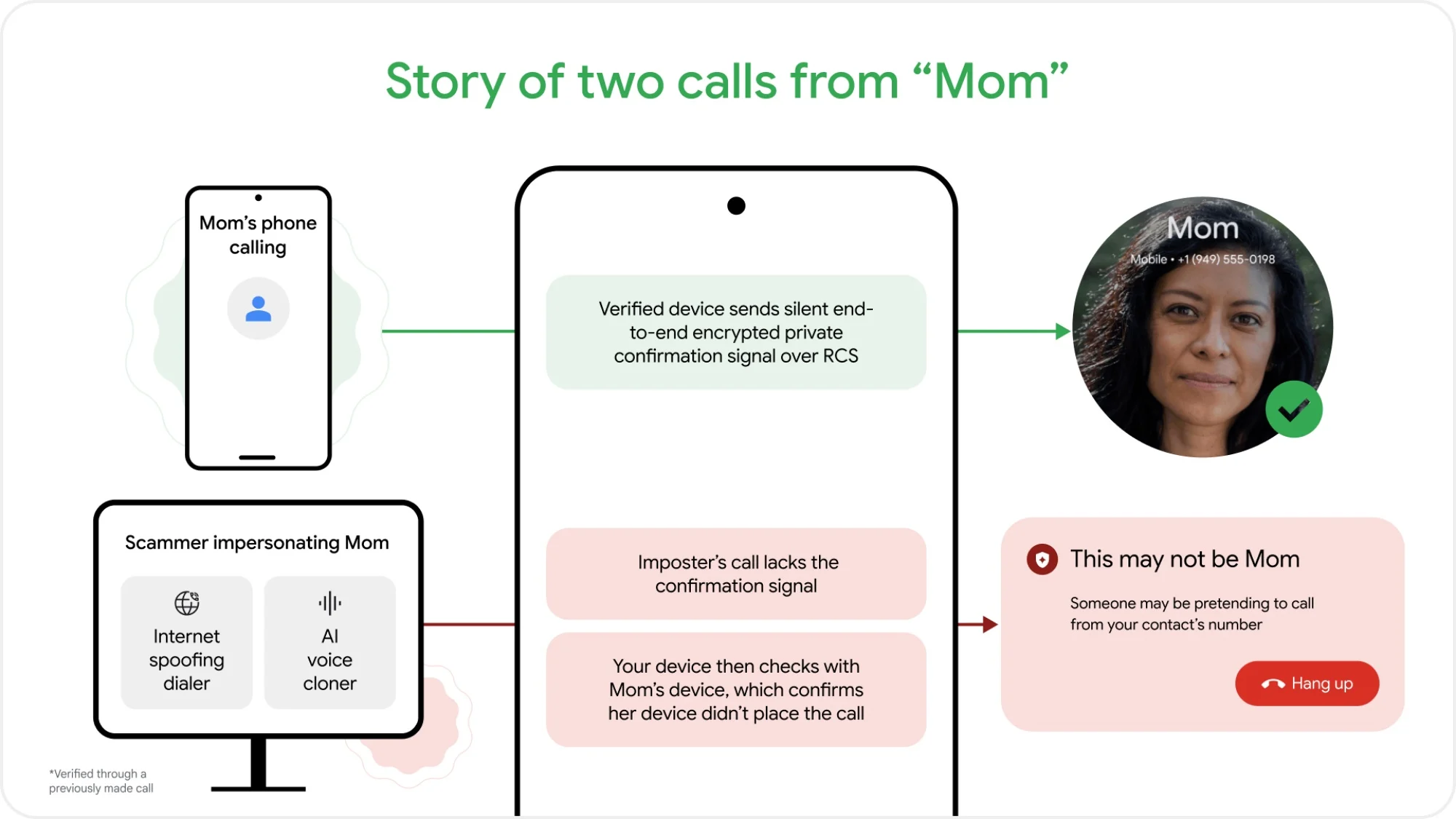
As outlined in a blog post, the feature is enabled by default and works automatically in the background. Essentially, when a contact calls the user, their device sends out a silent signal confirming that the call is legitimate. This digital handshake relies on end-to-end encrypted Rich Communication Services (RCS) technology, ensuring that it is completely private.
When impersonating a contact, scammers will spoof the phone number. Basically, the call is routed through internet-based software so it appears to originate from the contact. Of course, this means that the confirmation signal will be missing. The user’s phone will immediately detect this and ping the contact’s actual device. If it turns out that the real device is not making a call, the user will receive a warning advising them to hang up.
According to Google, the fake call detection feature is rolling globally to devices running Android 12 and newer. As usual, Pixel devices will be the first to receive the capability. It is also worth noting that the feature only works with the Phone by Google app. While this is the default phone app for most Android devices, it is also available for download via the Play Store.
Alongside fake call detection, Google announced that it is rolling out its Try On tool in Malaysia. Initially launched last year in select markets, the feature will be widely available on our shores over the coming weeks. If the name doesn’t already make it obvious, this is an AI-powered tool that lets users virtually try on apparel.
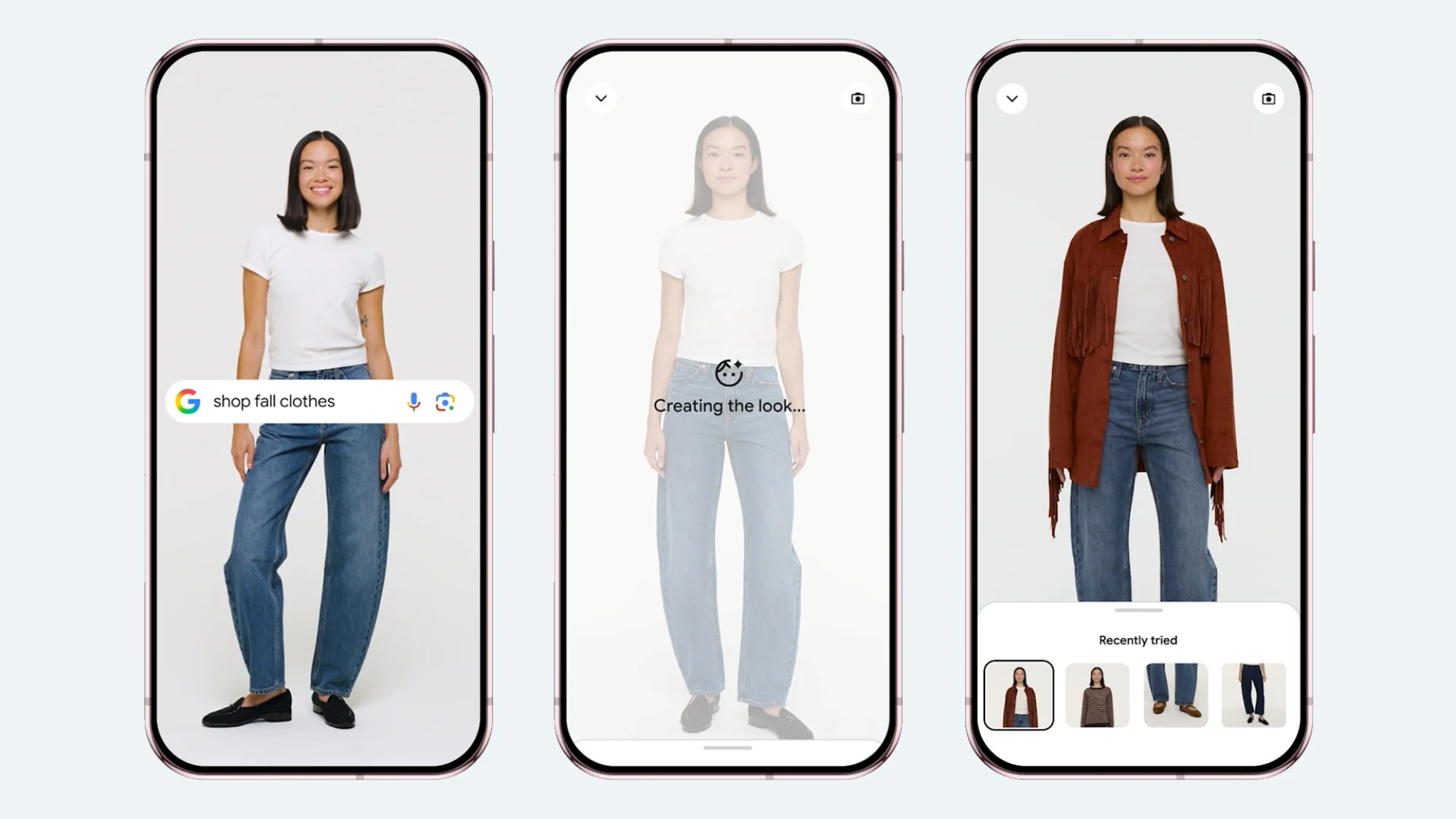
While shopping online, the user can tap on any product listing across Google or any apparel product result on Google Images. Then, they can tap on the “try it on” icon and proceed to upload a full-length photo. The user can try on as many looks as they desire, and even save or share their favourites.
(Source: Google [1], [2])
