
Google has officially enabled the Gemini integration to its Chrome web browser in Malaysia today. As you may recall, this particular feature first debuted in the US earlier this year. Built on Gemini 3.1, the update aims to streamline common online tasks such as reading, researching, and planning by embedding AI tools within the browsing experience itself.
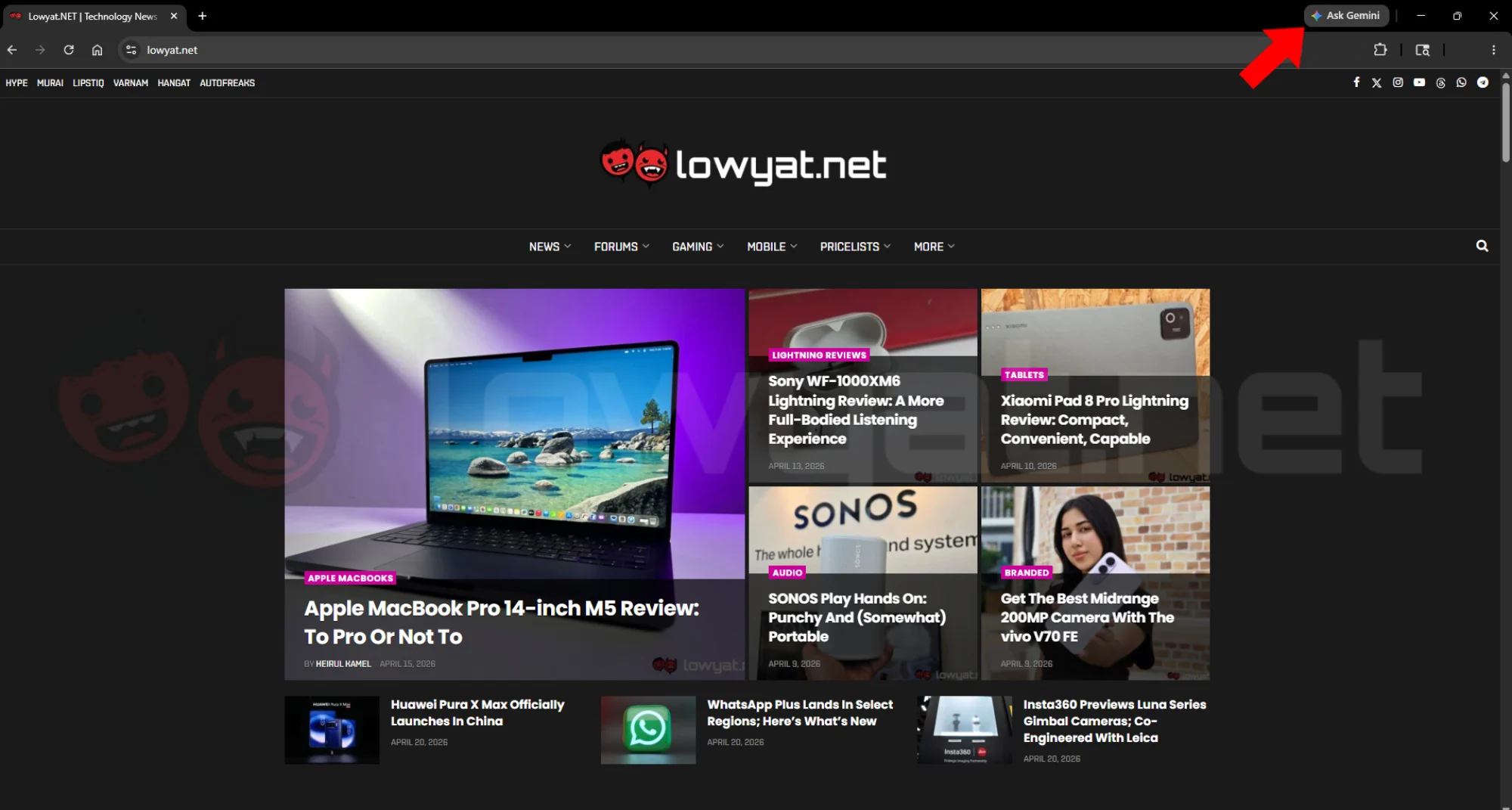
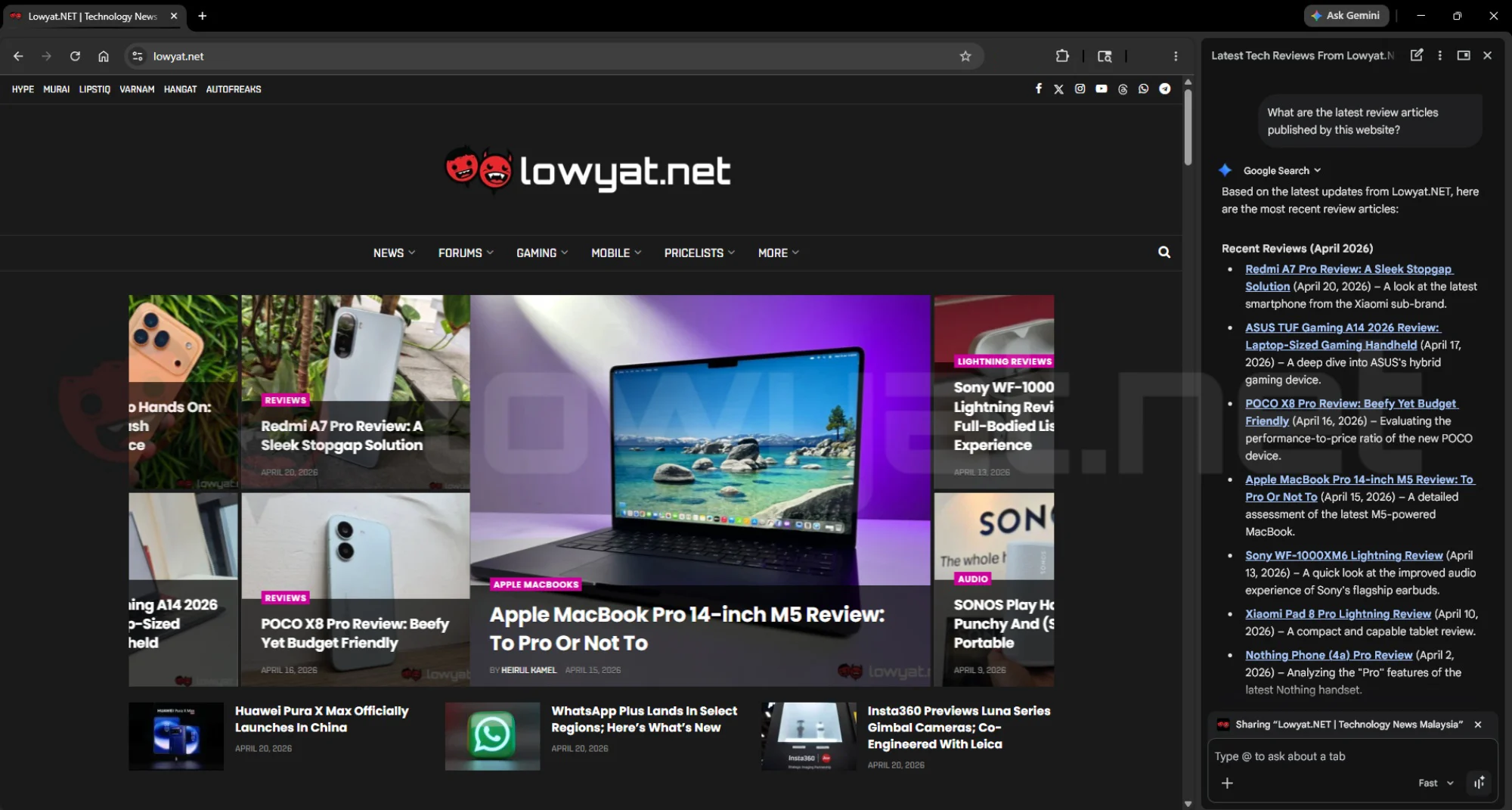
The most visible addition after updating Chrome to the latest version is a new “Ask Gemini” button located at the top right. Clicking it opens a side panel that functions as a contextual chatbot, allowing users to interact with the content on their current page without switching tabs. The assistant can summarise long articles, answer questions about what is being displayed, and suggest prompts such as describing or translating content.
Built Directly Into Chrome
The integration means users no longer need to open a separate app or tab to access Gemini. Chrome automatically understands the page being viewed, making it possible to quickly ask for summaries or clarification on specific sections. Users who prefer not to use the feature can also unpin the shortcut from the interface.
The rollout is currently available on desktop and iOS, with Android access enabled through a system-level shortcut that activates Gemini across apps. Google notes that some features remain limited for now, such as the ability to open related links in new tabs via prompts, though more advanced capabilities are planned for future updates.
Page, Image, And Video Understanding
Gemini’s capabilities extend beyond text, as it can also interpret images and videos embedded on webpages. This allows users to ask for additional context or explanations about visual content without leaving the page.
For videos on YouTube, the assistant can generate summaries that include timestamps. This makes it easier to navigate longer clips or jump directly to relevant sections without manually scrubbing through the timeline.
Cross-Tab Productivity And Google Service Integration
Google is positioning the feature as a productivity tool by tying it into its broader ecosystem. Integration with services like Gmail and Google Calendar enables users to take action directly from the browser, including drafting emails or scheduling events without switching tabs.
Gemini can also work across multiple open tabs, helping users consolidate information into a single view. This can be used for tasks such as comparing products, planning activities, or organising research gathered from different sources.
Built-In Image Generation And Editing
Chrome now includes image generation and editing tools through Nano Banana 2. Users can input prompts in the Gemini side panel to modify or generate images directly within the browser, eliminating the need for external tools or uploads. This feature is positioned for quick visualisation tasks, such as experimenting with design ideas or adjusting images on the fly while browsing.
Security
The company adds that these tools were designed with security in mind. Protections include safeguards against prompt injection attacks and confirmation steps for sensitive actions like sending emails or adding calendar events, alongside Chrome’s existing auto-update mechanisms for ongoing security improvements.
(Source: Google [official blog])
