

MyDigital ID was conceived as a way for Malaysians to securely access government portals and online services with just one password, saving users the hassle of having to remember multiple logins. Naturally, it’s possible for a person to forget that single password. As such, the national digital identity platform has introduced a feature to address the issue.
With the latest app update, users can now reset their MyDigital ID password without having to revoke the existing digital certificate. Previously, if you had forgotten your password, you would need to revoke your current MyDigital ID and then go through the entire registration process all over again. This would entail scanning your face and MyKad for identity verification, in addition to entering your email and personal details.
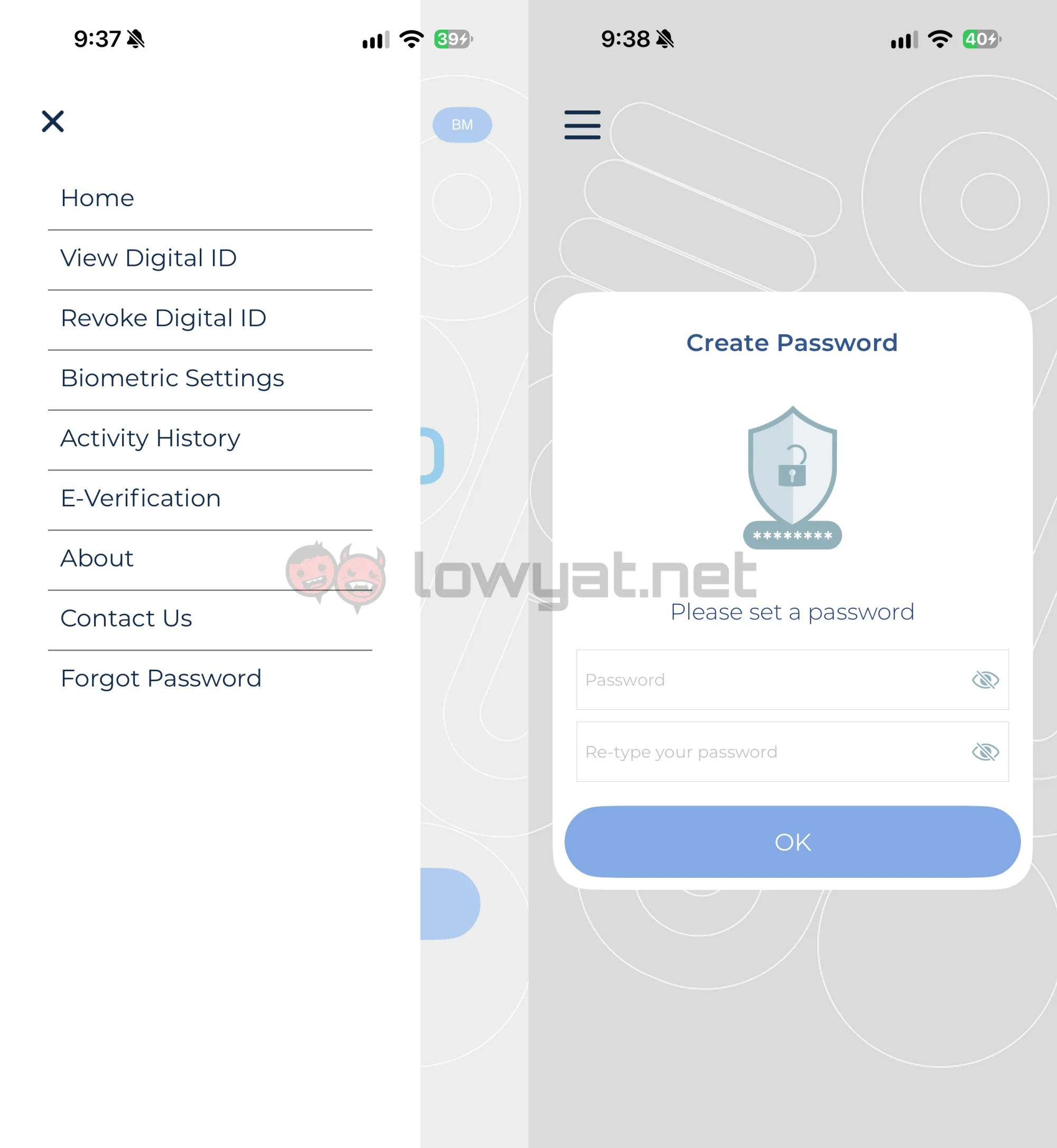
Now, the new feature allows users to change their password easily. To do so, you must first ensure the app is updated to the latest version. In this case, it’s 2.11.0. Once updated, you can tap the hamburger menu in the top left corner, where you will find the various settings and functions. The “Forgot Password” feature is located at the very bottom of the list. After selecting this option, the app will require a face scan for authentication purposes. Then, you can simply set your new password. Of course, the usual password rules still apply here.
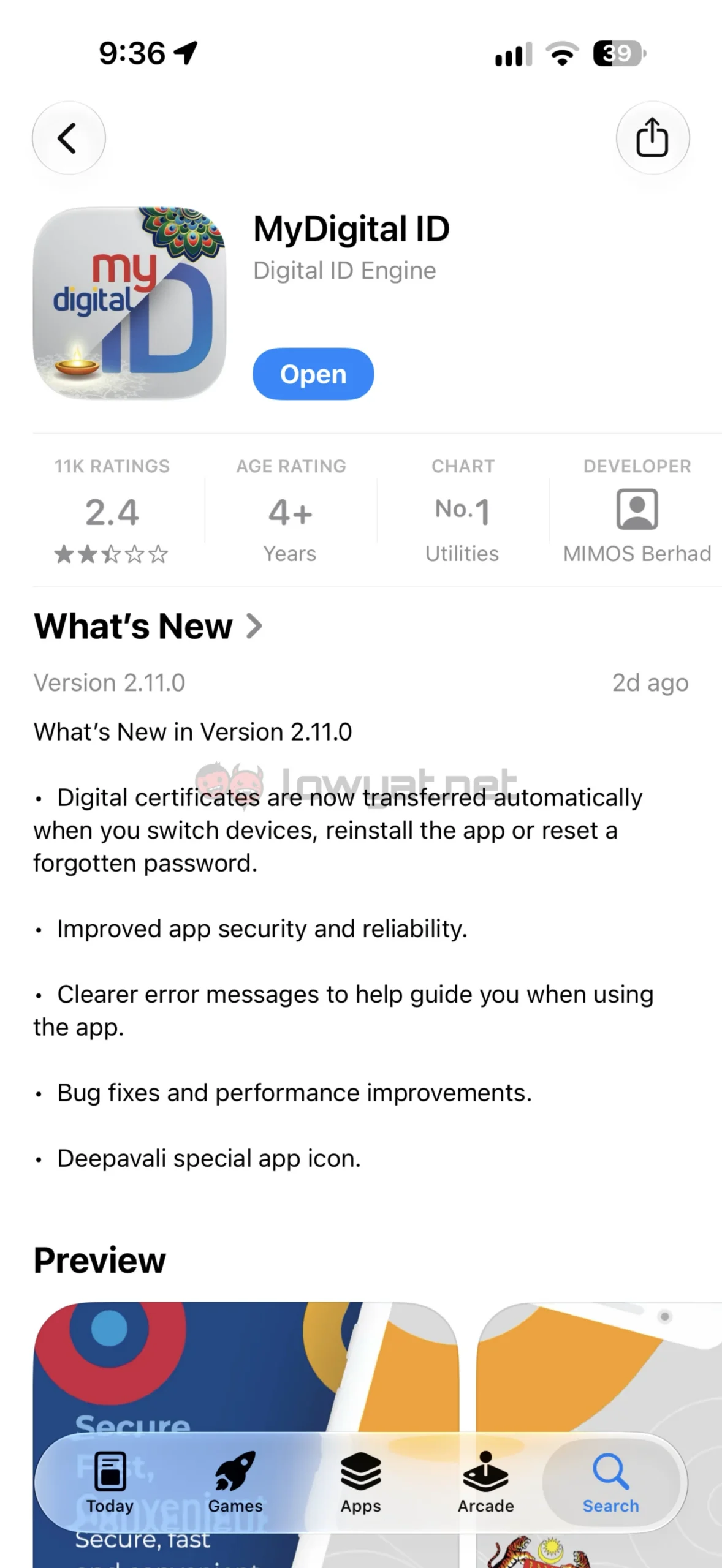
Beyond adding the password reset feature, the update also brings another quality of life change. As detailed in the update notes, the app now transfers digital certificates automatically when the user switches devices or reinstalls the app.
 Again, all these changes serve to make using the service more convenient for users. One could argue that these features are a touch overdue, since they should have been available from the get go, but it’s better late than never.
(Source: MyDigital ID via Facebook)
