

A newly discovered Windows 11 bug is causing some PCs to lose hundreds of gigabytes of available storage due to a runaway system log file. Reports suggest the issue can cause the file to grow beyond 500GB, significantly reducing the amount of free space on affected drives.
The bug was first highlighted by Windows Latest, which traced the problem to the operating system‘s Capability Access Manager. Fortunately, Microsoft has already addressed the issue through an optional update, with the fix also expected to roll out more widely soon.
A Log File That Keeps Growing
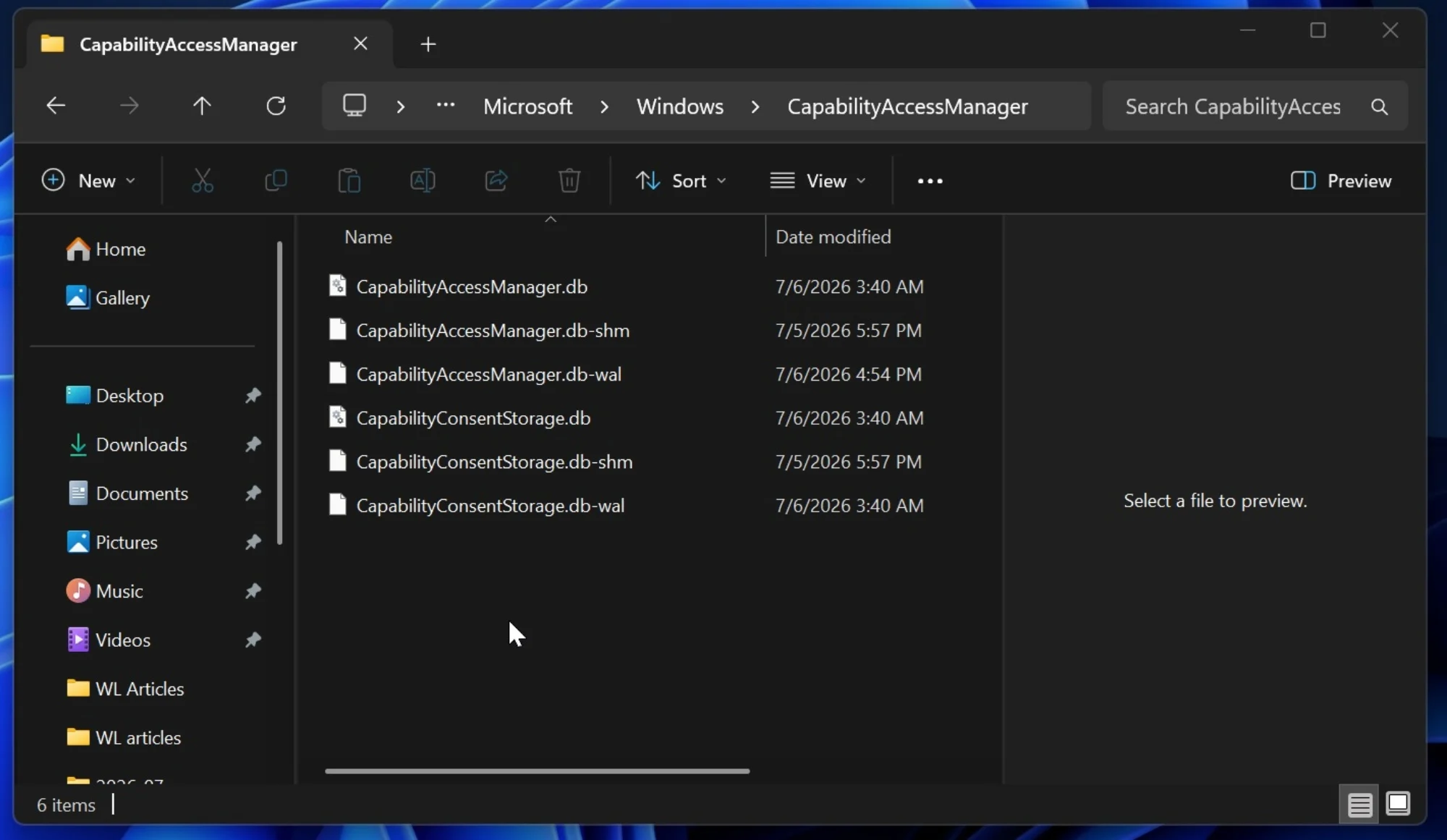
The issue is linked to CapabilityAccessManager.db-wal, a write-ahead log (WAL) file used by Windows 11’s Capability Access Manager. This system component manages application permissions for privacy-sensitive features such as the camera, microphone, location, contacts, and screen capture.
Under normal circumstances, a WAL file temporarily stores database changes before they are merged back into the main database. However, affected Windows 11 systems appear to stop compacting the log properly, allowing the file to grow indefinitely.
While some users have reported the file reaching between 70GB and 200GB, others have seen it exceed 500GB. One Reddit user even reported the file occupying approximately 513GB of storage.
How To Check If Your PC Is Affected
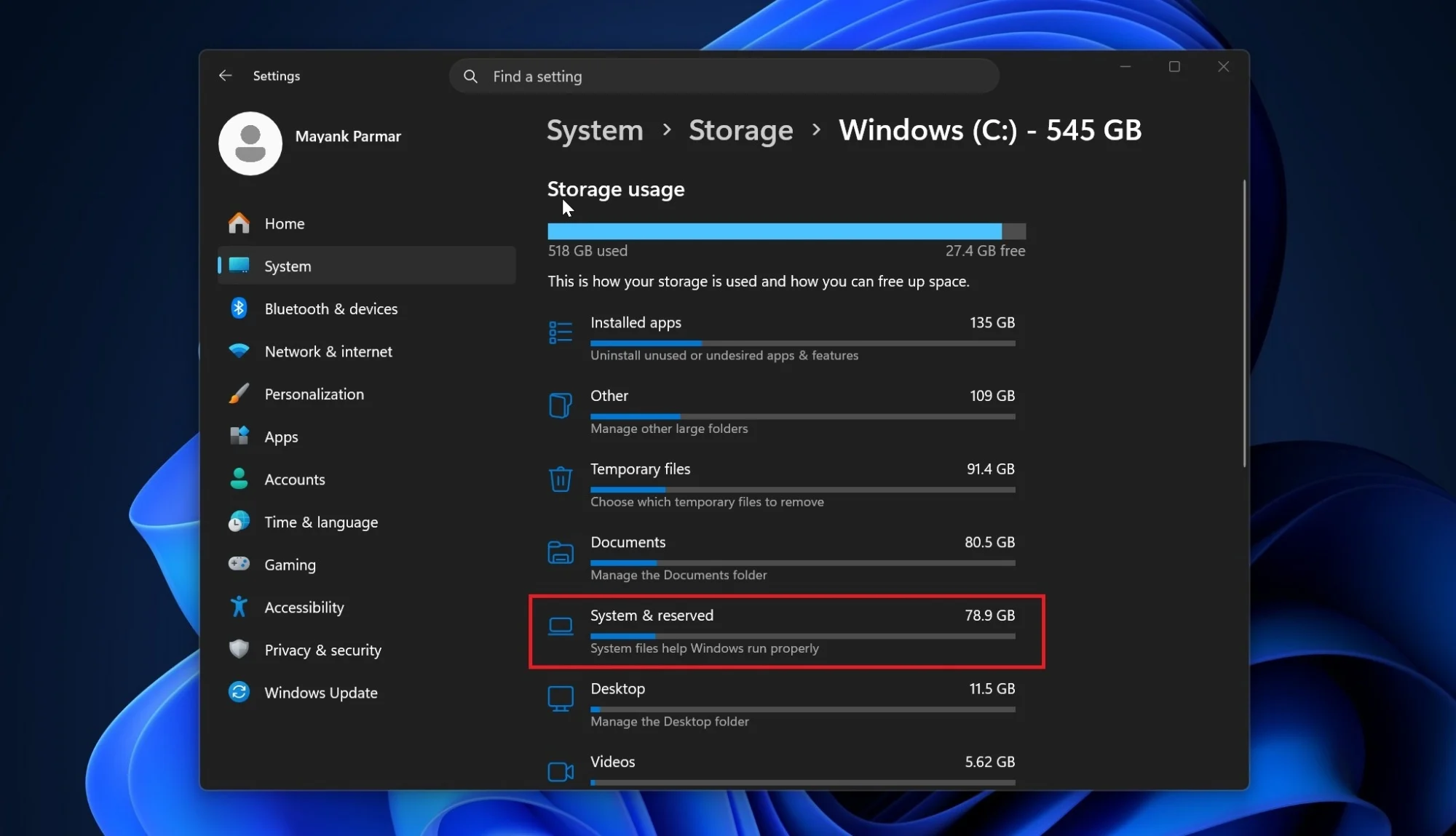
Users can first check whether the issue has affected their PC by navigating to Settings > System > Storage > Show more categories. If the System & reserved category (or more specifically System files) is consuming several hundred gigabytes, the bug may be the cause.
For a more precise check, Windows Latest recommends running the following read-only Robocopy command from an elevated Command Prompt:
robocopy “C:\ProgramData\Microsoft\Windows\CapabilityAccessManager” “%TEMP%\CAMCheck” /L /B /R:0 /W:0 /BYTES /NP
The command only lists files and does not copy or delete anything. Users should look for CapabilityAccessManager.db-wal in the output. A file measuring only a few megabytes is considered normal, while one spanning several gigabytes and continuing to grow is a sign that the system has been affected.
There Is A Fix
As mentioned earlier, Microsoft has already addressed the issue through the KB5095093 update, which includes Windows 11 builds 26200.8737 and 26100.8737. However, the patch is currently available as an optional update, meaning users must manually install it through Windows Update. Alternatively, they can simply wait for the fix to be rolled out as part of this month’s Patch Tuesday release.
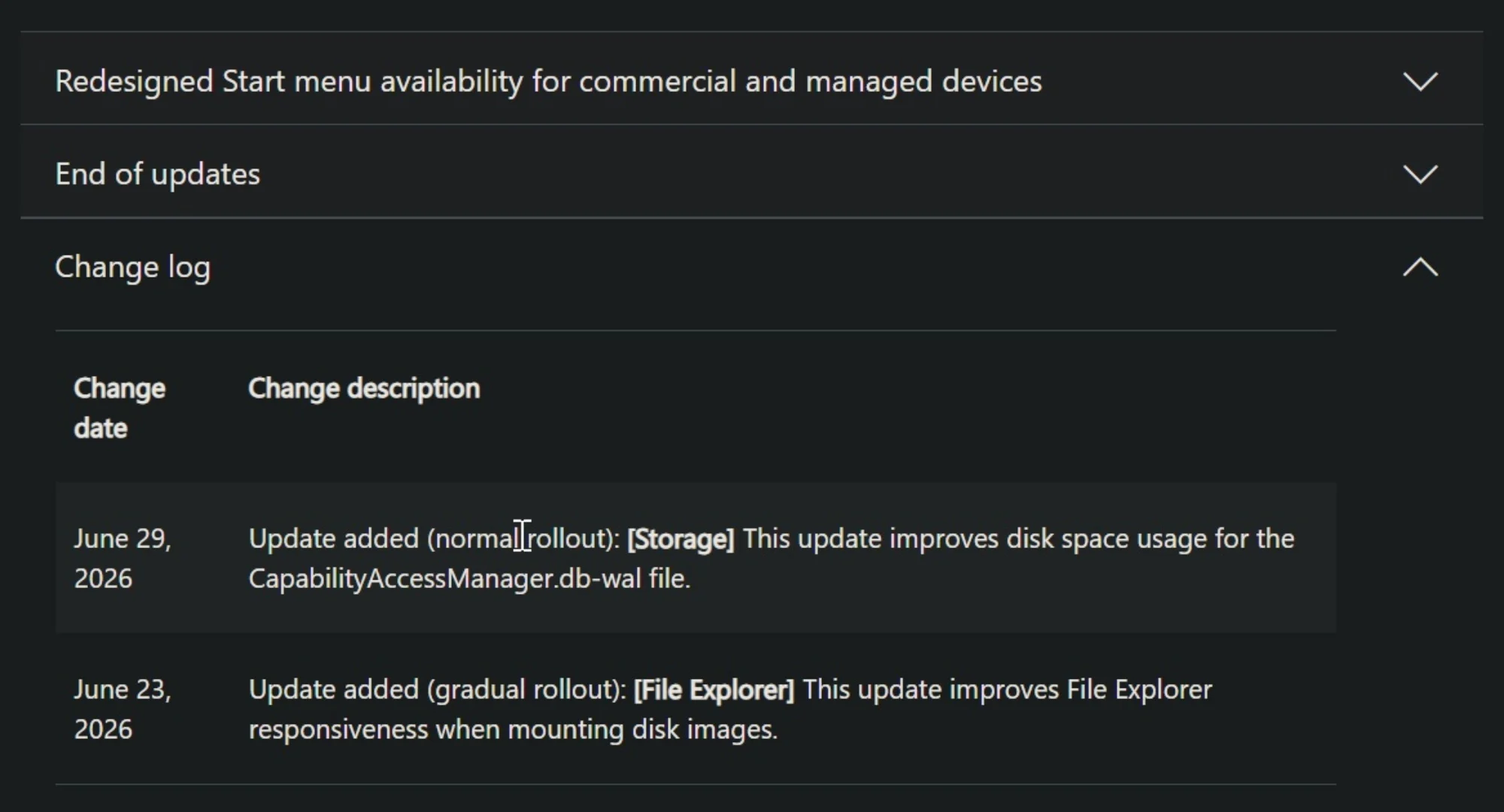
Microsoft’s release notes state that the update “improves disk space usage for the CapabilityAccessManager.db-wal file.” However, the company has yet to explain why the bug allowed the log file to expand to such unusually large sizes.
(Source: Microsoft / Windows Latest)
