• Hype
  • Murai
  • Lipstiq
  • Varnam
  • Hangat
  • Autofreaks
Lowyat.NET
  • News
    • Lifestyle
    • Computing
    • Hardware
    • Internet
    • Rumours & Leaks
    • Software
  • Forums
    • Kopitiam
    • Tradezone
    • Property Talk
    • Finance & Business
    • Fast and Furious
  • Gaming
    • PC Gaming
    • Console
    • Mobile Gaming
    • Esports
  • Mobile
    • Apps
    • OS
    • Tablets
    • Phones
    • Telco
      • Celcom
      • DiGi
      • Maxis
      • Tune Talk
      • U Mobile
      • Buzzme
  • Pricelists
    • Compu-zoneUpdated
    • ViewnetUpdated
    • Sri ComputersUpdated
    • StartecUpdated
  • More
    • Automotive Tech
    • Drone
    • Enterprise
    • Entertainment
    • Fashion
    • E-Hailing
    • Wearables
No Result
View All Result
Lowyat.NET
  • News
    • Lifestyle
    • Computing
    • Hardware
    • Internet
    • Rumours & Leaks
    • Software
  • Forums
    • Kopitiam
    • Tradezone
    • Property Talk
    • Finance & Business
    • Fast and Furious
  • Gaming
    • PC Gaming
    • Console
    • Mobile Gaming
    • Esports
  • Mobile
    • Apps
    • OS
    • Tablets
    • Phones
    • Telco
      • Celcom
      • DiGi
      • Maxis
      • Tune Talk
      • U Mobile
      • Buzzme
  • Pricelists
    • Compu-zoneUpdated
    • ViewnetUpdated
    • Sri ComputersUpdated
    • StartecUpdated
  • More
    • Automotive Tech
    • Drone
    • Enterprise
    • Entertainment
    • Fashion
    • E-Hailing
    • Wearables
No Result
View All Result
Lowyat.NET
No Result
View All Result
Home Computing

Microsoft Begins To Roll Out Windows 10 Anniversary Update: Here Is How To Get It

by Chief Chapree
August 4, 2016
Share on WhatsappShare on TelegramThreads

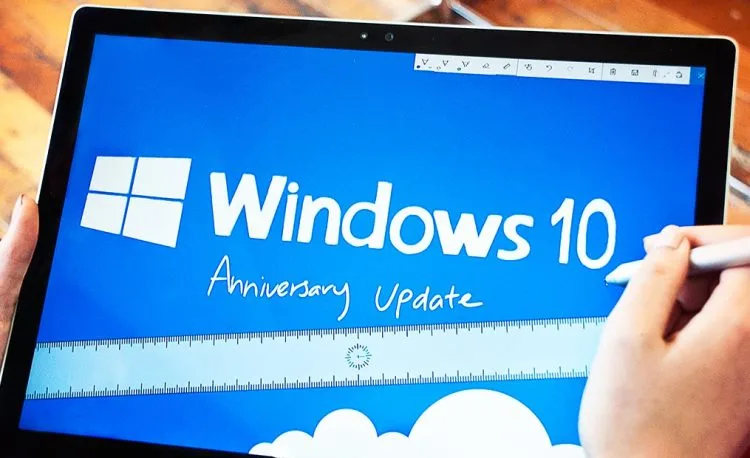
As promised, Microsoft has begun to roll out Windows 10 Anniversary Update throughout the world in time for the operating system’s first birthday. While plenty of the features from the update have been demonstrated during Build 2016 and tested by participants of Windows Insider Program for the past few months, the time has finally come for general end users to experience the new features themselves.

Among the much touted feature from the Windows 10 Anniversary Update is the new Windows Ink which enhanced digital pen experience on Windows 10 machines. This include the addition of a special section called Windows Ink Workspace that provides quick access to apps that supported digital pen as well as its own apps in the form of sketchpad, screen sketch, and Sticky Notes.
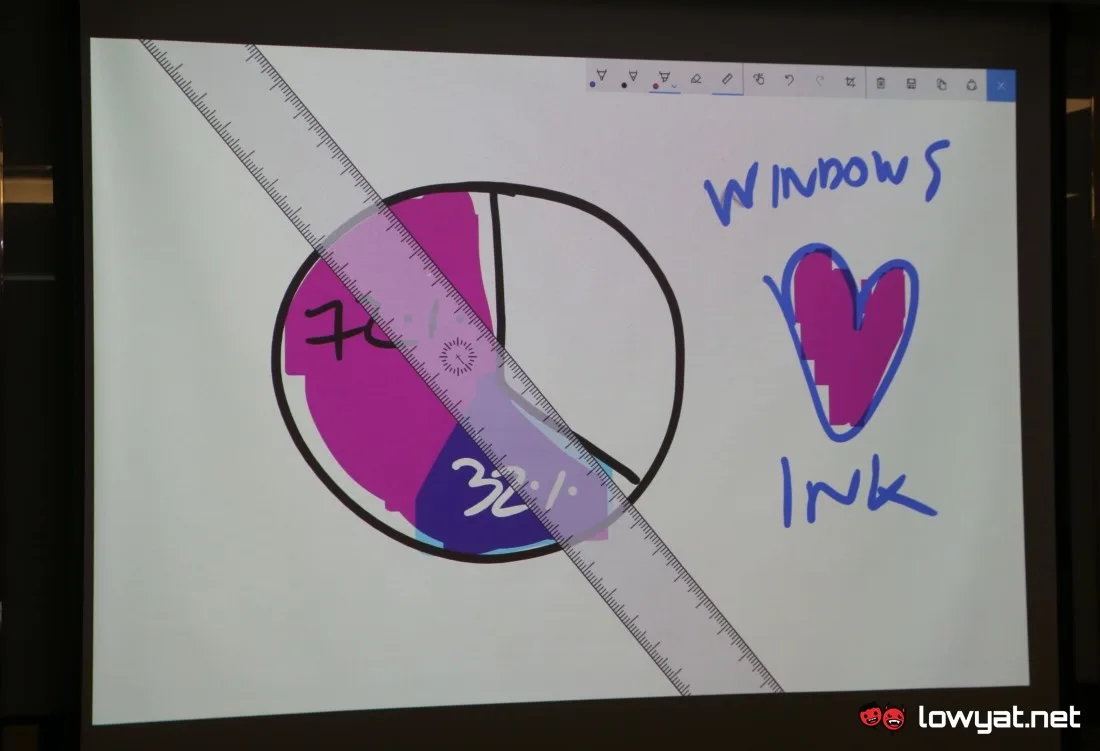
 

Windows 10 Anniversary Update - Windows Ink
Windows Ink’s digital ruler and sketchpad, part of Windows 10 Anniversary Update.

The Windows 10 Anniversary Update also includes security improvement for the operating system with one of it being the automated periodic quick system scan for Windows Defender. In addition to that, Windows Hello has also been updated to include support for Windows apps and Microsoft Edge.

At the same time, Edge also receives the long-coming extensions feature through this update alongside better power efficiency. Of course, Microsoft has also included plenty of behind-the-scenes tweak into the Anniversary Update to make the operating system more reliable and performs better.

https://www.youtube.com/watch?v=80Qz0Gbjh6Q

Meanwhile, the new Windows 10 Anniversary Update is available immediately through Settings > Update & Security > Windows Update and press Check For Updates. Once the check is done, the operating system will immediately start to download the update which is labeled as “Feature update to Windows 10, version 1607”.

If you prefer to perform clean install on your machines instead, the tool to download the ISO file is available from Microsoft’s website as well. Once everything is done, you should be able to see Version 1607 in the System > About section of your Windows Settings.

Filed Under how to get windows 10 updateWindows 10Windows 10 Anniversary UpdateWindows 10 Update
Updated 2:05 pm, Thu, 4 August 16
https://lowy.at/05m0x
SendShareShareShare1Tweet1

Follow us on Instagram, Facebook, Twitter or Telegram for more updates and breaking news. 

No Result
View All Result

TRENDING THIS WEEK

  1. 1
    News

    Jalan Bukit Bintang To Close From 29 April To 2 May

  2. 2
    Social Media

    WhatsApp Plus Lands In Select Regions; Here’s What’s New

  3. 3
    Tablets

    Huawei MatePad Mini Debuts In Malaysia With 8.8-Inch Display, 6,400mAh Battery

  4. 4
    Mobile Phones

    Redmi A7 Pro Arrives In Malaysia With HyperOS 3, 6,000mAh Battery

  5. 5
    Mobile Phones

    HONOR 600 Series Launched In Malaysia with 200MP Main Camera

NETWORK

  • Hype
  • Murai
  • Lipstiq
  • Varnam
  • Hangat
  • Autofreaks

ABOUT

  • Advertise
  • Careers
  • Privacy Statement
  • Editorial Policy
  • Terms of Use
  • Contact Us

©2026 VIJANDREN RAMADASS. ALL RIGHTS RESERVED.

No Result
View All Result
  • News
  • Forums
  • Laptops
  • Telco
  • Mobile
  • Gaming
  • Fintech
  • Artificial Intelligence
  • Cryptocurrency
  • Cyber Security
  • Hybrid Vehicles
  • Advertise with Us

©2026 VIJANDREN RAMADASS. ALL RIGHTS RESERVED.

No Result
View All Result
  • News
  • Forums
  • Laptops
  • Telco
  • Mobile
  • Gaming
  • Fintech
  • Artificial Intelligence
  • Cryptocurrency
  • Cyber Security
  • Hybrid Vehicles
  • Advertise with Us

©2026 VIJANDREN RAMADASS. ALL RIGHTS RESERVED.