
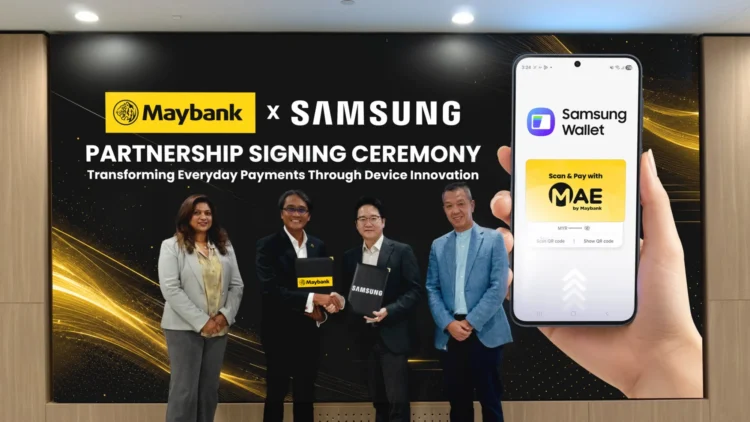
Samsung Malaysia has announced a partnership with Maybank that brings Maybank MAE Scan & Pay directly into Samsung Wallet, allowing eligible Galaxy users in Malaysia to make QR code payments without first opening the MAE app. The feature is now rolling out through the latest Samsung Wallet and software update, making Malaysia the first market to receive the South Korean tech giant’s native QR payment experience within the digital wallet.
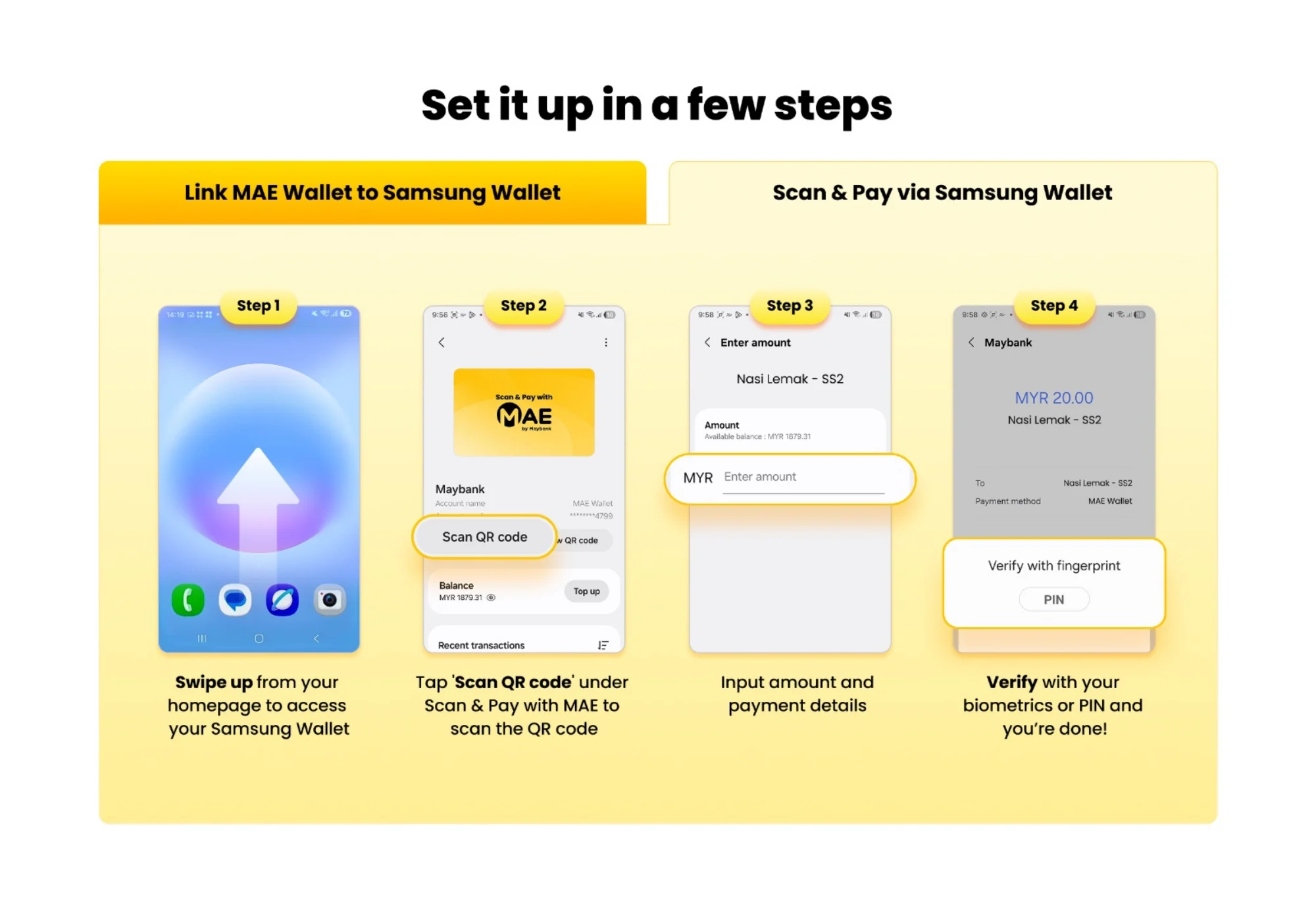
Instead of launching the MAE app separately, users can simply swipe up to access Samsung Wallet, select the QR payment option, and scan a merchant’s DuitNow QR code to complete the transaction. Maybank notes that the integration also supports cross-border QR payments in Singapore, Thailand, Indonesia and Cambodia, where compatible QR payment networks are available.
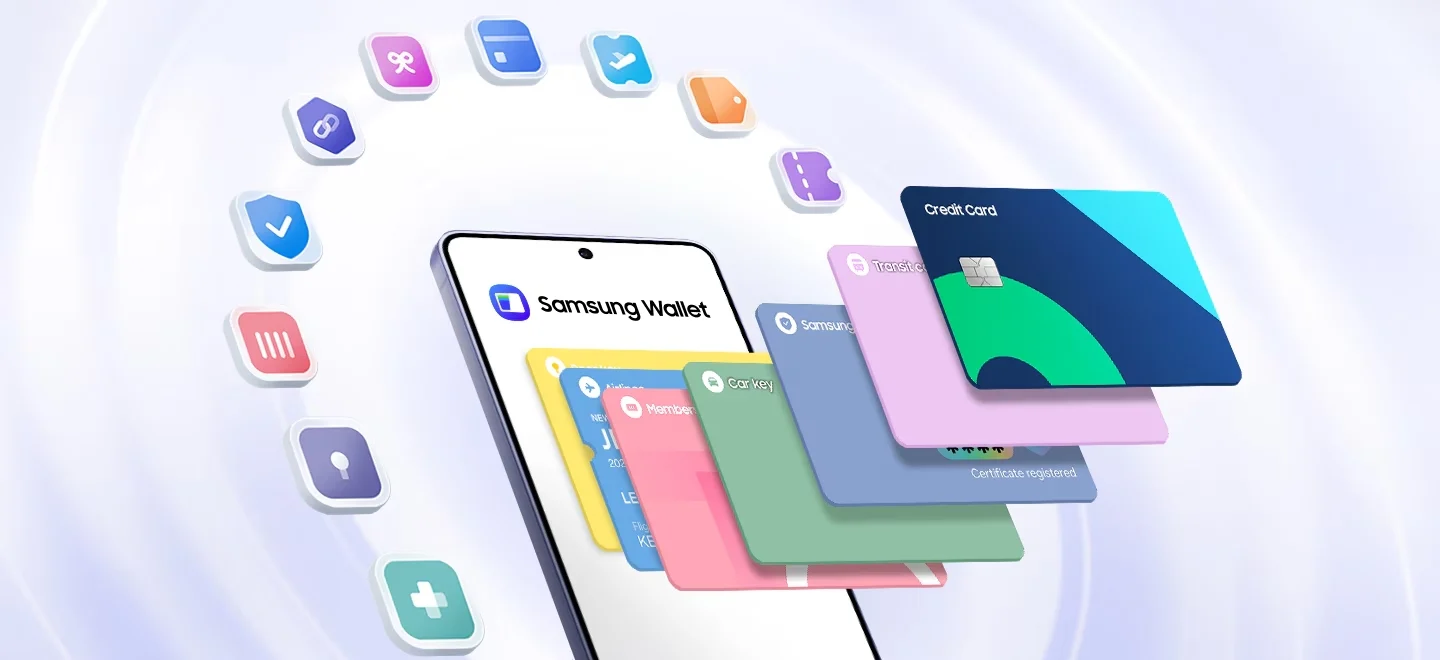
This latest addition builds on Samsung’s digital wallet journey in Malaysia, which began with the launch of Samsung Pay in February 2017. At the time, the service focused on NFC-based contactless card payments before later being rebranded as Samsung Wallet in 2023 as Samsung expanded the platform to also store digital keys, boarding passes, loyalty cards and other digital credentials.
Samsung Rewards Can Also Be Earned
Samsung says users will also earn Samsung Rewards points for eligible QR payment transactions made through Samsung Wallet. The points can later be redeemed for Samsung products or vouchers through the Samsung Members app.
To coincide with the launch, Samsung and Maybank are running a promotional campaign from 28 July until 30 October 2026. Eligible users who activate the QR payment feature in Samsung Wallet will receive RM5, while those who continue using the feature for purchases can earn up to RM15 more in cashback or vouchers, depending on the campaign’s qualifying requirements.
Samsung says the overall promotion offers rewards worth a combined RM500,000.
How To Enable Samsung Wallet QR Payment
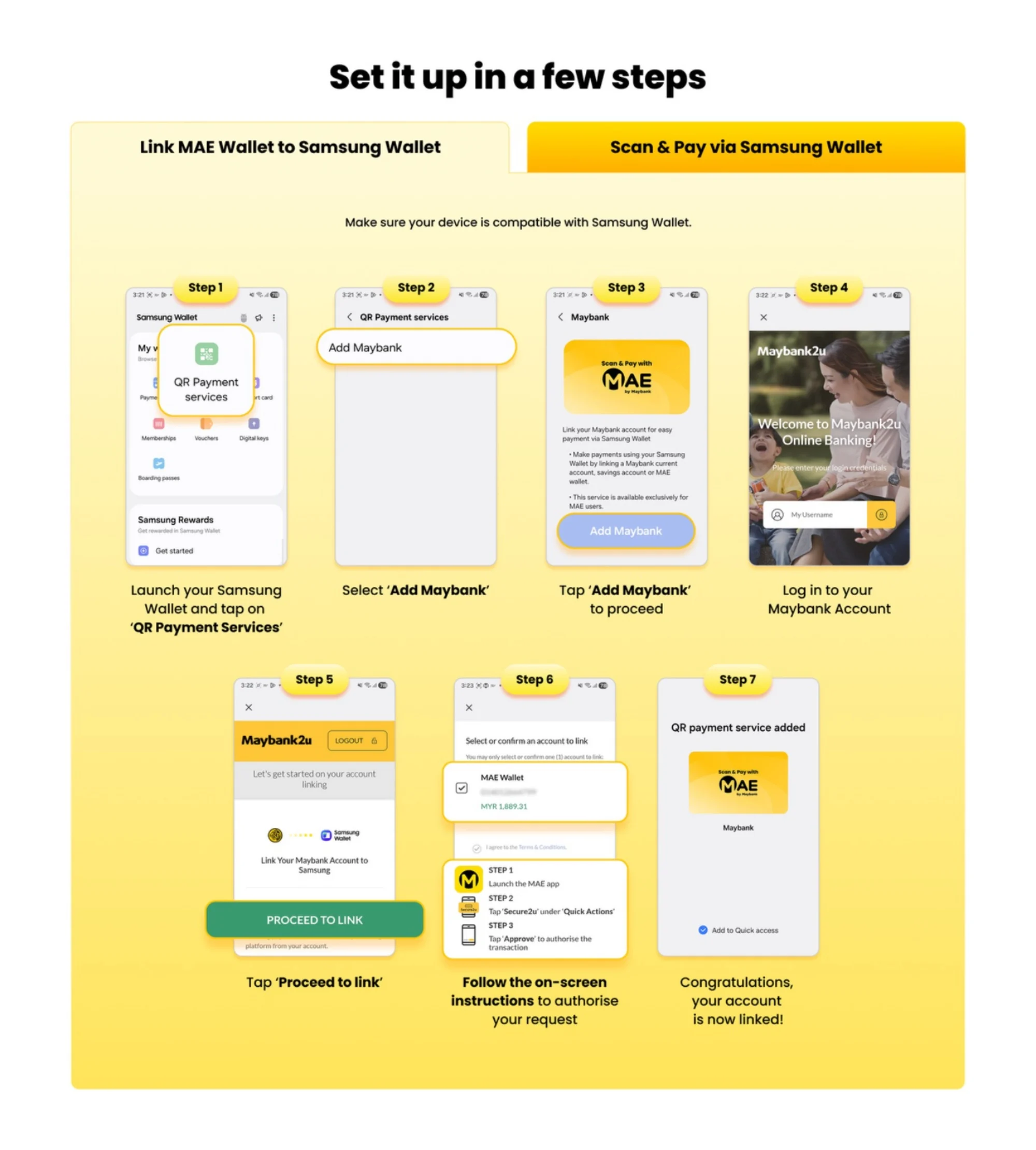
To start using the new feature, first ensure that your Samsung Galaxy smartphone is running the latest software version and that the Samsung Wallet app has been updated. Once updated, open Samsung Wallet and follow the on-screen prompts to activate the QR Payment feature by linking your Maybank MAE account. After the setup is complete, you can simply swipe up to launch Samsung Wallet, select the QR Payment option, and scan any supported DuitNow QR code to pay.
(Source: Samsung press release)
