
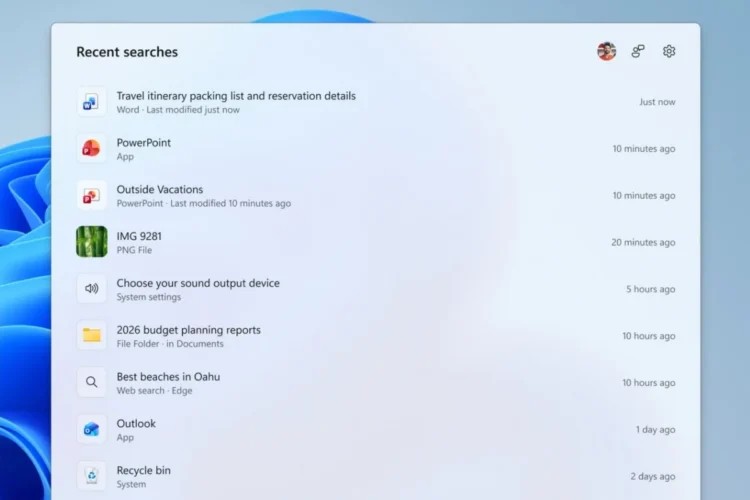
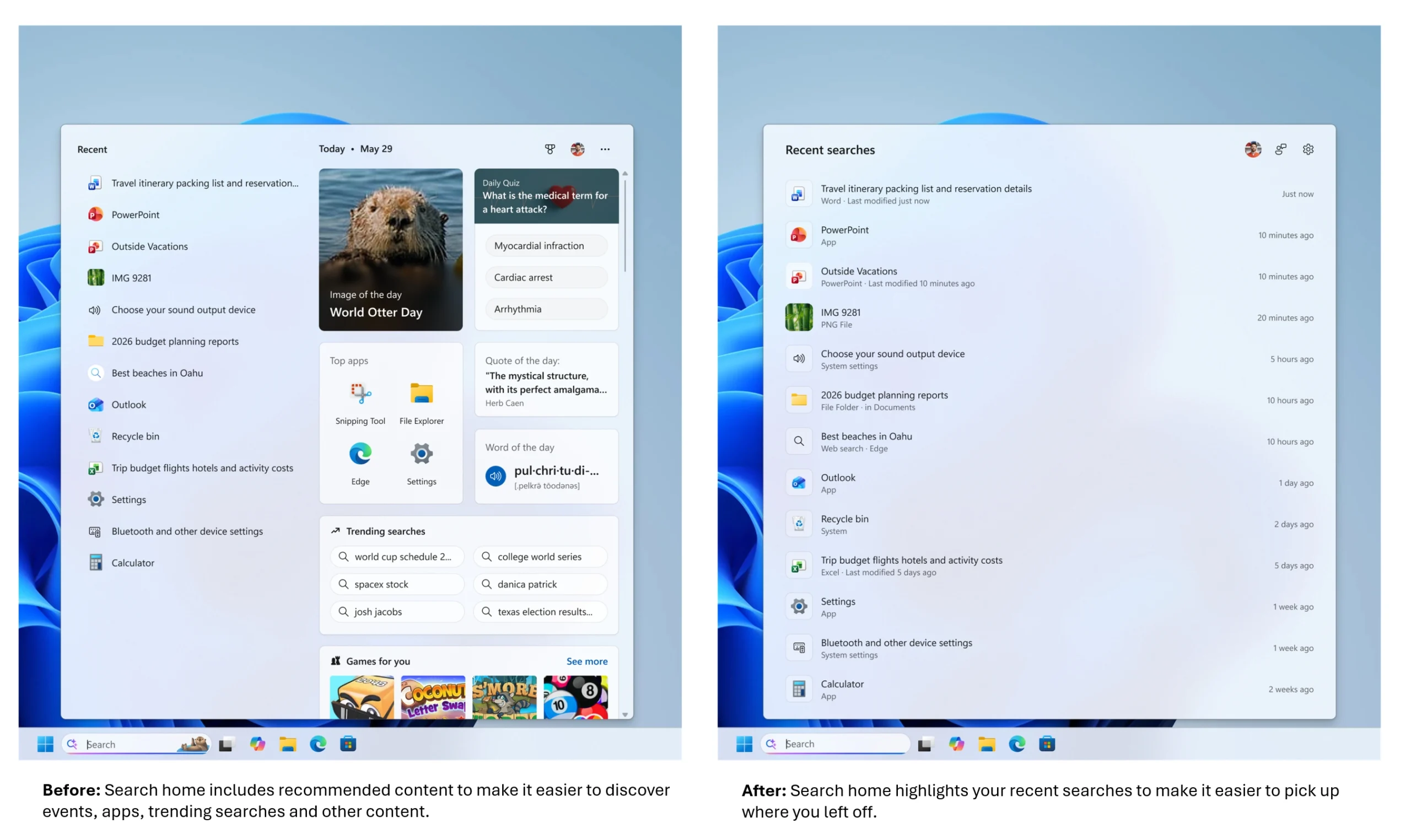
Do you ever get annoyed when you click on the search bar next to the Start menu on your Windows PC, only to be greeted by a bunch of “recommendations” before you even type in what you’re searching for? For those who remember when the Start menu was just as messy, you’ll know that those can be very distracting. It looks like Microsoft has finally decided it’s time to clear off the mess. In a Windows Blog post, the company says that it’s improving the Windows Search Box experience.
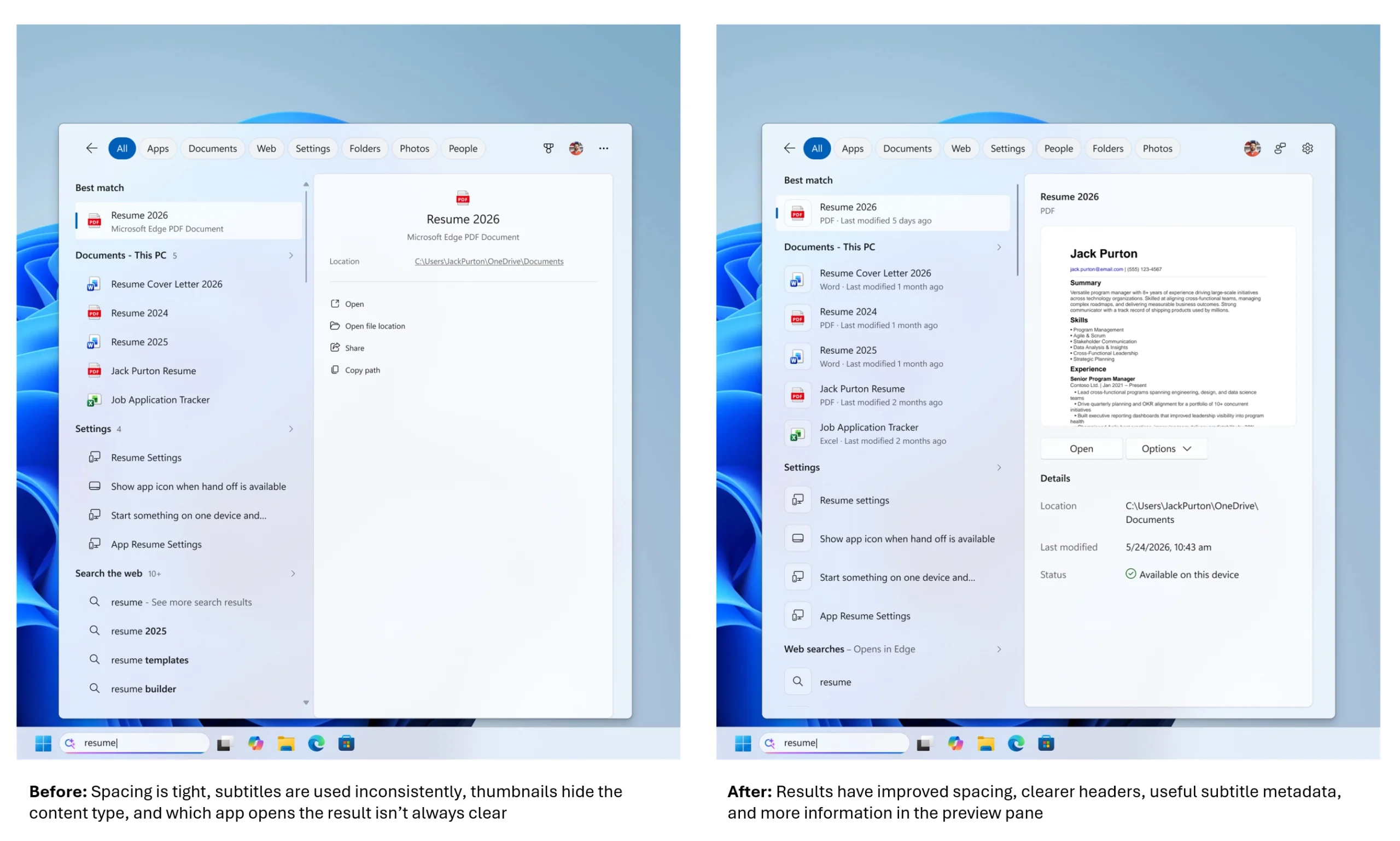
Part of this improvement is to make it so that, until you type in something to search for, your recent searches will take up all of the Search Home real estate, rather than just half. Then when you highlight an item, rather than having the space previously reserved for “recommendations” show you a mostly blank space, it will now show metadata for the file in question, and even a preview if available. The best thing is, the search will prioritise local results over stuff from the web or Microsoft Store. And it’s weird that this isn’t just the default right now.
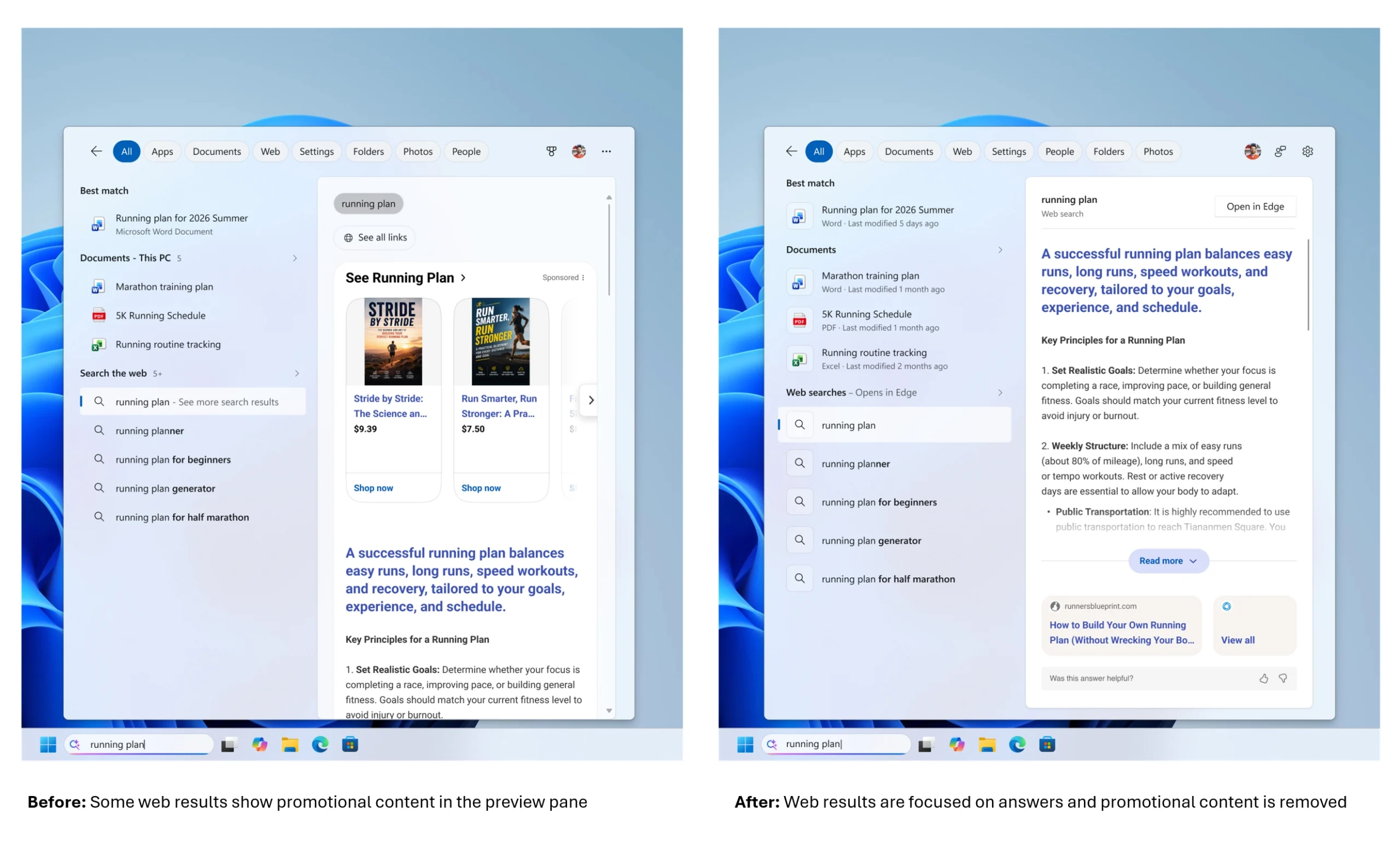
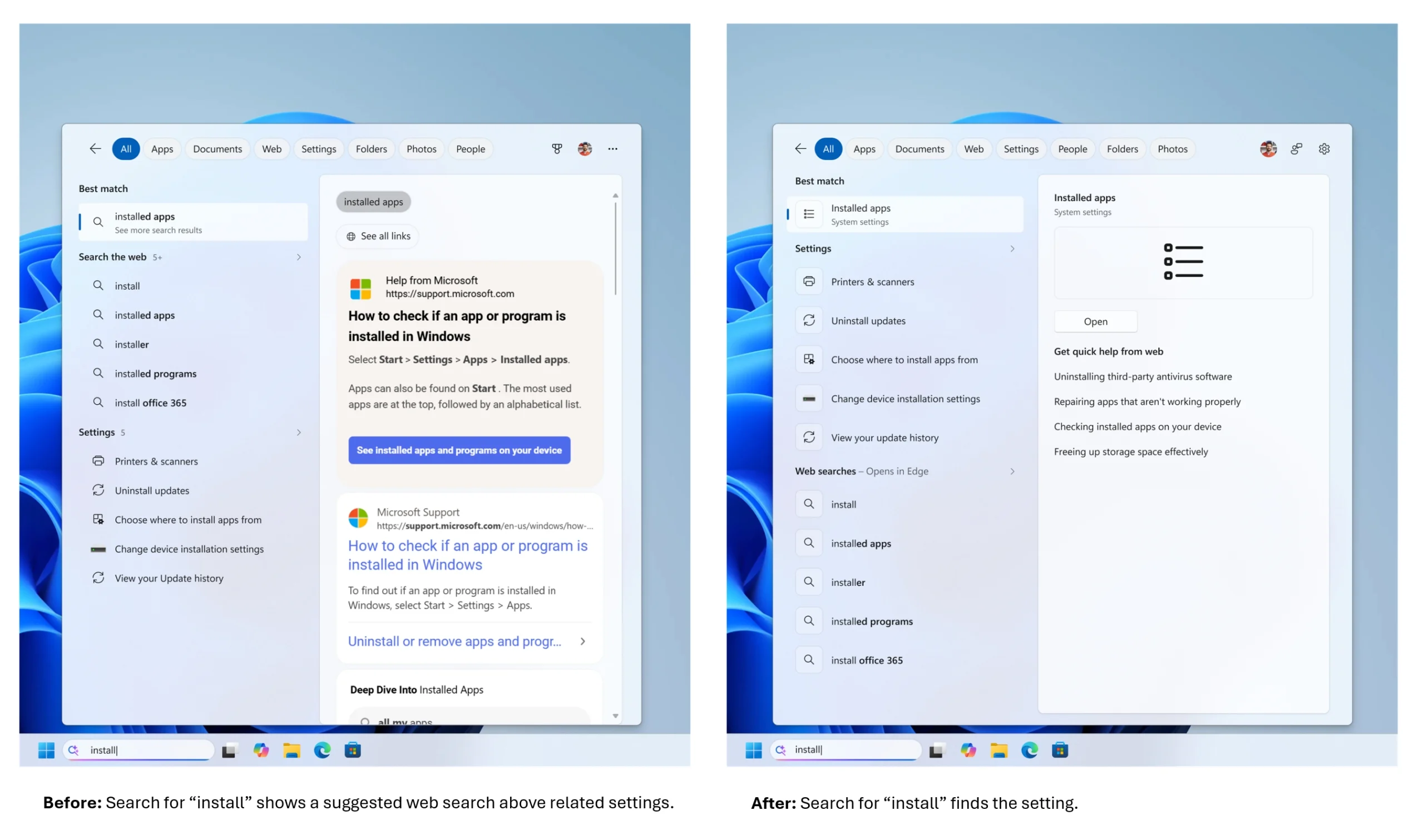
Microsoft also says that it’s cleaning up web results, making it so that your searches show the most relevant answer first instead of “related products and promotions”. While the actual search results are supposed to come first, from the screenshot provided, it still looks like an AI overview is placed on top of the actual search results, so your mileage may vary as to whether this is a good thing.
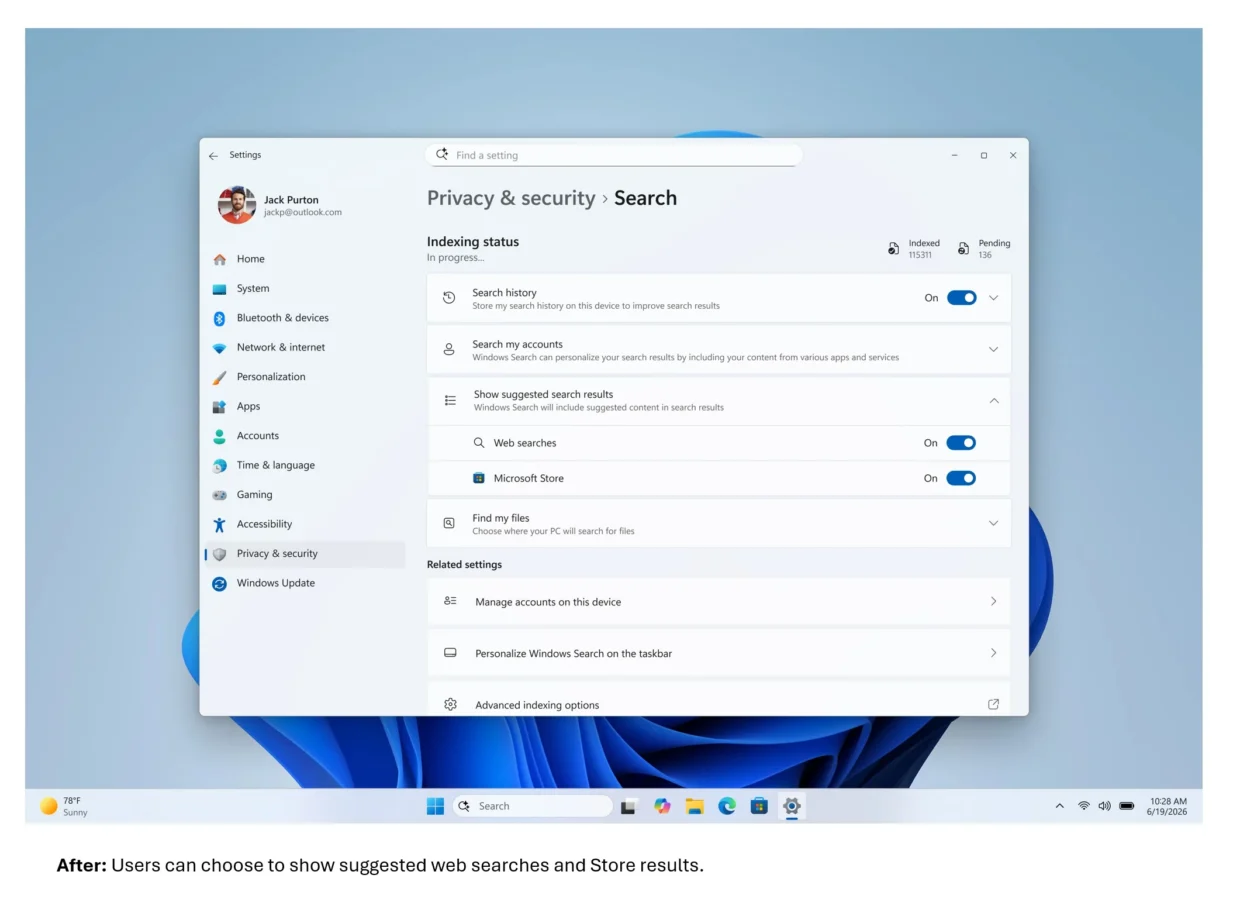
If, for whatever reason, you would still like to see “suggested search results” rather than real ones, you can still toggle them from Settings > Privacy & security > Search. Here you can turn suggestions from both the web and the Microsoft Store back on if you like that sort of thing.
While these all sound like very good changes, it’s unfortunately not something that’s ready for the light of day yet. Instead, Microsoft is first rolling this out to Windows Insiders in the Experimental channel. So that’s at least one extra step away from a general release, and there’s no estimated time window for that yet.
(Source: Microsoft)
