
The Malaysia Computer Emergency Response Team (MyCERT) has issued an alert over an ongoing malware campaign targeting users of both web and desktop versions of WhatsApp on Windows computers. According to the advisory, attackers are using the messaging platform‘s messages to distribute malicious files disguised as legitimate financial, legal, and administrative documents.
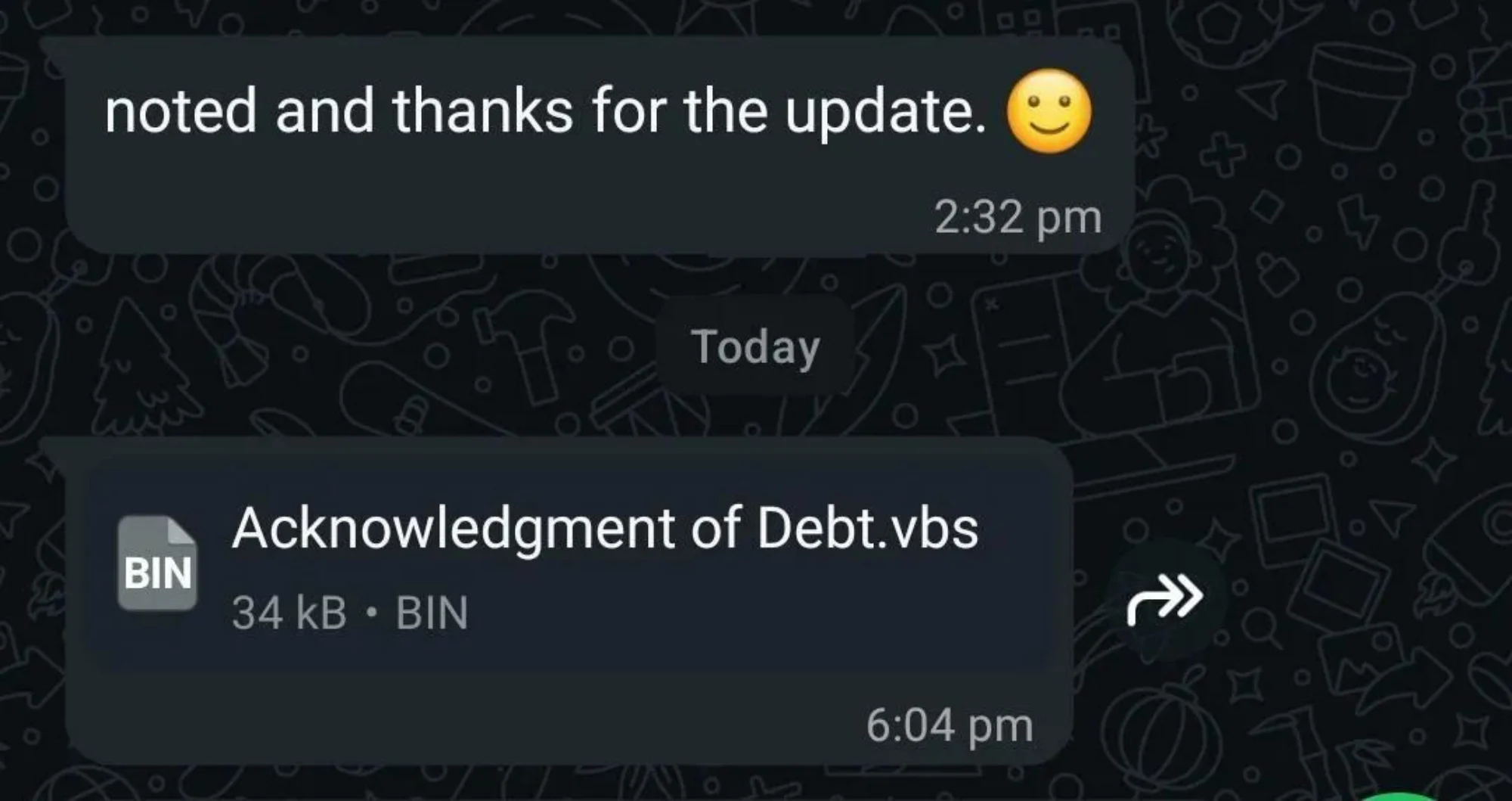
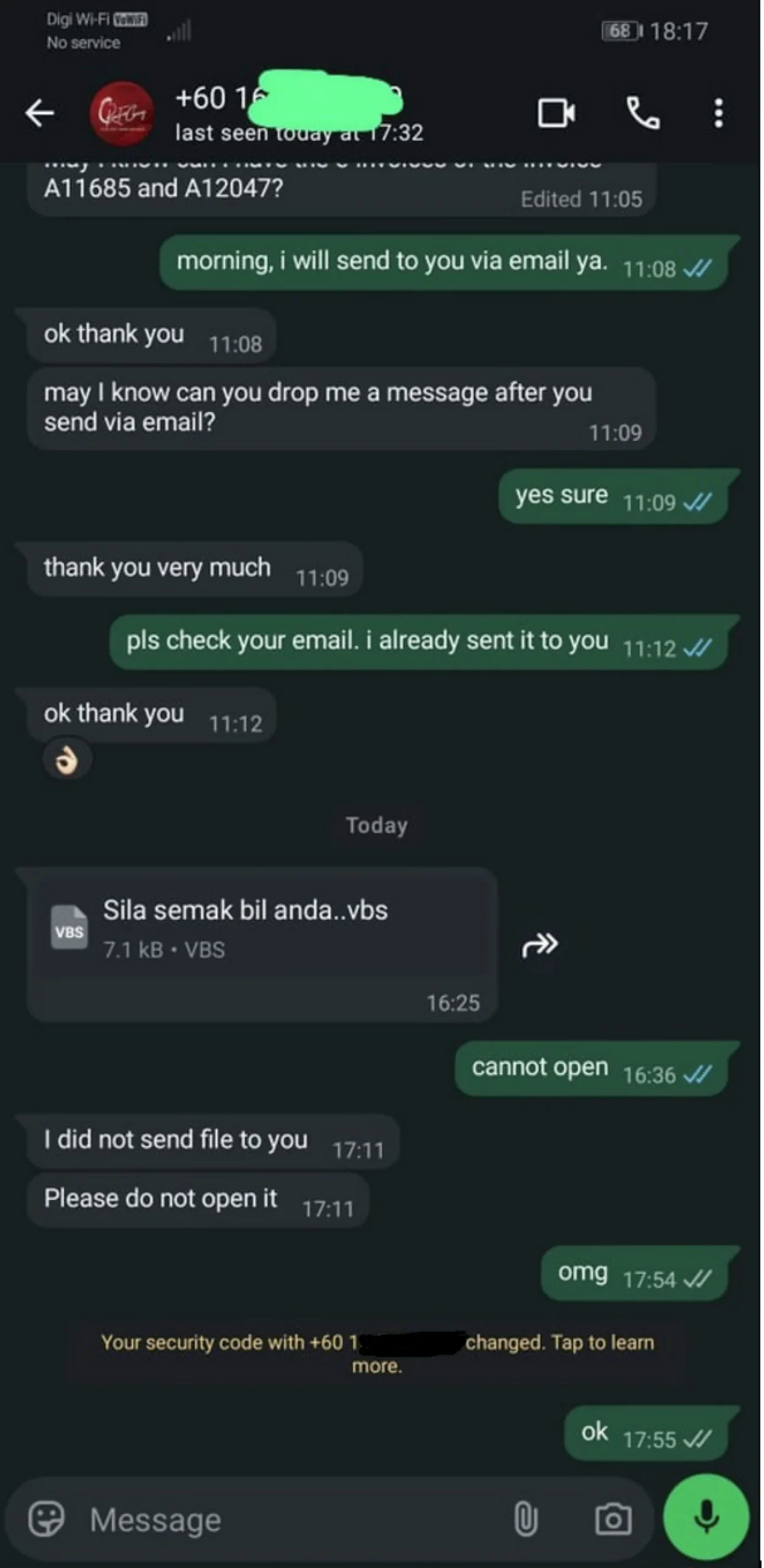
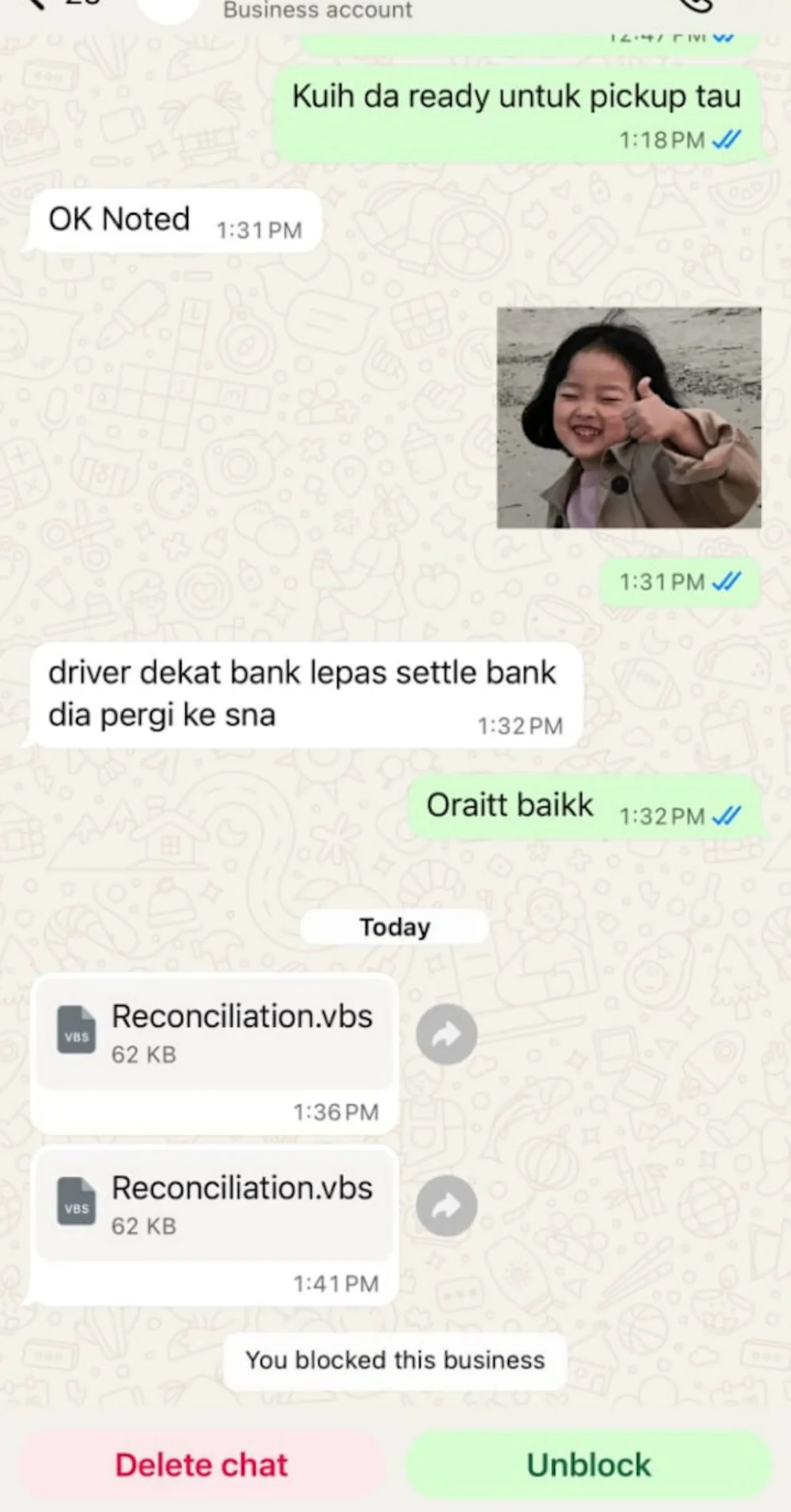
The campaign specifically targets Windows users and relies on social engineering tactics to trick victims into opening infected attachments. Some of the file names observed in the campaign include “Acknowledgement of Debt.vbs”, “Sila semak bil anda.vbs”, “December statement of account.vbs”, and “Reconciliation.vbs”.
Malware Disguised As Financial And Legal Documents
While these files may appear to be PDF documents at first glance, they are actually Visual Basic Script (.vbs) files. Once opened, the files automatically execute a script that begins the malware infection process.
According to MyCERT, the malware can install a Remote Access Trojan (RAT) on the affected computer, allowing attackers to remotely access and control the device. The malicious software is also capable of maintaining access even after a system reboot while disabling security prompts that could otherwise alert users to suspicious activity.
A compromised system may allow attackers to capture sensitive information displayed or entered on the device, including passwords, banking PINs, and one-time passwords (OTPs). MyCERT noted that the malware may evade detection by standard antivirus scans, making it particularly difficult for affected users to identify the compromise.
The advisory comes amid reports of a WhatsApp-based malware campaign identified by cybersecurity researchers, with Malaysia reportedly among the countries most heavily targeted. The attacks primarily affect WhatsApp Desktop and WhatsApp Web users on Windows, with the malicious files spread through compromised WhatsApp accounts.
MyCERT: Treat Infected Devices As Compromised
Users who have already opened or executed the file should assume that their device has been compromised and take immediate action. MyCERT recommends disconnecting the affected computer from the internet immediately to cut off any remote access by attackers. Those using a company-issued device should also notify their organisation’s IT department as soon as possible.
Affected users should change all passwords associated with accounts accessed on the compromised device, but only from a separate clean device. Any passwords, PINs, or sensitive information entered on the infected system should be treated as exposed.
The agency also advises users not to reply to suspicious messages, as doing so confirms that the phone number is active. Instead, recipients should report the message through WhatsApp and submit details such as screenshots, timestamps, and the sender’s number to Cyber999.

Standard Antivirus Scan May Not Be Enough
MyCERT further recommends seeking professional assistance to remove the malware. It also noted that a standard antivirus scan is unlikely to detect or remove the RAT installed by the attackers.
Users who encounter the malicious files or believe they have been infected can submit an incident report to MyCERT. Information such as the original message, attached files, links, and the estimated time and date of infection should be included to assist with investigations.
- E-mail: cyber999@cybersecurity.my
- Phone: 1-300-88-2999 (monitored during business hours)
- Mobile: +60 19 2665850 (24×7 call incident reporting)
- Business Hours: Mon – Fri 09:00 -18:00 MYT
(Source: MyCERT [official website])
