Friday, February 20, 2026
  • Hype
  • Murai
  • Lipstiq
  • Wanista
  • Varnam
  • Hangat
  • Autofreaks
Lowyat.NET
  • News
    • Lifestyle
    • Computing
    • Hardware
    • Internet
    • Rumours & Leaks
    • Software
  • Forums
    • Kopitiam
    • Tradezone
    • Property Talk
    • Finance & Business
    • Fast and Furious
  • Gaming
    • PC Gaming
    • Console
    • Esports
  • Mobile
    • Apps
    • OS
    • Tablets
    • Phones
    • Telco
      • Celcom
      • DiGi
      • Maxis
      • Tune Talk
      • U Mobile
      • Buzzme
  • Pricelists
    • Compu-zoneUpdated
    • ViewnetUpdated
    • Sri ComputersUpdated
    • StartecUpdated
  • More
    • Automotive Tech
    • Drone
    • Enterprise
    • Entertainment
    • Fashion
    • E-Hailing
    • Wearables
No Result
View All Result
Lowyat.NET
  • News
    • Lifestyle
    • Computing
    • Hardware
    • Internet
    • Rumours & Leaks
    • Software
  • Forums
    • Kopitiam
    • Tradezone
    • Property Talk
    • Finance & Business
    • Fast and Furious
  • Gaming
    • PC Gaming
    • Console
    • Esports
  • Mobile
    • Apps
    • OS
    • Tablets
    • Phones
    • Telco
      • Celcom
      • DiGi
      • Maxis
      • Tune Talk
      • U Mobile
      • Buzzme
  • Pricelists
    • Compu-zoneUpdated
    • ViewnetUpdated
    • Sri ComputersUpdated
    • StartecUpdated
  • More
    • Automotive Tech
    • Drone
    • Enterprise
    • Entertainment
    • Fashion
    • E-Hailing
    • Wearables
No Result
View All Result
Lowyat.NET
No Result
View All Result
Home Mobile Apps

Google Chrome Introduces Split View, PDF Annotations, And Direct Drive Saving

When having multiple tabs isn't enough.

by Heirul Kamel
February 20, 2026
google chrome split view new features

Image: Google

Share on FacebookShare on Twitter

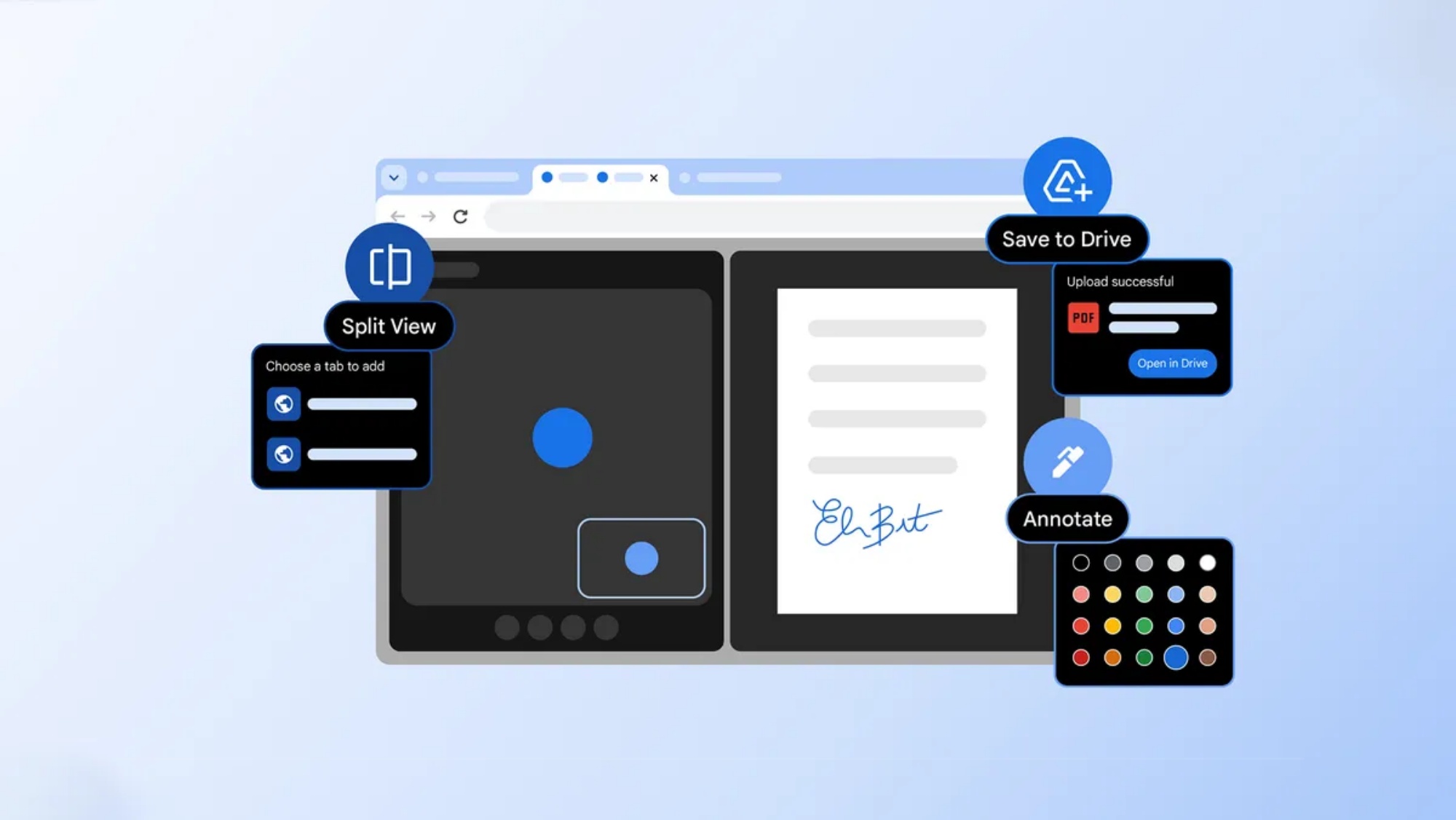
Google has rolled out three new productivity-focused features to its Chrome web browser via version 145, aimed at reducing friction for users who spend much of their day working in the browser. The update introduces split view, PDF annotations, and a new “Save to Google Drive” option, all designed to help users work more efficiently without relying on additional apps or workflows.

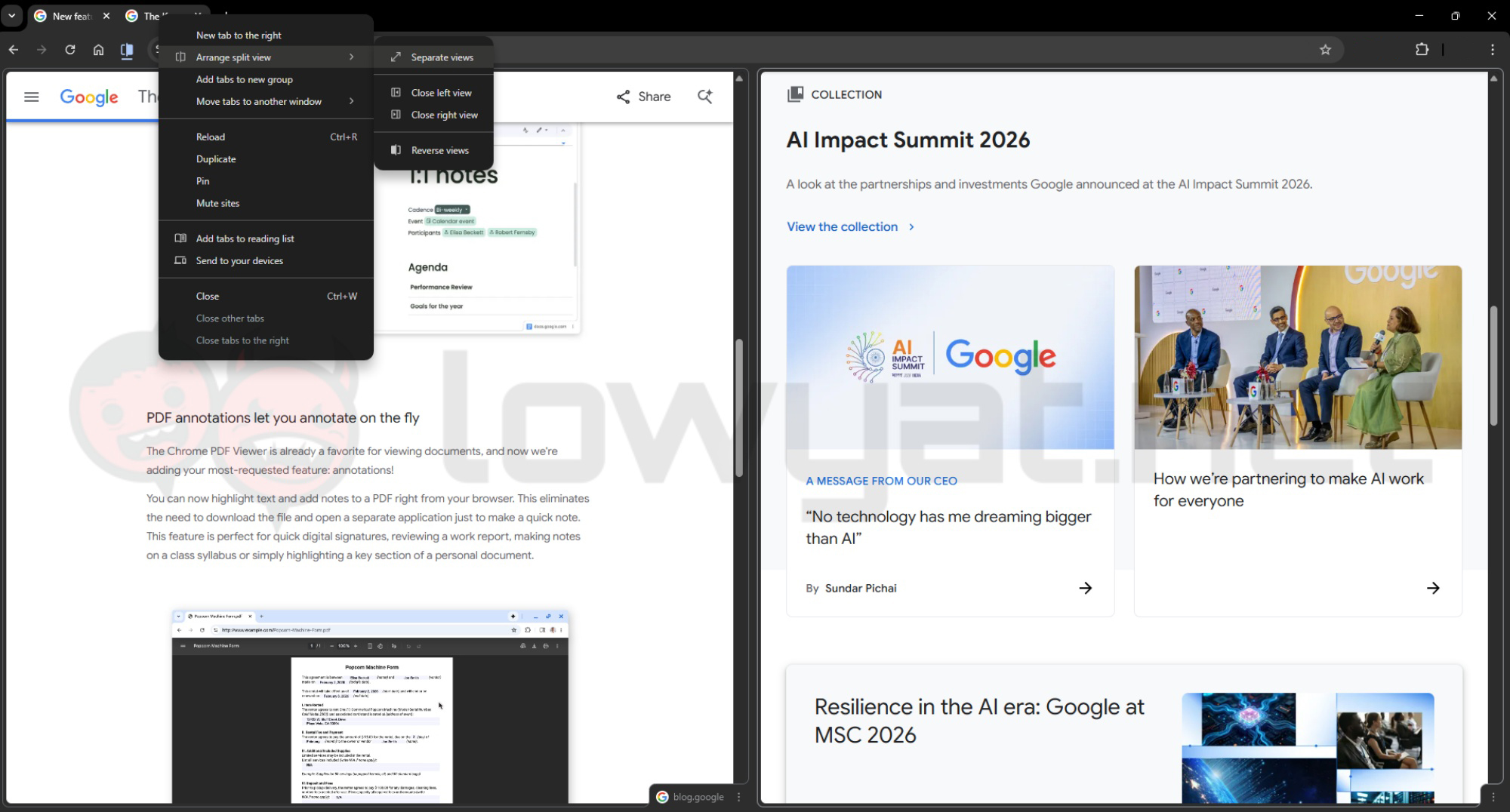
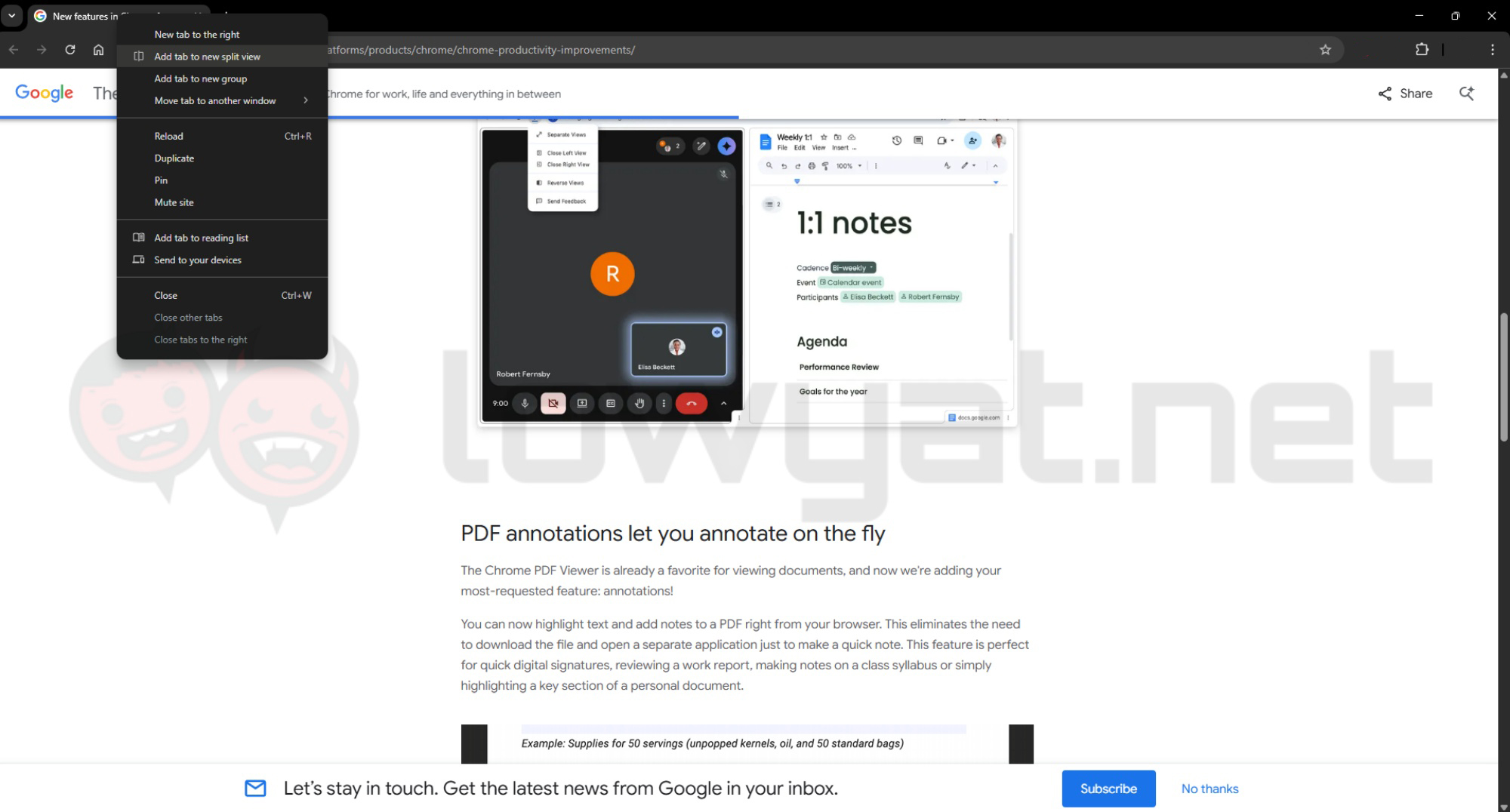
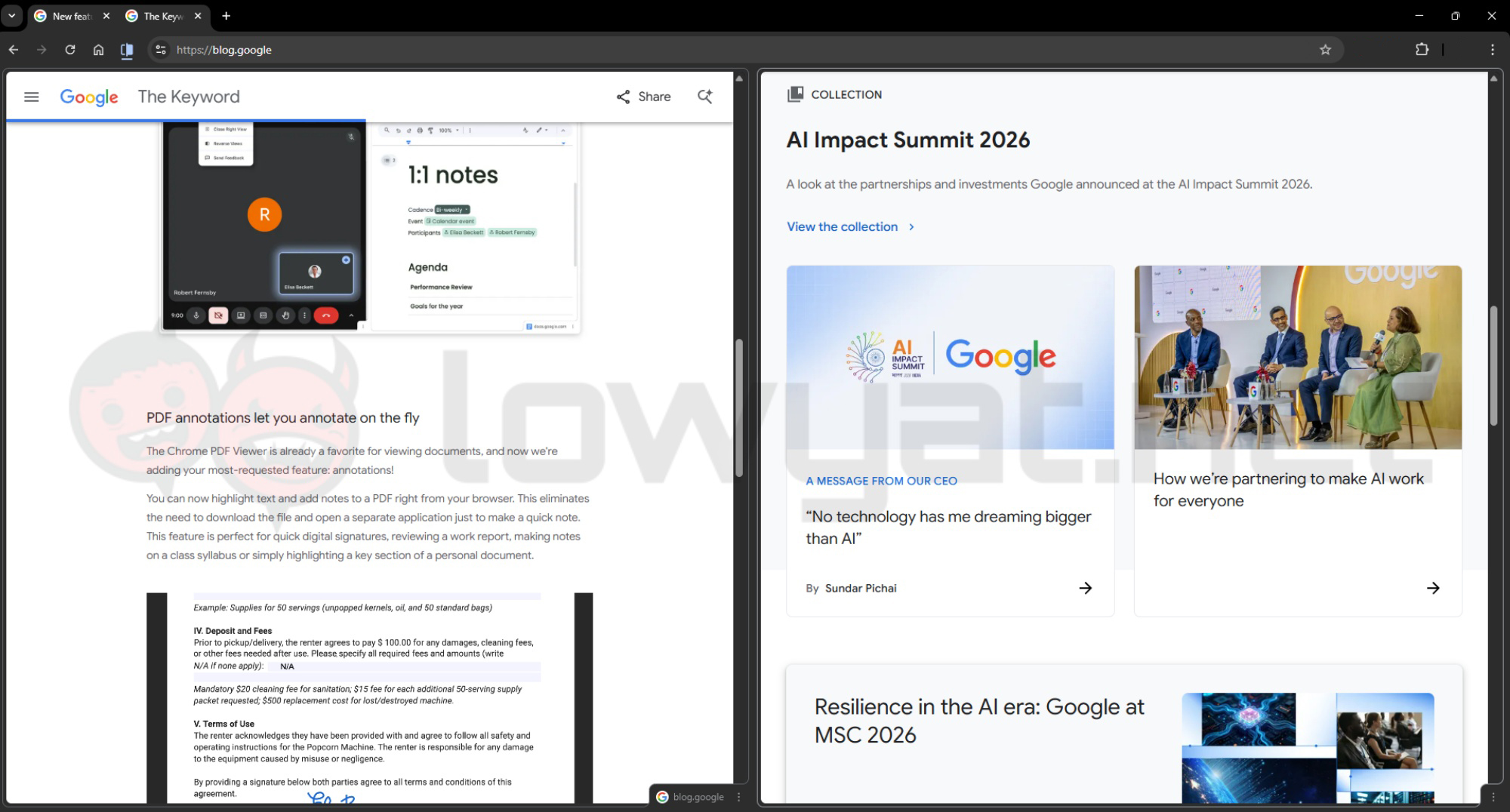
The first addition, Split View, allows users to view two tabs side by side within a single window. This addresses a common pain point of constantly switching between tabs or managing multiple windows, especially during research or multitasking-heavy tasks.
 

1 of 3
- +
google chrome split view new features 4

To use Split View:

  • Open two tabs in Chrome.
  • Right-click on one of the tabs and select the Split View option (or drag a tab to the side, depending on your version).
  • Chrome will automatically arrange both tabs into a single window layout.
  • Resize each pane as needed to suit your workflow.
  • To split them apart, right click the tab and select Separate Views. Alternatively, you can remove either side by selecting Close Left/Right View.
https://storage.googleapis.com/gweb-uniblog-publish-prod/original_videos/Chrome_Productivity_Blog_PDF_Annotations_V4.mp4

Chrome is also expanding its built-in PDF Viewer with Annotation Tools, enabling users to highlight text and add notes directly within the browser. This removes the need to download files or rely on third-party software for simple edits or reviews.

To annotate a PDF:

  • Open the PDF file in Chrome.
  • Use the highlight or Annotation Tools available in the viewer toolbar.
  • Select text to highlight or click to add a note.
  • Save your changes directly to the file.
https://storage.googleapis.com/gweb-uniblog-publish-prod/original_videos/Chrome_Productivity_Blog_Save_to_Google_Drive_V3.mp4

The third feature introduces tighter integration with Google Drive, allowing users to save PDFs directly to the cloud without first downloading them locally. This aims to simplify file management and reduce the chances of losing track of important downloads.

To save files directly to Drive:

  • Open or download a PDF in Chrome.
  • Select the “Save to Google Drive” option when prompted.
  • The file will be stored in the “Saved from Chrome” folder in your Drive.
  • Access, search, or share the file across your devices as needed.

(Source: Google [official blog])

Filed Under ChromeGoogleSplit-View
Updated 10:19 am, Fri, 20 February 26
https://lowy.at/s1npz
Share1Tweet1SendShare

Follow us on Instagram, Facebook, Twitter or Telegram for more updates and breaking news. 

No Result
View All Result

TRENDING THIS WEEK

  1. 1
    Streaming

    Astro To Drop HBO Channels From March, Introduces Four New Channels

  2. 2
    Apps

    Reminder: MyDigital ID To Be Sole Login Method For MyJPJ Starting March 2026

  3. 3
    News

    Johor Data Centre Dispute: Gelang Patah Townhall Tackles Dust, Noise

  4. 4
    Streaming

    Astro One Sports And Epic Packs Offered At Discounted Prices Until 30 April 2026

  5. 5
    Transportation

    JustGO Malaysia App Hits Close To 200,000 Downloads Following PLUS’ ANPR Formal Launch

NETWORK

  • Hype
  • Murai
  • Lipstiq
  • Wanista
  • Varnam
  • Hangat
  • Autofreaks

ABOUT

  • Advertise
  • Careers
  • Privacy Statement
  • Contact Us
  • Editorial Policy
  • Terms & Conditions

©2026 VIJANDREN RAMADASS. ALL RIGHTS RESERVED.

No Result
View All Result
  • News
    • Lifestyle
    • Computing
    • Hardware
    • Internet
    • Rumours & Leaks
    • Software
  • Forums
    • Kopitiam
    • Tradezone
    • Property Talk
    • Finance & Business
    • Fast and Furious
  • Gaming
    • PC Gaming
    • Console
    • Esports
  • Mobile
    • Apps
    • OS
    • Tablets
    • Phones
    • Telco
      • Celcom
      • DiGi
      • Maxis
      • Tune Talk
      • U Mobile
      • Buzzme
  • Pricelists
    • Compu-zone
    • Viewnet
    • Sri Computers
    • Startec
  • More
    • Automotive Tech
    • Drone
    • Enterprise
    • Entertainment
    • Fashion
    • E-Hailing
    • Wearables

©2026 VIJANDREN RAMADASS. ALL RIGHTS RESERVED.

No Result
View All Result
  • News
    • Lifestyle
    • Computing
    • Hardware
    • Internet
    • Rumours & Leaks
    • Software
  • Forums
    • Kopitiam
    • Tradezone
    • Property Talk
    • Finance & Business
    • Fast and Furious
  • Gaming
    • PC Gaming
    • Console
    • Esports
  • Mobile
    • Apps
    • OS
    • Tablets
    • Phones
    • Telco
      • Celcom
      • DiGi
      • Maxis
      • Tune Talk
      • U Mobile
      • Buzzme
  • Pricelists
    • Compu-zone
    • Viewnet
    • Sri Computers
    • Startec
  • More
    • Automotive Tech
    • Drone
    • Enterprise
    • Entertainment
    • Fashion
    • E-Hailing
    • Wearables

©2026 VIJANDREN RAMADASS. ALL RIGHTS RESERVED.