

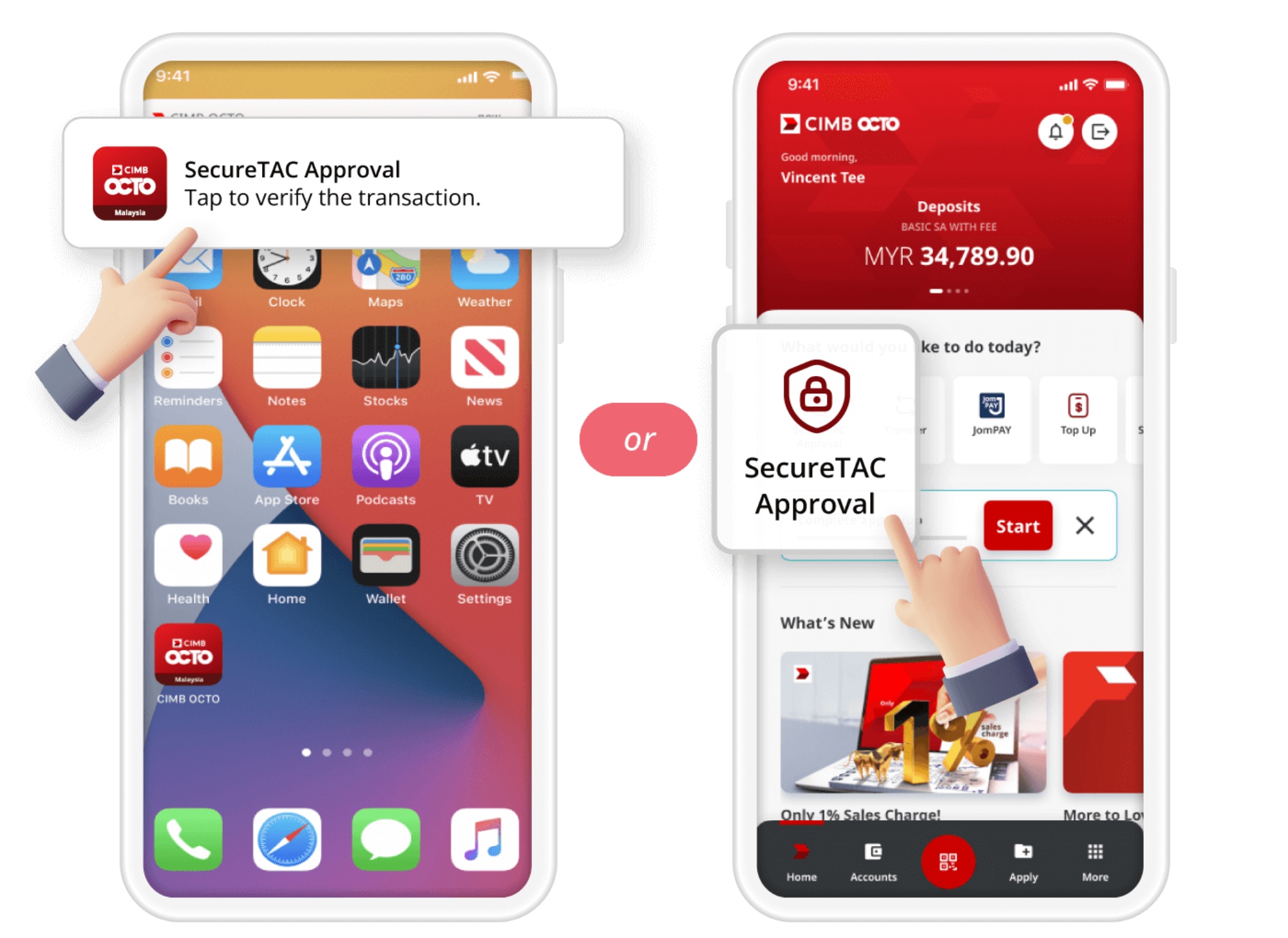
CIMB will now require SecureTAC approval for select transactions made via CIMB Clicks Web and relevant merchant websites. The bank did not mention why this change was necessary, but if it’s anything like Maybank’s application, it would be safe to assume that CIMB is implementing this to prevent fraud and bolster security.
As per the official notice page, the finance company mentioned that this feature went into effect yesterday, 19 January. The page also mentions that, moving forward, users will need to provide either their biometric authentication (Face ID or fingerprint), device passcode, or CIMB OCTO App password to approve the transaction.

The bank also explained what happens when users have biometrics active or not on their devices. If biometrics is on, users need to send a transaction request and then receive a notification from the CIMB OCTO App. Next, users tap SecureTAC, review the transaction details, and approve the transaction using biometrics. If users disable biometrics or if the feature fails, they follow the same steps as before but must enter their passcode or password to approve the transaction instead.
However, what stands out about the notice page is that it did not list any of these “selected transactions”. We reached out to the bank and a representative said that “QR scanning” does not need SecureTAC approval. Unfortunately, the rep didn’t elaborate further.
(Source: CIMB)
