

Wednesday, December 31, 2025
  • Hype
  • Murai
  • Lipstiq
  • Wanista
  • Varnam
  • Hangat
  • Autofreaks
Lowyat.NET
  • News
    • Lifestyle
    • Computing
    • Hardware
    • Internet
    • Rumours & Leaks
    • Software
  • Forums
    • Kopitiam
    • Tradezone
    • Property Talk
    • Finance & Business
    • Fast and Furious
  • Gaming
    • PC Gaming
    • Console
    • Esports
  • Mobile
    • Apps
    • OS
    • Tablets
    • Phones
    • Telco
      • Celcom
      • DiGi
      • Maxis
      • Tune Talk
      • U Mobile
      • Buzzme
  • Pricelists
    • Compu-zoneUpdated
    • ViewnetUpdated
    • Sri ComputersUpdated
    • StartecUpdated
  • More
    • Automotive Tech
    • Drone
    • Enterprise
    • Entertainment
    • Fashion
    • E-Hailing
    • Wearables
No Result
View All Result
Lowyat.NET
  • News
    • Lifestyle
    • Computing
    • Hardware
    • Internet
    • Rumours & Leaks
    • Software
  • Forums
    • Kopitiam
    • Tradezone
    • Property Talk
    • Finance & Business
    • Fast and Furious
  • Gaming
    • PC Gaming
    • Console
    • Esports
  • Mobile
    • Apps
    • OS
    • Tablets
    • Phones
    • Telco
      • Celcom
      • DiGi
      • Maxis
      • Tune Talk
      • U Mobile
      • Buzzme
  • Pricelists
    • Compu-zoneUpdated
    • ViewnetUpdated
    • Sri ComputersUpdated
    • StartecUpdated
  • More
    • Automotive Tech
    • Drone
    • Enterprise
    • Entertainment
    • Fashion
    • E-Hailing
    • Wearables
No Result
View All Result
Lowyat.NET
No Result
View All Result
Home News Cloud Storage

Dropbox Now Supports USB Key for Two-Step Verification

by Huei Song
August 13, 2015
Share on FacebookShare on Twitter

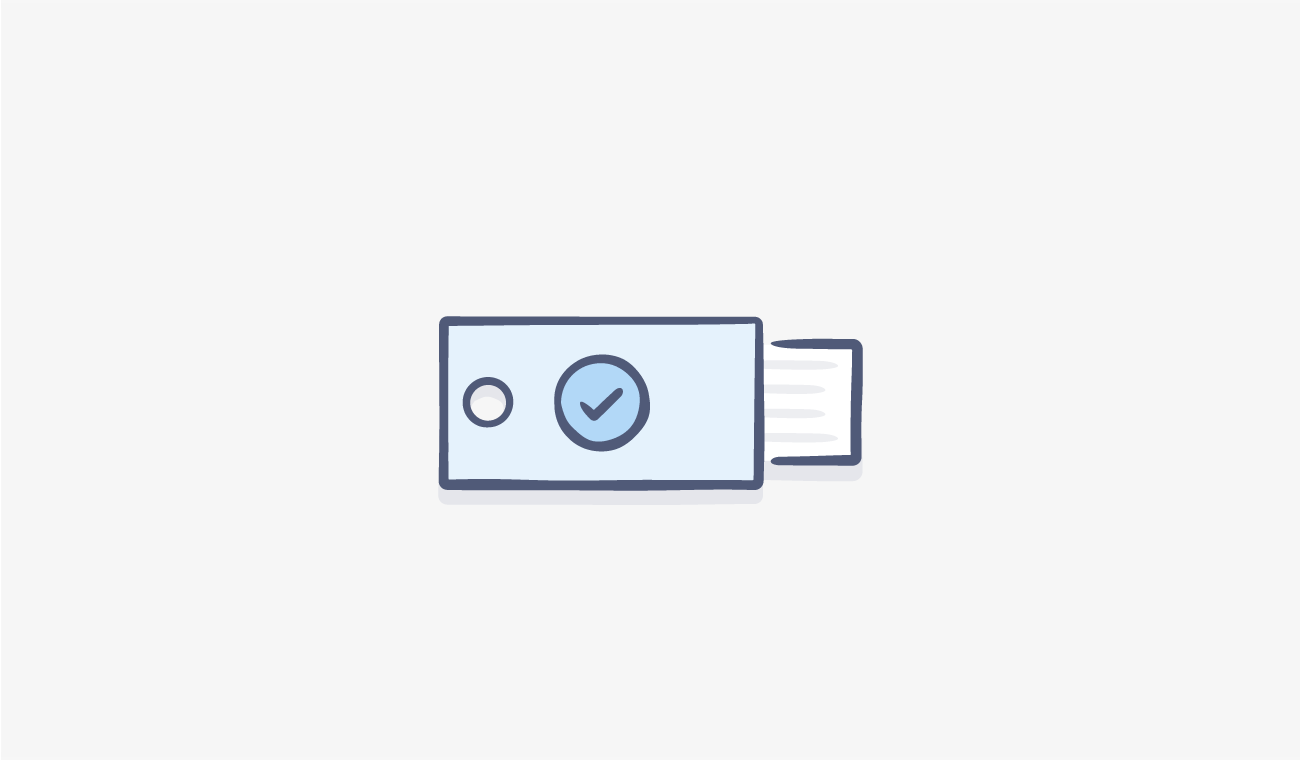
Dropbox Two Step Verification Security Key

Dropbox recently announced that the service now supports Universal 2nd Factor (U2F) key for its two-step verification. This means that the next time you sign into your Dropbox account, all you need to do is insert the security key into the USB port and you’re good to go.

Available immediately, security key is a portable USB or NFC device. With security key activated, instead of requesting a code to be sent to your pre-registered mobile number, just insert the key into your computer and it will finish signing you into your Dropbox account.

The company says that this is a much safer way compared to conventional two-step verification as information cannot be intercepted by attackers, and can’t be easily copied. On top of that, with a security key, users will never have to worry about running out of battery on their phone.
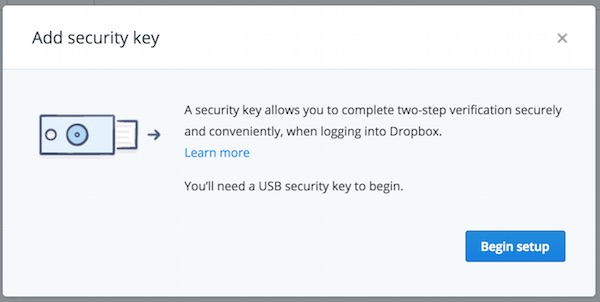
Dropbox Add Security Key

To create a security key, log into your Dropbox account and click on “Settings”. In the Security tab, make sure you have two-step verification enabled. After that, click “Add” next to “Security keys” and complete the set up process. This feature is currently only available for signing into Dropbox via a Chrome web browser. Dropbox says that for desktop client and mobile app users, you will have to use back the ordinary two-step verification on devices.

Visit Dropbox now for more information about the new feature.

(Source: Dropbox via: The Verge)

Filed Under Cloud StorageDropboxdropbox security
Updated 10:31 am, Thu, 13 August 15
https://lowy.at/7wxpY
Share1Tweet1SendShare

Follow us on Instagram, Facebook, Twitter or Telegram for more updates and breaking news. 

No Result
View All Result

TRENDING THIS WEEK

  1. 1
    Banking

    Bank Negara Monitors Agrobank After Reported Loss Of Up To RM165.75 Million

  2. 2
    E-commerce

    Logistics Company Flash Express To Shut Down Malaysia Operations In January 2026

  3. 3
    Automotive

    Perodua Rumoured Of Possible RM500 Million Acquisition Of TCMA Assembly Plant

  4. 4
    Storage

    Redditor Orders Two Samsung 9100 Pro SSDs, Receives RM24,200 Worth Of SSDs Instead

  5. 5
    Electric Vehicles

    2026 Keeway EZI TS1 Arrives In Malaysia With A Price Tag Of RM4,288

NETWORK

  • Hype
  • Murai
  • Lipstiq
  • Wanista
  • Varnam
  • Hangat
  • Autofreaks

ABOUT

  • Advertise
  • Careers
  • Privacy Statement
  • Contact Us
  • Editorial Policy
  • Terms & Conditions

©2025 VIJANDREN RAMADASS. ALL RIGHTS RESERVED.

No Result
View All Result
  • News
    • Lifestyle
    • Computing
    • Hardware
    • Internet
    • Rumours & Leaks
    • Software
  • Forums
    • Kopitiam
    • Tradezone
    • Property Talk
    • Finance & Business
    • Fast and Furious
  • Gaming
    • PC Gaming
    • Console
    • Esports
  • Mobile
    • Apps
    • OS
    • Tablets
    • Phones
    • Telco
      • Celcom
      • DiGi
      • Maxis
      • Tune Talk
      • U Mobile
      • Buzzme
  • Pricelists
    • Compu-zone
    • Viewnet
    • Sri Computers
    • Startec
  • More
    • Automotive Tech
    • Drone
    • Enterprise
    • Entertainment
    • Fashion
    • E-Hailing
    • Wearables

©2025 VIJANDREN RAMADASS. ALL RIGHTS RESERVED.

No Result
View All Result
  • News
    • Lifestyle
    • Computing
    • Hardware
    • Internet
    • Rumours & Leaks
    • Software
  • Forums
    • Kopitiam
    • Tradezone
    • Property Talk
    • Finance & Business
    • Fast and Furious
  • Gaming
    • PC Gaming
    • Console
    • Esports
  • Mobile
    • Apps
    • OS
    • Tablets
    • Phones
    • Telco
      • Celcom
      • DiGi
      • Maxis
      • Tune Talk
      • U Mobile
      • Buzzme
  • Pricelists
    • Compu-zone
    • Viewnet
    • Sri Computers
    • Startec
  • More
    • Automotive Tech
    • Drone
    • Enterprise
    • Entertainment
    • Fashion
    • E-Hailing
    • Wearables

©2025 VIJANDREN RAMADASS. ALL RIGHTS RESERVED.