• Hype
  • Murai
  • Lipstiq
  • Varnam
  • Hangat
  • Autofreaks
Lowyat.NET
  • News
    • Lifestyle
    • Computing
    • Hardware
    • Internet
    • Rumours & Leaks
    • Software
  • Forums
    • Kopitiam
    • Tradezone
    • Property Talk
    • Finance & Business
    • Fast and Furious
  • Gaming
    • PC Gaming
    • Console
    • Esports
  • Mobile
    • Apps
    • OS
    • Tablets
    • Phones
    • Telco
      • Celcom
      • DiGi
      • Maxis
      • Tune Talk
      • U Mobile
      • Buzzme
  • Pricelists
    • Compu-zoneUpdated
    • ViewnetUpdated
    • Sri ComputersUpdated
    • StartecUpdated
  • More
    • Automotive Tech
    • Drone
    • Enterprise
    • Entertainment
    • Fashion
    • E-Hailing
    • Wearables
No Result
View All Result
Lowyat.NET
  • News
    • Lifestyle
    • Computing
    • Hardware
    • Internet
    • Rumours & Leaks
    • Software
  • Forums
    • Kopitiam
    • Tradezone
    • Property Talk
    • Finance & Business
    • Fast and Furious
  • Gaming
    • PC Gaming
    • Console
    • Esports
  • Mobile
    • Apps
    • OS
    • Tablets
    • Phones
    • Telco
      • Celcom
      • DiGi
      • Maxis
      • Tune Talk
      • U Mobile
      • Buzzme
  • Pricelists
    • Compu-zoneUpdated
    • ViewnetUpdated
    • Sri ComputersUpdated
    • StartecUpdated
  • More
    • Automotive Tech
    • Drone
    • Enterprise
    • Entertainment
    • Fashion
    • E-Hailing
    • Wearables
No Result
View All Result
Lowyat.NET
No Result
View All Result
Home Mobile Apps

Google Drive’s Document Scanning Feature Now Accessible On iPhones

Finally, almost a decade since its introduction on Android.

by Kiran Ganesan
November 30, 2023
Google_Drive_iOS1
Share on WhatsappShare on TelegramThreads

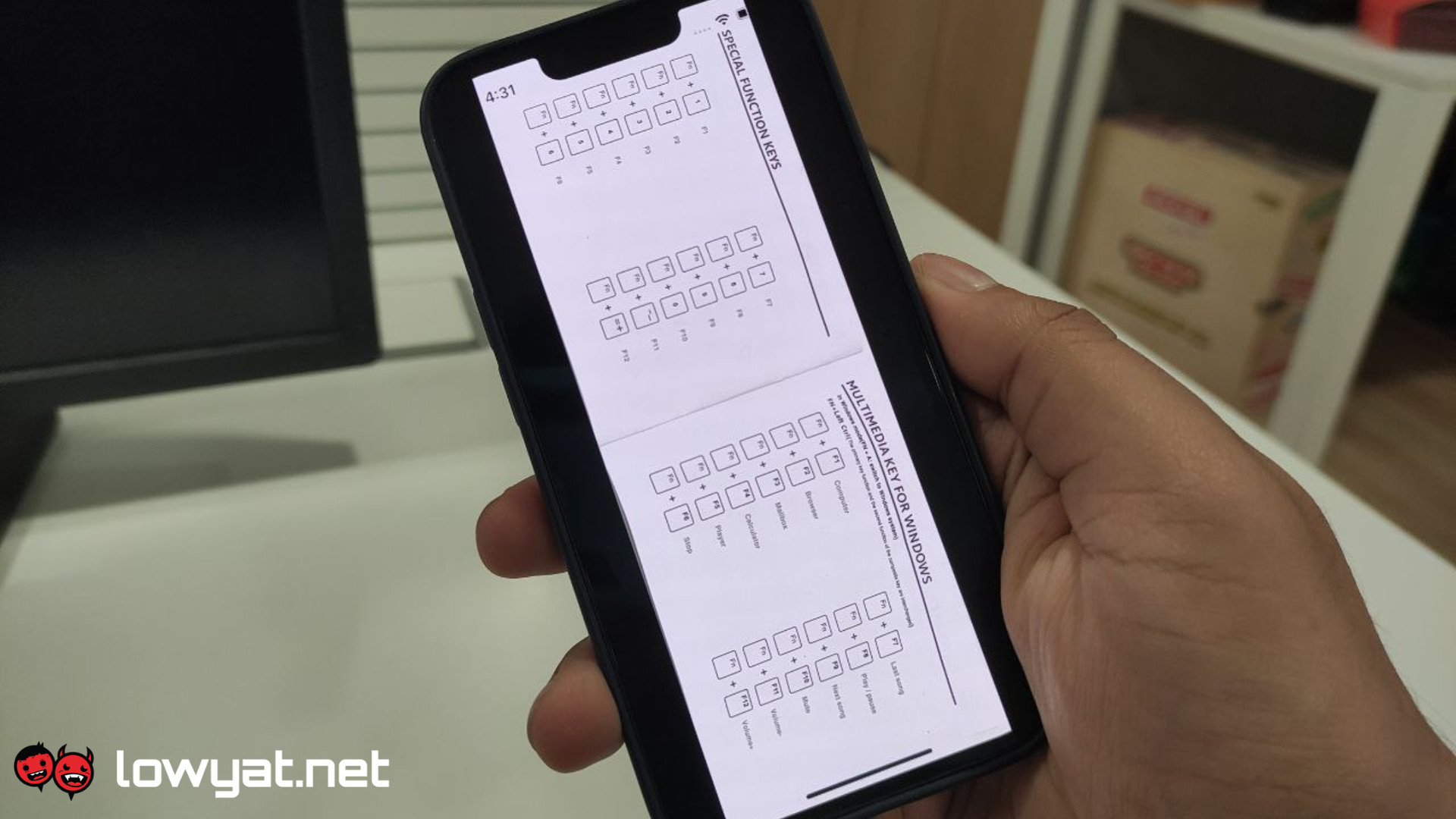
Google Drive users on iOS are getting a new document scanning feature, something that the app’s Android counterpart had for almost a decade. With this, users can now easily scan documents and send them to their respective libraries.

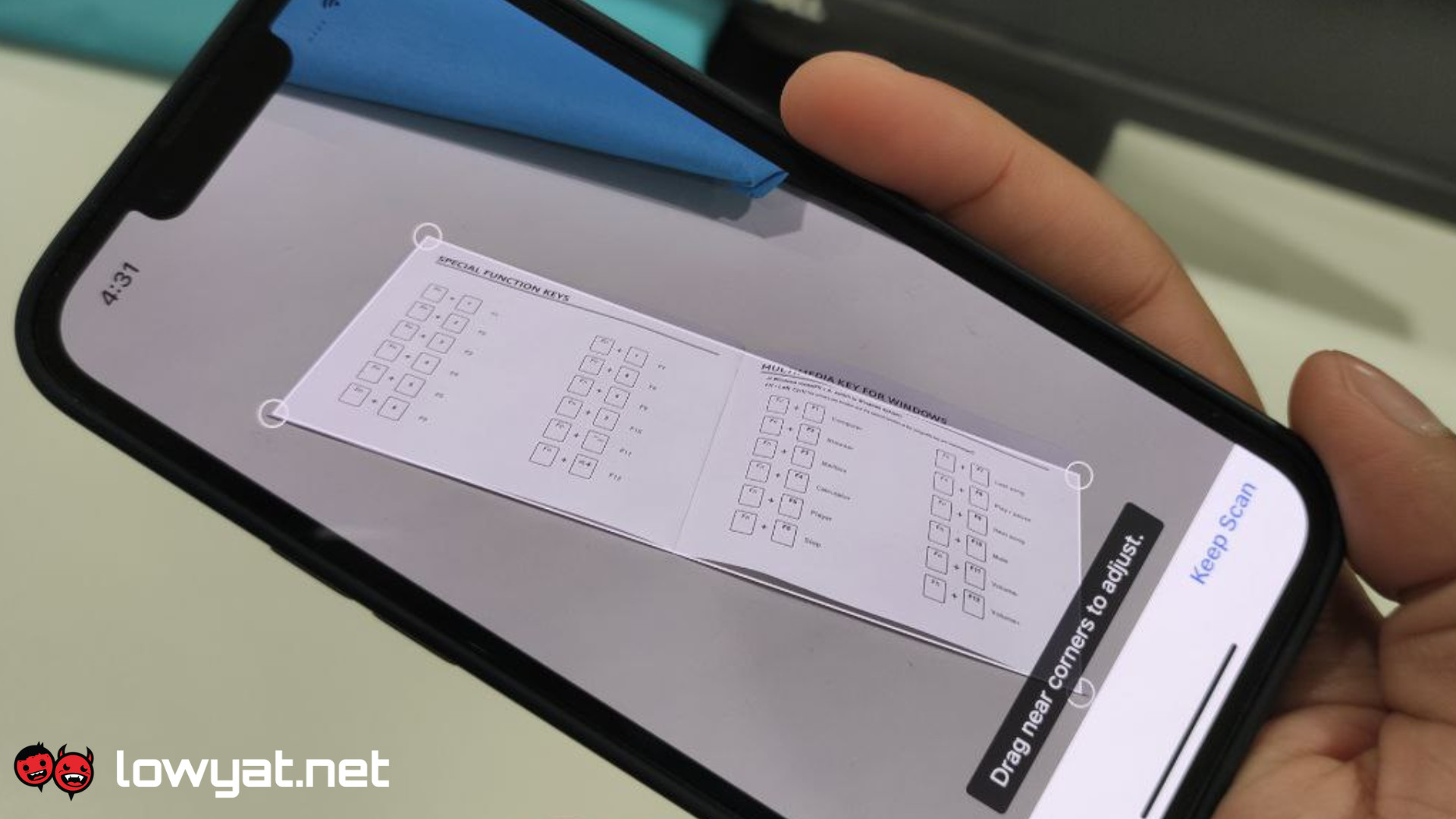
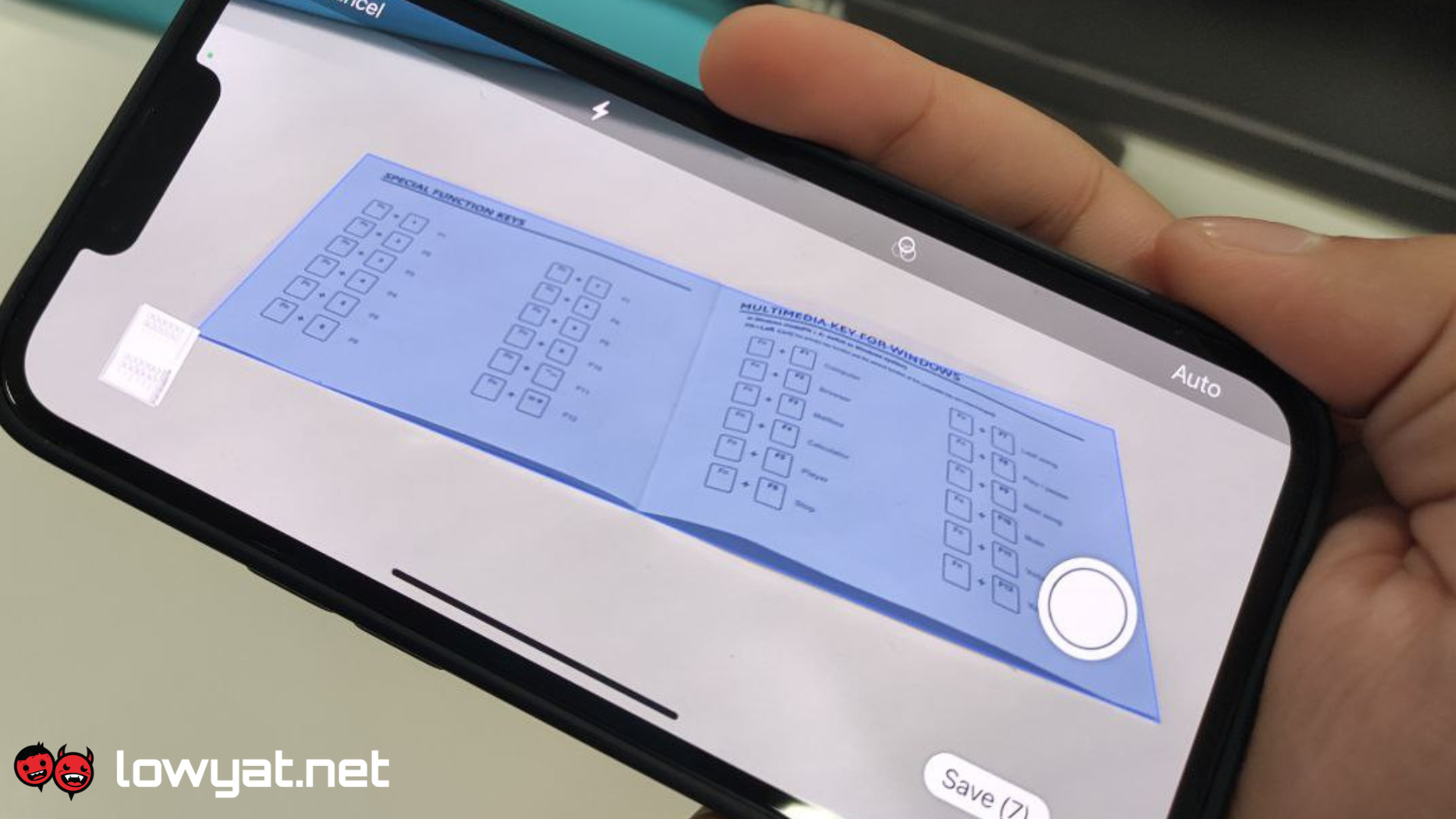
Available now as part of the app’s massive update and redesign on both Android and iOS, new features such as automatic document capture and image cleaning have been added – both of had to be done manually before. Thanks to this update, te camera can now properly align things, detect the edges of a document in the viewfinder, remove all glare and tilt to get a clean scan.
Google_Drive_iOS2
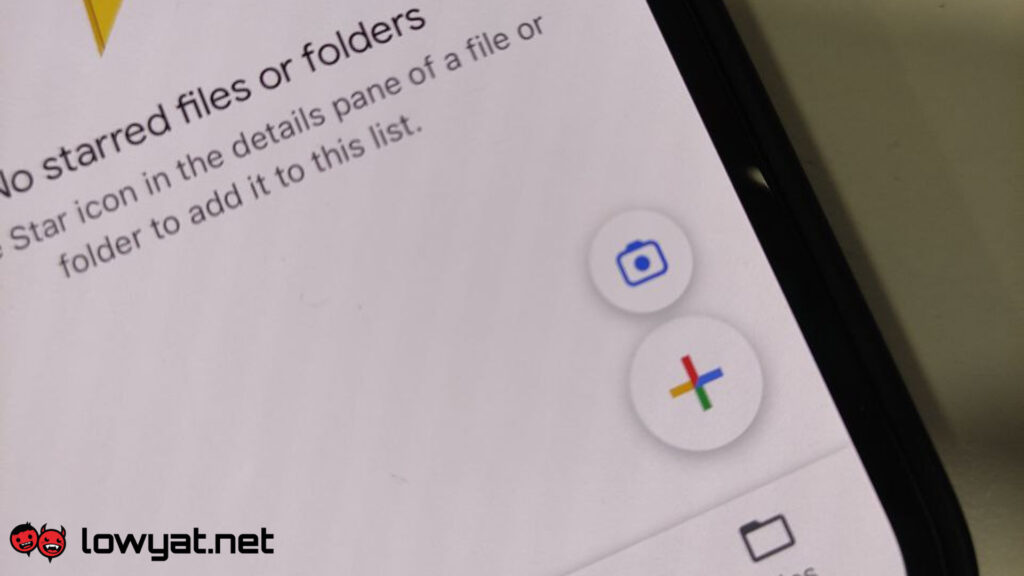
The camera FAB shortcut.

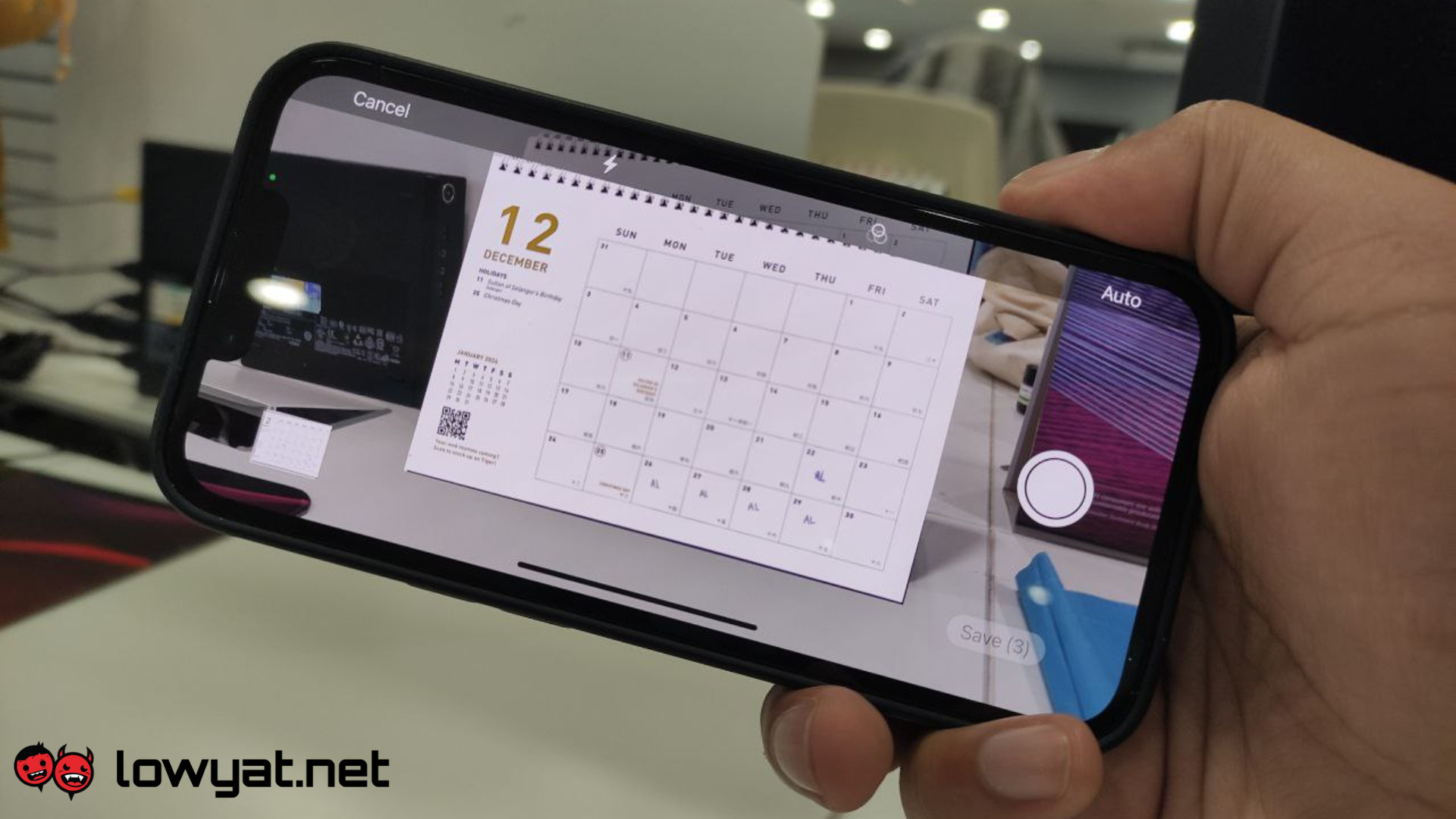
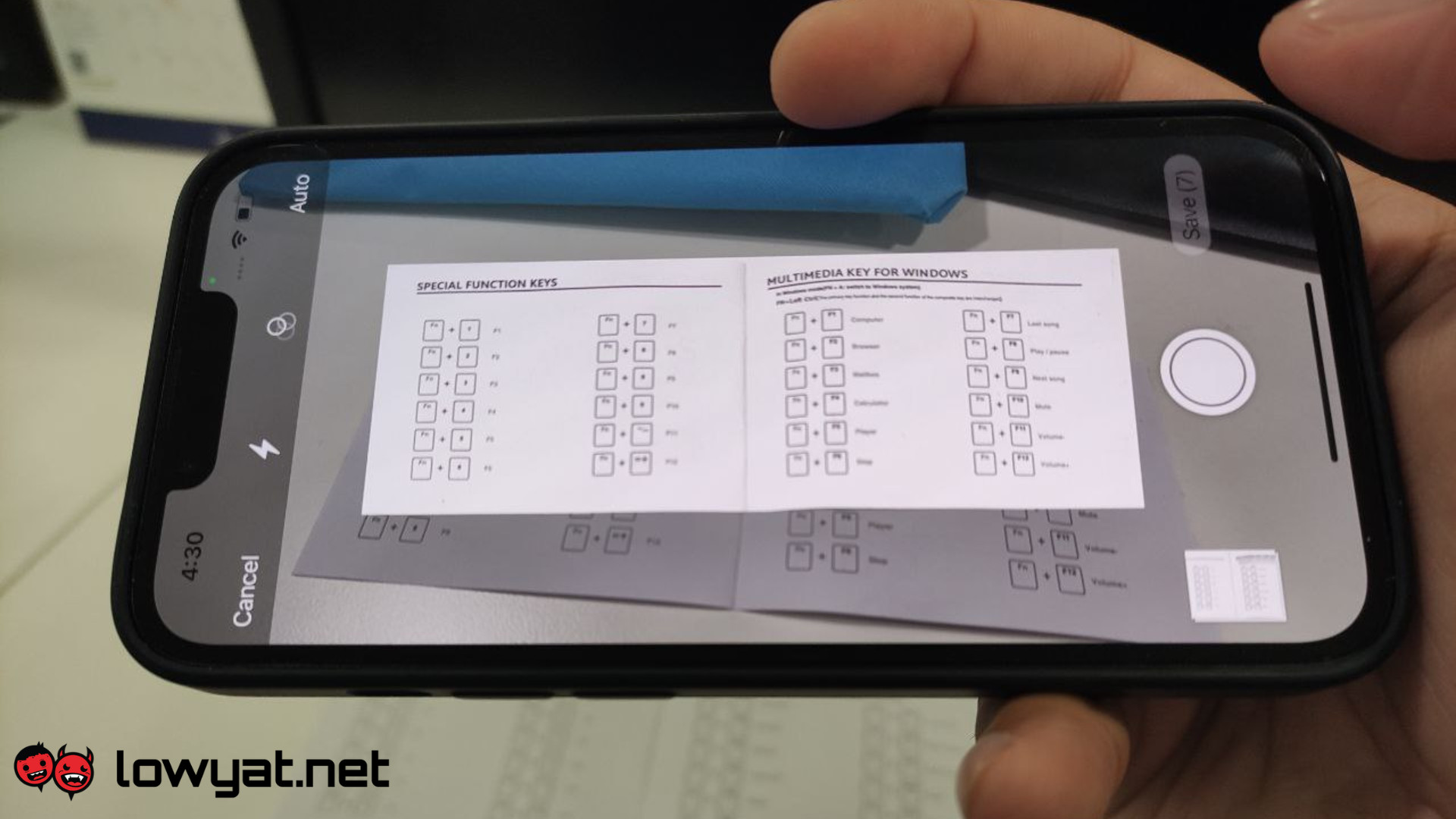
The scanning feature on Google Drive is now accessible via the in-app camera floating action button (FAB), but you can still tap “+” for more options. One of the most notable features of this version is the “auto capture” mode which, as the name suggests, automatically captures pictures of documents caught in the viewfinder and crops them accordingly. You can also snap documents the old-fashioned way (i.e., by manually pressing the button), but you will have to manually crop it.

You are also given the option to add filters, crop and rotate, retake, or delete the image altogether, and a preview is also provided before you commit to any edits. Additionally, there is even the option to scan multiple pages and compile them into one document.
Google_Drive_iOS6
Auto capture scanning for a document.
Google_Drive_iOS3
Auto capture taking a photo.
Google_Drive_iOS7
Finished shot.
Google_Drive_iOS8
Manual cropping will activate if the image is not taken with auto capture.


Once you’re satisfied with all the images you’ve taken, you can simply tap save. From there, a new page will open, giving you the option to rename the document and even select the file’s location.

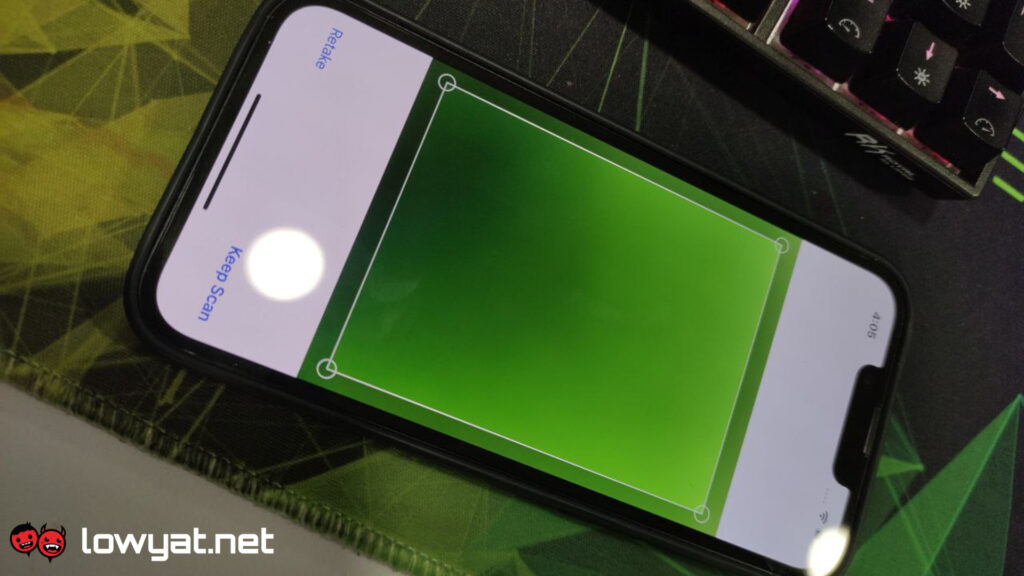
It is worth noting that there were some instances where, during testing, the phone’s flashlight would suddenly go off and the camera would take a snap shortly after. This only occurs after you’ve taken a few pictures beforehand and is most definitely the result of the new automatic capture. So, if, for some reason, you’ve left the scanner open, be sure to check the previews for any stray images that were captured.
Google_Drive_iOS4
The phone’s flashlight suddenly turned on, and it snapped a picture of the mousepad right after.

Though Android has had this feature for quite a while, iOS users will be happy to know that the document scanned to the drive this way will receive a relevant title suggestion based on machine learning. However, this feature is exclusively available in the US, and there’s no information about adding this feature to a global or Android release.

(Source: MacRumors, The Verge, 9to5Google)

RELATED:  Apple Rolling Out Critical iOS 18 Update To Address Darksword Exploit
Filed Under AppsGoogle DriveiOSScanning
Updated 5:52 pm, Thu, 30 November 23
http://lowy.at/raNcw
SendShareShareShare3Tweet2

Follow us on Instagram, Facebook, Twitter or Telegram for more updates and breaking news. 

No Result
View All Result

TRENDING THIS WEEK

  1. 1
    Fintech

    TNG Digital Retracts RON95 Subsidy Initiative, Issues Apology

  2. 2
    Fintech

    TNG eWallet Gets Physical Customer Service Hub At Kota Raya

  3. 3
    Automotive

    BYD Reportedly Reconsidering Tanjung Malim CKD Plans

  4. 4
    Telco

    China Mobile’s CMLink Now Offers Prepaid Plans In Malaysia; Priced From RM25/Month

  5. 5
    Automotive

    Tesla Officially Launches Model Y L In Malaysia; Pricing To Start From RM260,000

NETWORK

  • Hype
  • Murai
  • Lipstiq
  • Varnam
  • Hangat
  • Autofreaks

ABOUT

  • Advertise
  • Careers
  • Privacy Statement
  • Editorial Policy
  • Terms of Use
  • Contact Us

©2026 VIJANDREN RAMADASS. ALL RIGHTS RESERVED.

No Result
View All Result
  • News
  • Forums
  • Laptops
  • Telco
  • Mobile
  • Gaming
  • Banking
  • Fintech
  • Artificial Intelligence
  • Cryptocurrency
  • Cyber Security
  • Hybrid Vehicles
  • Advertise with Us

©2026 VIJANDREN RAMADASS. ALL RIGHTS RESERVED.

No Result
View All Result
  • News
  • Forums
  • Laptops
  • Telco
  • Mobile
  • Gaming
  • Banking
  • Fintech
  • Artificial Intelligence
  • Cryptocurrency
  • Cyber Security
  • Hybrid Vehicles
  • Advertise with Us

©2026 VIJANDREN RAMADASS. ALL RIGHTS RESERVED.