- Main Menu
Explore
Hot Topic
Featured Posts
Preview: Microsoft Surface ProApril 15, 2013First Looks: HTC ButterflyFebruary 26, 2013Hands On: Sony Xperia ZJanuary 15, 2013- Forum
Active ThreadsLatest Threads- Pricelists
- Send Us A Tip
- Advertise With Us
- Forum
As we welcome the new Windows 8 operating system, almost every major PC maker have gone and released a flurry of new hybrid tablet/laptop devices, designed to complement Windows 8′s touch-friendly interface. The different approaches each manufacturer have gone about designing these hybrids are certainly interesting, with some pretty innovative thoughts that pushes boundaries. But, having seen and had some hands-on time with most of them, I’m not buying into the hype.
As part of our special 12/12/12 lineup, here are 12 reasons why I’d buy an Ultrabook over a hybrid laptop.
![]()
1. Price
Ultrabooks started out as a niche device, with a pretty hefty price for a device so small. However, over the past year or so, manufacturers such as Lenovo, Dell, HP and Acer have introduced lower-end Ultrabooks to the market that makes owning one less taxing on the wallet. Today, you can get a mid-range Ultrabook for about RM2000, while the lowest-end Ultrabook can cost as low as RM1599.
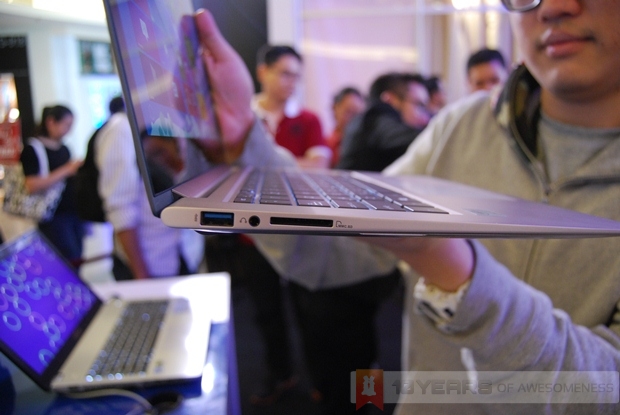
On the other hand, hybrid laptops running the full version of Windows 8 can cost as much as RM3999, while the lower-end ones running on Windows RT cost considerably less, at around RM2000-2600. However, Windows RT has plenty of limitations, preventing users from the full Windows 8 experience. Manufacturers would have you think that you’re paying slightly more because you’re essentially buying two devices, but really, you can get a proper Ultrabook running Windows 8, a decent Android tablet and still have some spare change instead of getting, say, a Sony VAIO Duo 11 or a Lenovo IdeaPad Yoga 13.
2. Durability
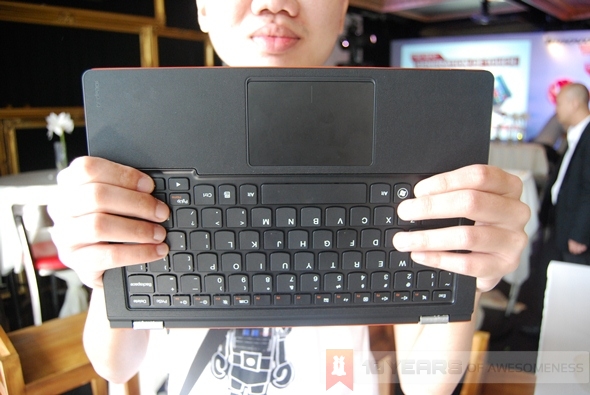
Hybrids come in a variety of designs. The VAIO Duo 11, for example, has a slide-out keyboard mechanism that also tilts the screen to a proper angle to face the user. Lenovo’s IdeaPad Yoga has a cool two-stage hinge that allows the screen to be swerved 360 degrees. ASUS is famous for its detachable screens, first seen on the Android-powered Transformer Pad. Dell uses magnets to keep the swivelling display in place.
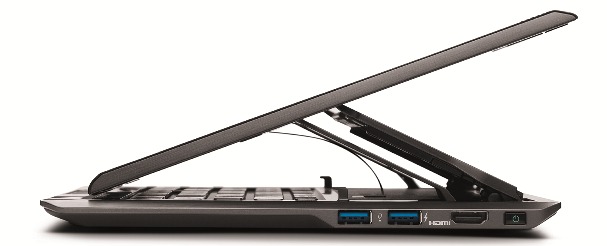
Sony VAIO Duo 11
With more moving parts, one has to question the durability of these devices. Sure, the manufacturers will tell you that their devices are built to last years and years, but can the slide-out mechanism last on the VAIO Duo 11, or will the connector points on the keyboard docks of the ASUS hybrids face issues after a set number of times of being taken in and out?
3. Power
A tablet is not designed for power. It is as simple as that. Mid-range Ultrabooks have Intel Ivy Bridge processors with an integrated GPU that is powerful enough to run games like Diablo III. Intel Core processors also have hyper-threading technology, which increases multi-tasking capabilities.
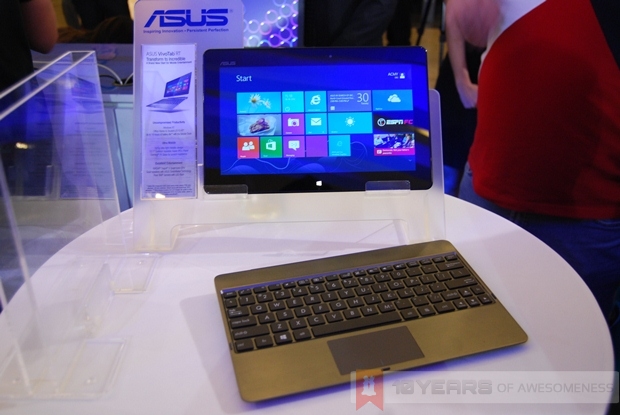
While hybrids such as the ASUS Transformer Book manages to fit highly impressive specs such as an Intel Core i7 processor as well as a large 128GB SSD inside, it adds considerable bulk and weight to the hybrid (the HP Envy Spectre XT, with similar specs, is about 500g lighter and much thinner than the Transformer book). This leads perfectly into my third argument.
4. Heat Dissipation
The main reason why we don’t see more hybrids with powerful hardware like the Transformer Book is simple: heat dissipation is a big issue. The Transformer Book has plenty of air vents, but continuous usage will still make it too warm for comfortable use as a tablet, which means you’ll put the display on the dock anyway.
An Ultrabook, on the other hand, has air vents designed specifically to dissipate heat – and dissipate it away from the user. Some, like the old Lenovo IdeaPad U300 and U400, takes a leaf from Apple’s Macbook Air by dissipating heat from the keyboard while still maintaining user comfort.
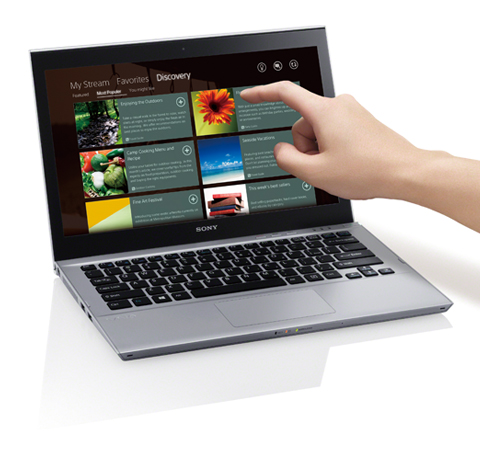
Sony VAIO T13 Touch Ultrabook
5. Storage Options
Most hybrids today only feature high-speed SSDs as storage options. As we all know, SSDs may be lightning quick, but what benefits you get in speed, you pay for in storage space. Users with SSDs often find themselves in a position where they have to micro-manage their storage space, which isn’t a fun thing to do.
While not ideal, plenty of affordable Ultrabooks these days still use traditional hard disk drives up to 1TB with a small SSD cache up to 32GB to store your OS and most used applications. This way, Ultrabook users get the best of both worlds. On the other hand, it must be noted here that the ASUS Transformer Book has both a 128GB SSD in the tablet section and a 500GB hard disk on the dock.
6. Weight
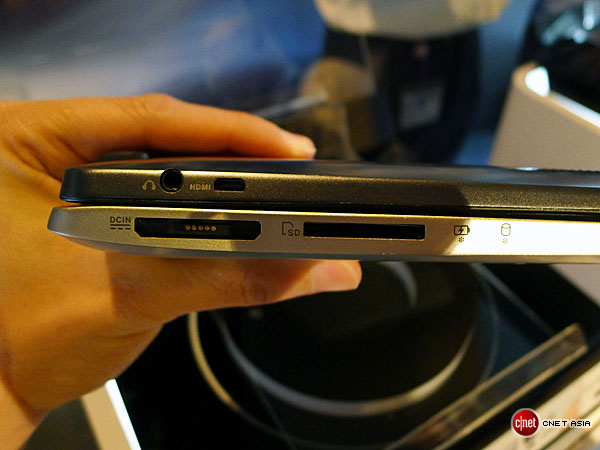
ASUS Transformer Book (Image credit: CNET Asia)
Most hybrids are still too heavy to be used as a tablet for long periods. While plenty of Ultrabooks are already weighing less than 1.5kg, most hybrids continue to struggle to weigh below that mark. Hybrids with non-detachable keyboards, in addition, become very unwieldy after thirty minutes or so of use. It is an apparent issue no matter what design is used. Similar issues appeared with the Sony VAIO Duo 11 as well as the Lenovo IdeaPad Yoga 13.
That’s not to say detachable hybrids are better off. The ASUS Transformer Book, for instance, weighs 900g even without the dock. Due to the hardware, they’re pretty thick as well. 900g may not sound heavy, but it is for a tablet. Heck, even most 10.1-inch tablets get pretty tiring to hold after a while, what more a 13-inch one?
7. Comfort
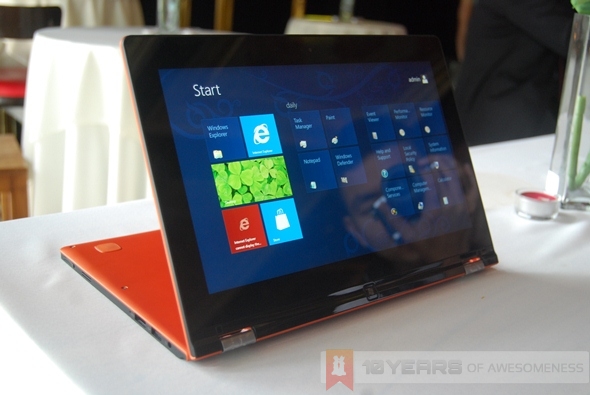
The above relates closely to this argument. A heavy and bulky tablet is not going to win users over, despite the convenience of being a full Windows 8 device. A 13-inch tablet is simply too wide to be used comfortably, on both portrait and landscape modes.
8. Productivity
When comfort is compromised, productivity takes a hike. Not only that, Ultrabooks have proper keyboard and trackpads that work as you expect them to. A physical keyboard makes a big difference when it comes to work, as a touch keyboard takes away the skills of being a touch typist. Sure, there are awesome keyboard apps like Swiftkey, but that’s not available in Windows 8 just yet.
9. Screen Size
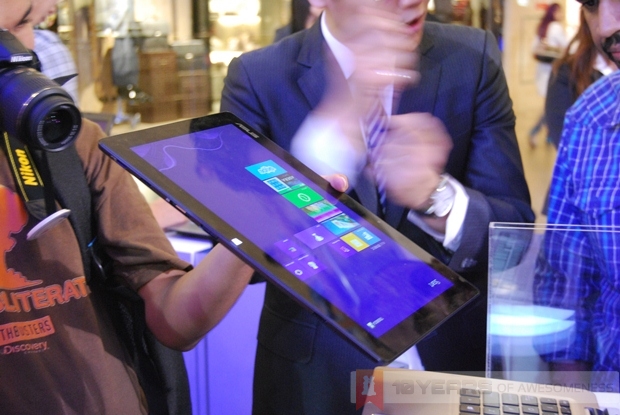
11 inches is too small for a laptop display. 13 inches is too large for a tablet screen. So how could an 11 or 13 inch hybrid laptop work?
10. Hybrids were Supposed to bring the Best of Both Worlds, but in Reality, it’s Quite the Contrary.
The header says it all, actually. A hybrid was supposed to merge the convenience of a tablet and the power of a notebook, but ends up merging the worst features of both.
11. There’s a Smartphone for a Reason
Some hybrid users may jump for joy now that they can snap photos of things using their device, but really, no one likes anyone who snaps photos using tablets. A smartphone does a better job at this, and more. Need to write a quick note? Forget a hybrid, there’s a smartphone for that! Did inspiration for your latest artistic masterpiece strike when you’re nowhere near a tablet? The Samsung Galaxy Note II has the S Pen stylus that’s pretty brilliantly paired with the Paper Artist app.
And, if you’re using a Windows Phone 8 device, you can use the Microsoft Office app to create, edit and save documents and spreadsheets on the go. The app will also soon be available for iOS and Android, while Symbian already has a working Office app.
In fact, with smartphone displays getting larger and larger by the minute, it really can replace a PC for many tasks.
12. Ultrabooks with Touchscreens are Already Here
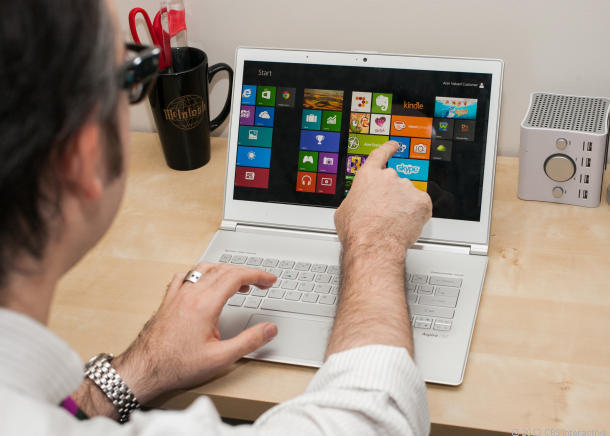
Acer Aspire S7 Ultrabook (Image credit: CNET)
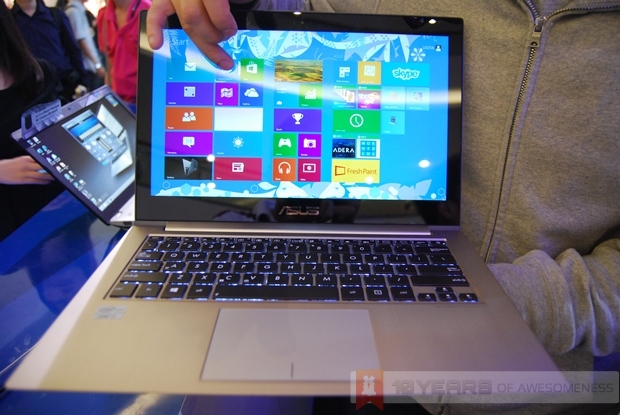
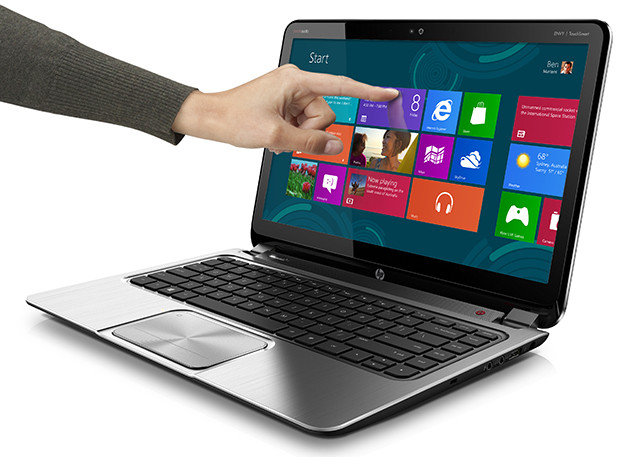
And then, we have the touch-enabled Ultrabooks. If you really cannot live without using the Windows 8 gestures, and find that the gestures you can use on the touchpad insufficient – and therefore warrants the need for a hybrid laptop, well…here’s a better alternative: touch-enabled Ultrabooks. We’ve seen the ASUS Zenbook Touch, the ASUS VivoBook Touch, Sony VAIO T13 Touch Ultrabook, Acer’s Aspire S7 Ultrabook, and soon we might see the Lenovo ThinkPad X1 Carbon Touch and the HP Spectre XT TouchSmart coming to our shores. All powerful Windows 8 Ultrabooks, with the touchscreen complementing the OS perfectly without any of the issues brought about by the hybrid laptops.
The latest addition to Lowyat.NET's family is a freshly-converted tech geek and footie fanatic who dabbles with the occasional game or two.
Leave A Response
Lowyat.TV
Lowyat.FM
Find us on Facebook
Popular Posts
- Home: The New Facebook Experience For Android, Coming To Select Smartphones On April 125,388 views
- The Nokia N9: Is This the World’s Most Underrated Smartphone?2,710 views
- Coming of Age: iOS7 Points the Way to the Future of Mobile Innovation2,191 views
- Lowyat.TV: Hands On With iOS 7 – A Preview Of Things To Come1,931 views
- Malaysia Telco Price Comparison: Samsung Galaxy S41,913 views


It’s more of a personal opinion, and I say your opinion is contrary to mine. I skipped some text until I read “There’s a Smartphone for a Reason”, almost make me stop reading there. It’s like saying tablet sucks because smartphone is so much better. But to me, smartphones today continue to sucked until they start having a built-in keyboard/keypad. I rather have Nokia Asha 303 with a hybrid tablet.
1. Price is not an issue, every new technology is bound to be expensive.
2. Nor does the power. Razer is developing the Fiona prototype for years. And like smartphones, it’s just gonna get better.
3. There is a physical keyboard for Microsoft Surface. Yes, it’s Windows RT, but we all know the Surface Pro is coming real soon.
4. It’s a hybrid, why do you care about the screen size, just get used to it! 13 inch might be too big for a laptop but there’s always a smaller screen hybrid like Microsoft Surface.
5. The tenth point is not a point.
6. “no one likes anyone who snaps photos using tablets.” Not until you try Microsoft Surface.
“you can use the Microsoft Office app to create, edit and save documents and spreadsheets on the go.” And what was that comfort and productivity you were talked about?
“with smartphone displays getting larger and larger by the minute, it really can replace a PC for many tasks.” I would like to see a 7-inch smartphone, with physical keyboard.
7. Ultrabook with touchscreen? How about detachable keyboard? Hello, weight and comfort there.
As much as this is an opinion piece it’s a poorly written one at that.
To add to PeterTechGuy’s comments by points.
3) Power – This is really a non-issue, do notice that some tablets have Intel Core i5 in them and it’s as fast as an ultrabook. If power is the thing that you are looking for then I have only 1 thing to say, your notebook (not ultrabook) is in another castle.
I agree that this is a piece of badly written article with utter bias to ultrabooks (like an Apple fan doing review on a Windows tablet).
“while the lowest-end Ultrabook can cost as low as RM1599″
May I know what is the brand? Thank you
Hi ashkot,
There is a thread on our forums which updates laptop pricelists regularly, and are pretty accurate. The RM1599 Ultrabook I mentioned is a Dell Inspiron 14z, but runs on Ubuntu. On the other hand, there is an even cheaper Ultrabook, the Lenovo S300, but that runs on an older processor architecture.
Here’s the user-updated price list:
http://forum.lowyat.net/topic/2026498
Have fun!
Yeah, I also wish to know which lowest end of ultrabook cost RM1599. Can you please reveal the brand and model. Thank you
Asus VivoBook Touch UltraBook
a very biased view of written article
actually there is a 7 inch smartphone = samsung galaxy tab 2 7 inch 3g
I agree with most of points, current hybrid is simply too expensive, Windows 8 is a mutant who can’t decide what it wants to be. This is why WIndows 8 sales have been very dissapointing so far because people just don’t see why they want to destroy both their desktop and tablet experience with a badly rojak OS and defective hybrid.
Wonder why Apple never try to combine their iOS and MACOSX??? There is a very good reason to it. And i am not even an Apple fan.
Hybrids expensive? Acer Iconia Tab W510 is RM 2,199.
I have both the W510 and the Asus Vivobook and guess which one I bring out more often.
They’re totally different devices but since we’re talking about Hybrid vs Notebook
It’s a good time to share.
The W510 has IPS screen, color is reproduction is better. Furthermore I can use it as a Notebook, and flip it over as a Tablet with a stand. I could un-dock it too if need.
Anyway bear in mind that this article is as per what it is titled.
Those who say this article is biased, you should understand also that one could still come up with an article on why Hybrid is a better choice.
It really depends on individual. I personally like Hybrids more than Notebooks.
I’d also like to point out that the article stated
“while the lower-end ones running on Windows RT cost considerably less, at around RM2000-2600. However, Windows RT has plenty of limitations, preventing users from the full Windows 8 experience.”
This is not true. Many of these hybrid models are using Intel processors, thus they will not be using RT which is for ARM processors.
Good article. From what i see, what the writer is expressing is the CURRENT situation on hybrid tablets. Its a no brainer that future hybrids will be far better than what we can have now.. but we live in the NOW.. and not the FUTURE.. yet. So, he has presented valid arguments IMHO.
He is delving on what are the current issues plaguing the hybrid tablets market compared to the already mobile ultrabooks which can costs less and provide better options and long term productivity pluses in certain cases.
yes, ultrabook is better. i dun understand why do you need to touch your laptop.
touch= screen very near
mouse and keyboard = screen at least 2 feet away.
ultrabook looks sexy too. get a normal ultra book/macbook air and ipad sounds better.
Did you know touch screen makes it more efficient?
I’m sure you have used the touchpad to move cursor from one end to the other end just to click on a link.
With touchscreen – raise hand, tap.
Settled. You’ll love it once you experience it. Scrolling web pages are great too.
wait until windows surface pro arrived.. it will completely changed your mind and the article that u wrote.
If that RM 1,599 Asus Vivobook is what you call an Ultrabook then it will have points 3 (power) and 9 (screen size) against it.
Trust me, I’m using it right now. It’s not a power-house and the screen
Here’s the thing – Asus only calls the S400 an Ultrabook but not the S200 which is the RM 1,599 variant http://www.asus.com/vivo/en/vivoBook.htm
Is there a reason behind this? From what I see, the S200 is an 11.6″ Notebook and in order to meet Ultrabook specification, the maximum height is 18mm in which the S200 does not meet. The S200 is more than 20mm.
On the other hand, the S400 is a 14″ screen notebook with 21mm height – which so happen to be the maximum allowed height for anything 14″ or larger.
Bro how’s the vivobook ? i’m thinking of getting one real soon. TQ
not agree with your article. ultrabook is heavier and larger. less mobility compare to tablet@hybrid.
The writer is taking a tablet as a replacement for a notebook. He is biased in that sense. That should not be the way.
- A tablet is a complement, not a replacement for a laptop
- A tablet is for when you want to leave the desk yet have pretty much all you need to do the core of what you need, notably checking the net, notes, email, and for most people, Ms Office.
- Power should not be an issue, as you dont expect to edit a video or do photoshop while on the run.
- W510 is only 500+grams.. which ultrabook can beat that?
- Battery life tops at 9hours… instant on and off, most ultrabooks cant do that.
- W510 is only RM1600 for the tablet. How is that expensive? An ipad costs the same, but cant do ms office nor run windows specific programs essential to a slightly more tech oriented person.
Good Article..I wld prefer to have an ultrabook for my work, esp with physical k/board and graphics performance. Btw, is there any SSD Ultrabook with dedicated graphics and i7 Ivy Bridge?
I have a Dell Inspiron 14z with 32GB SSD + 500GB HDD running i7 with 8GB RAM with dedicated graphic
currently using old dekstop for works and leisure purpose but planning to join the hybrid+touchscreen bandwagon. any idea on which hybrid+touchscreen that can correctly interpret doubleclick as a doubleclick n not zoom-in?
what a rubbish piece of writing..totally missing the point..its a single device running full OS..tell me is it a good idea to carry multiple device when travelling…no?
kecoh la dei. Kejap cakap tablet sucks because future ultrabooks are gonna be better (duh). kejap cakap tablet has no power (duh).
1. you want power? go desktop ler.
2. I can run 12 hours of movies on my asus transformer tf101. On a plane. On a single charge. The keyboard is awesome, acts as a stand as well. Ultrabooks can do that? yeah right. And this is before ultrabooks existed.
3. Open the transformer, run sygic, GPS all the way during travel, roadtrips, etc. Ultrabooks can do that?
4. Ultrabooks has sim built-in?
5. Compare ultrabooks with a tablet+keyboard combo like transformer ok la, baru valid at least. Windows programs are windows programs. Any programs optimised for Win8/touch? riiight. Not even the OS itself is fully build for touch.
I can go on and on, but hybrids are hybrids. Nobody is claiming hybrids being the best of everything anymore in 2012. There are so many wonderful application for hybrids that it’s not even funny. If all you want are notebook/laptop/writing/power then why are you buying a hybrid tablet+keyboard in the first place?
Kecoh la dei.
I do somewhat agree with the author. I’m more of a “content-creator” person, I prefer ultrabooks better than tablet / hybrid for personal reasons as I sometimes do programming on it.
I only use my tablet to read articles, watch youtube, play games, so that means I’m really only using my tablet for “content-consumption”. I find typing in the tablet really unsatisfying and unproductive.
So in summary, this is a opinion article and not all may agree on it. But just for the record I think it’s well within my agree zone.